NVIDIA Video Driver Controls
NVIDIA Display Properties B - 3
B
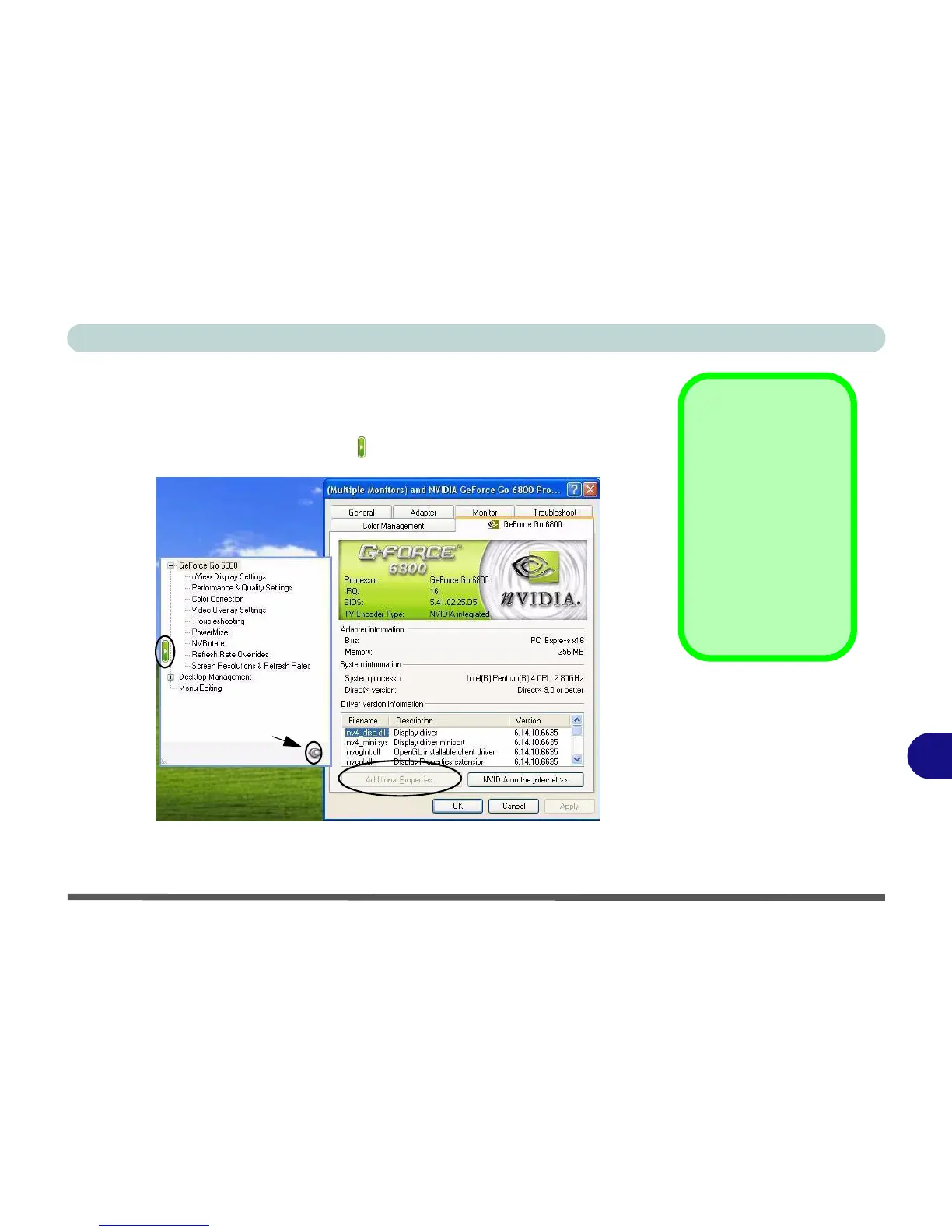
Additional Properties
The items listed in the Additional Properties window allow you to configure
your display(s). If the items do not display you can either click the Additional
Properties button, or click the icon .
Some screen examples are shown on the following page.
Screenshots
All screenshots in this
chapter are from the
GeForce Go 6800 in
the Windows XP OS.
If you are using a dif-
ferent GeForce video
card, or a newer driver,
some screens in may
appear slightly differ-
ent.
Figure B - 1
Additional
Properties
Click pin icon to push pin in
to keep the menu open.















 To Next Page