ATI Video Driver Controls
C - 2 ATI Mobility Radeon Properties
C
ATI Mobility Radeon Properties
More advanced video configuration options are provided in the ATI Mobility
Radeon control panel tab:
1. Open the Display Properties (see “Video Features” on page 1 - 14) con-
trol panel.
2. Click Advanced (button).
3. Clicking any of the ATI Mobility Radeon tabs (see the examples in Figure
C - 2) will allow you to make video adjustments.
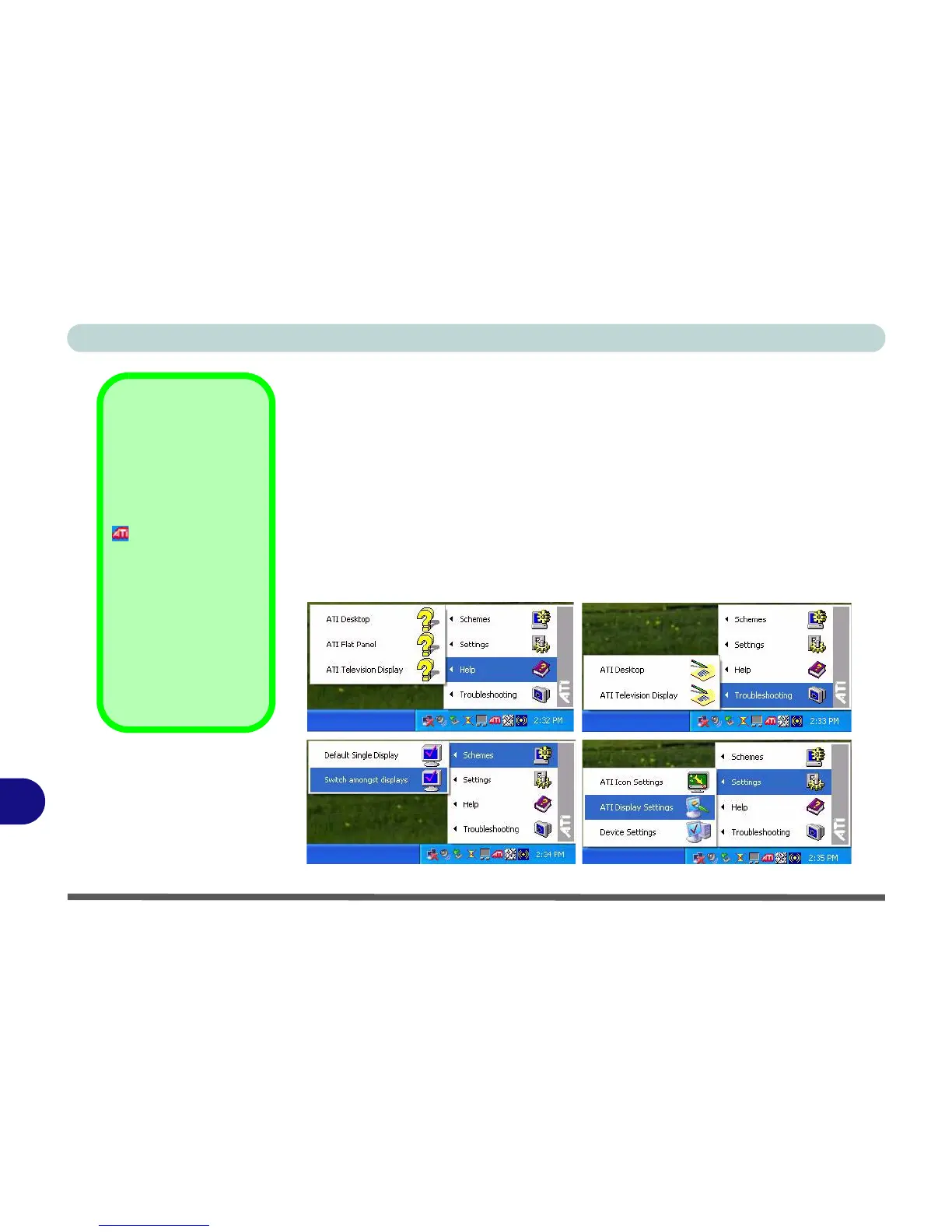
4. You can also access the ATI Mobility Radeon properties from the ATI icon
in the taskbar (see the sidebar and Figure C - 1).
ATI Taskbar Icon
You can also access
ATI Mobility Radeon
Properties by right-
clicking the ATI icon
in the taskbar. Point
to Settings and click
ATI Display Settings,
then click the Settings
(tab).
The menu will also al-
low access to Help,
Troubleshooting and
Schemes etc.
Figure C - 1
ATI Menus
(taskbar Icon)















 To Next Page