Drivers & Utilities
Driver Installation 4 - 19
4
Driver Installation
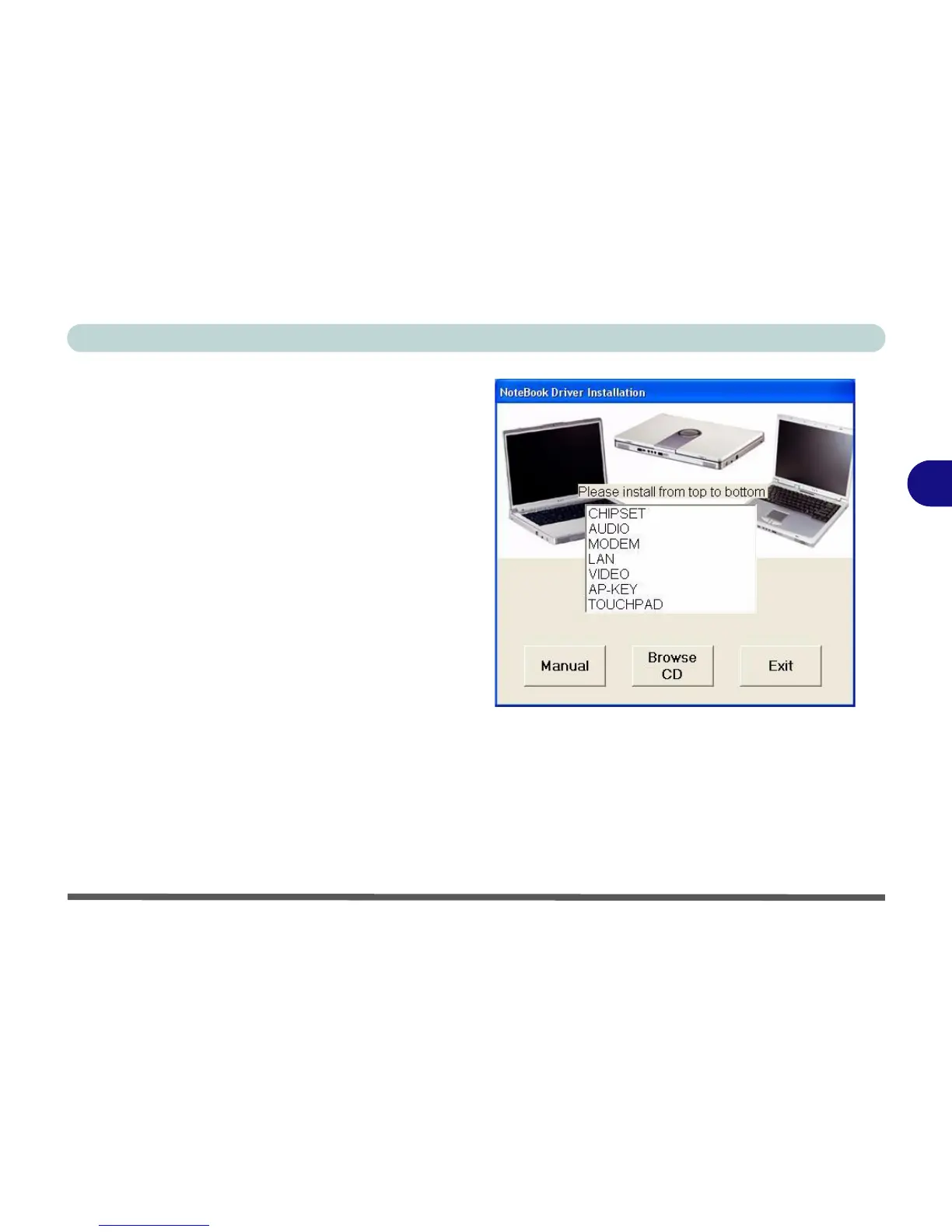
Insert the Device Drivers & Utilities + User’s Man-
ual CD-ROM and the Notebook Driver Installa-
tion application will run automatically. If you want
to install the driver manually see “Manual Driver
Installation” on page 4 - 20.
1. Check the driver installation order from Table 4 -
2, on page 4 - 20 (the drivers must be
installed in this order) which is the same as
that listed in the driver installation screen menu.
2. Double-click to select the name of the driver you
wish to install.
3. Follow the instructions as listed in this chapter.
4. Make a note of the drivers you have installed.
5. If a restart is required after installing a driver, you
will usually need to click the “Yes/Finish” button
when prompted to restart the computer.
6. To get back to the Driver Installation screen click
Start (menu) > Run... and navigate (Browse..)
to D:\SETUP.EXE and click OK.
OR
Double-click the My Computer icon, and then
double-click the CD icon.
Figure 4 - 15
Driver Installation Screen















 To Next Page