C
ATI Video Driver Controls
Display Modes C - 9
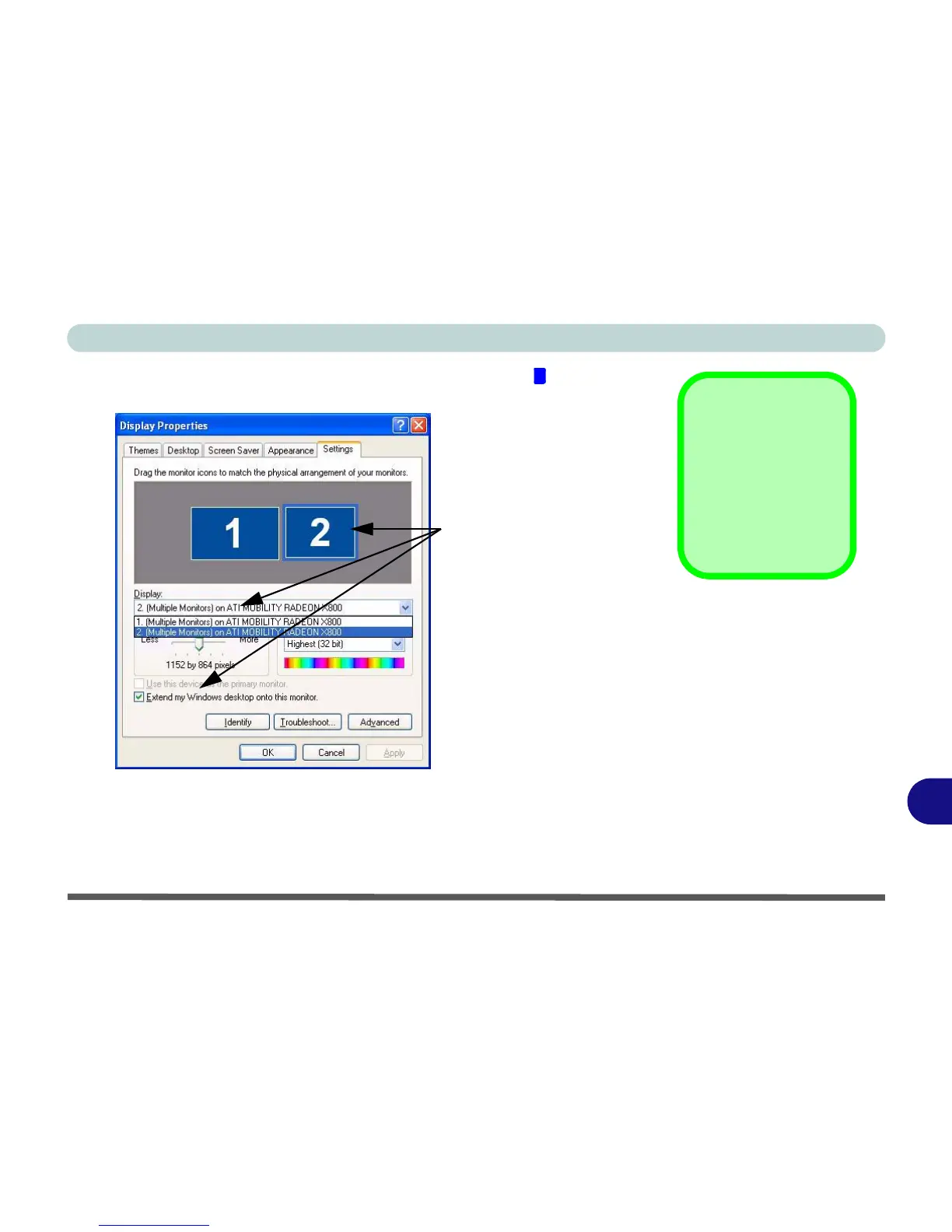
10. In the example shown in Figure C - 5 the primary monitor is on the left,
the other display is on the right.
11. With the Extended Desktop Mode enabled, drag any icons or windows
across to the other display desktop. It is therefore possible to have one
program visible in one of the monitors, and a different program visible in the
other monitor.
1
Click either the Display
pop-up menu, or click
the icon for the appro-
priate display.
Then click the tick box to
extend the primary dis-
play’s desktop to it.
Help
Further help is avail-
able through the
menus accessed from
the taskbar (see Fig-
ure C - 1 on page C -
2).
Figure C - 5
Extended Desktop
Monitor
Arrangement















 To Next Page