Storage Devices, Mouse, Audio & Printer
Audio "DJ" CD Player 2 - 13
2
2
4
5
6
7
8
1
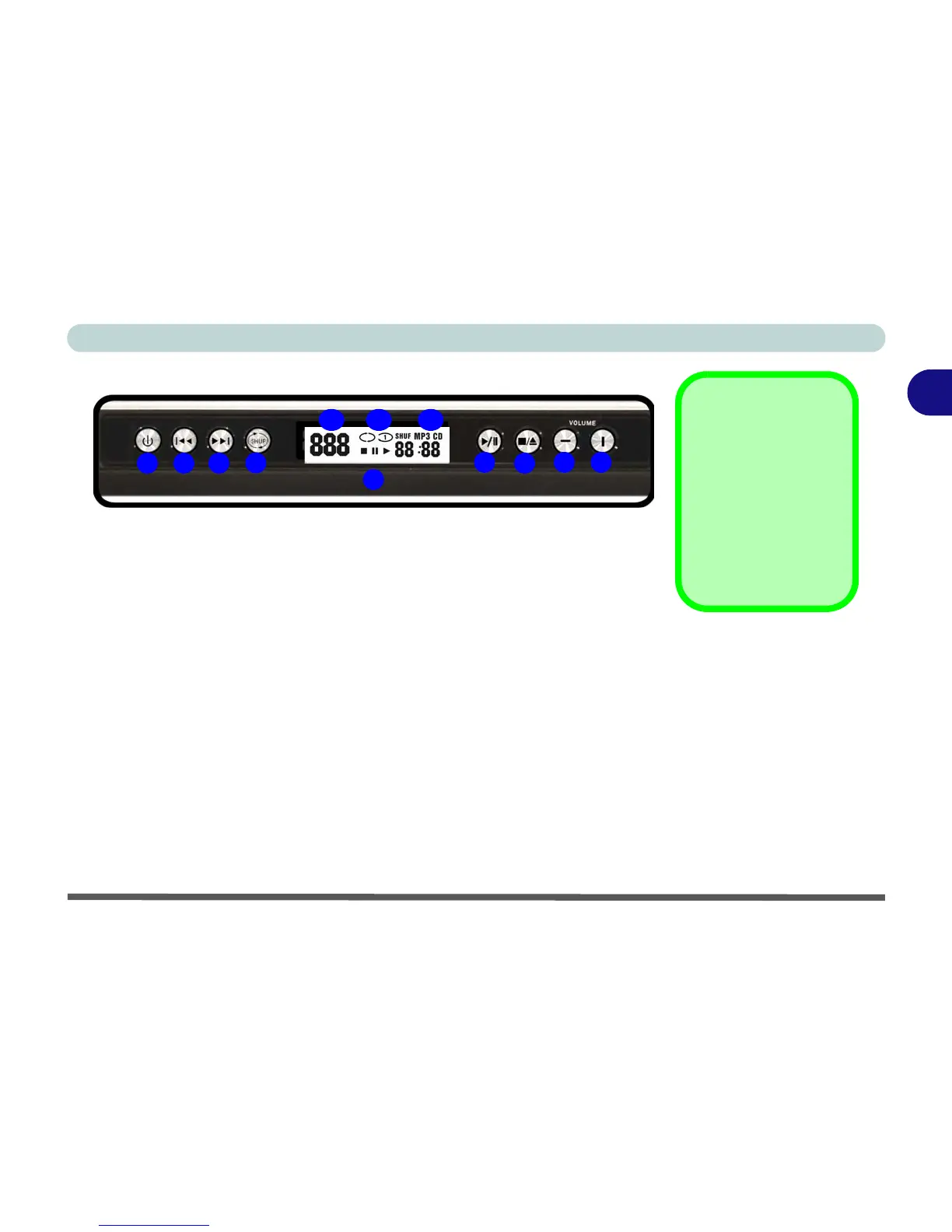
1. Audio "DJ" Power Button
2. Previous Track
3. Next Track
4. Shuffle (loop, in order, shuffle)
5. LED Display
6. Play/Pause
7. Stop (press twice to eject the CD/DVD)
8. Volume Down
9. Volume Up
10. Audio Format Indicator
11. Shuffle Mode Indicator
12. Track Indicator
Note: The time will be displayed on the LED Display if set in the
BIOS (see “Display Time on LED (Advanced Menu)” on
page 5 - 10).
3
9
101112
TV Tuner Option
If you have included
the optional TV Tuner
in your purchase con-
figuration, you can use
the supplied remote
control unit to control
the Audio "DJ".
Figure 2 - 9
Audio "DJ"
Controls















 To Next Page