Prerequisites
1. Remove the left-side cover.
2. Follow the procedure from step 1 to step 4 in "Removing the power-supply unit".
Procedure
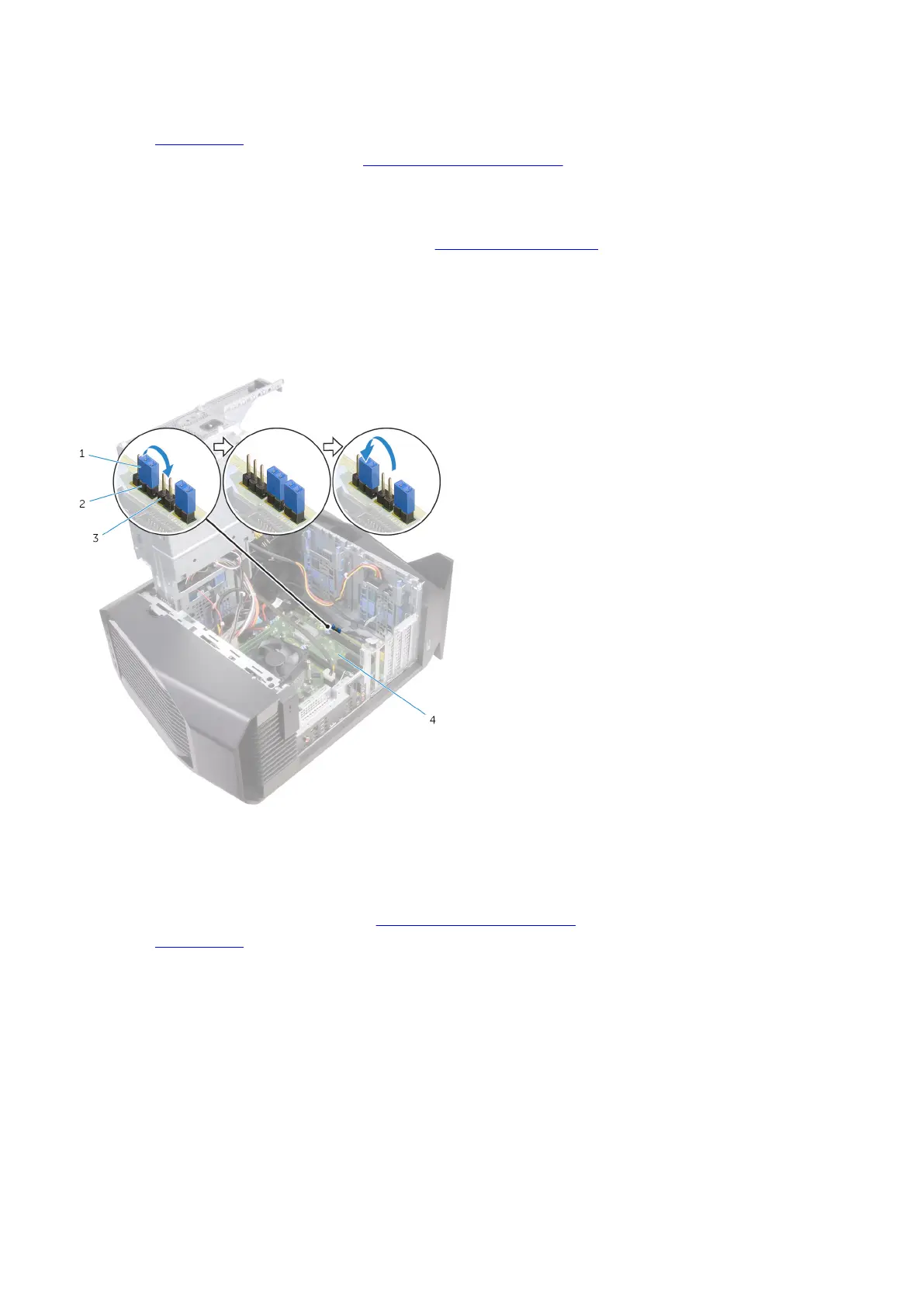
1. Locate the CMOS jumper (P217) on the system board.
For information on the location of the CMOS jumper, see "
System-board components".
2. Disconnect the system-board power cable from the system board.
3. Remove the jumper plug from pins 217 and replace it on pins 216 (P216).
4. Wait for 5 seconds.
5. Remove the jumper plug from pins 216 and replace it on pins 217.
6. Connect the system-board power cable to the system board.
1.
jumper plug 2. P217
3. P216 4. system board
Post-requisites
1. Follow the procedure from step 10 to step 11 in "
Replacing the power-supply unit".
2. Replace the left-side cover.
100















 To Next Page