Steps
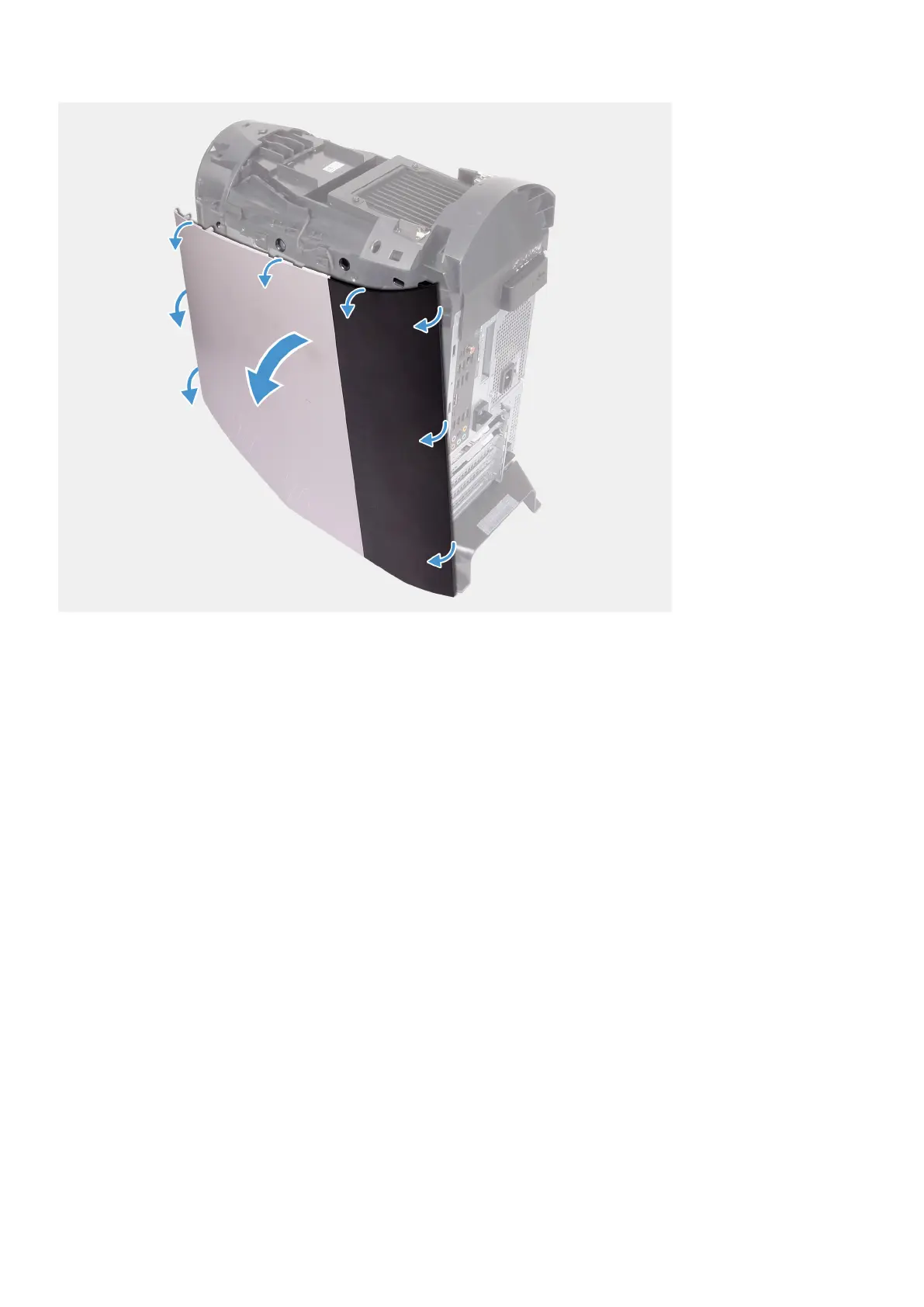
1. Starting from the top-front tab, pull the right-side cover away from the chassis.
2. Remove the right-side cover from the chassis.
Installing the right-side cover
Prerequisites
If you are replacing a component, remove the existing component before performing the installation procedure.
About this task
The following images indicate the location of the right-side cover and provides a visual representation of the installation procedure.
16















 To Next Page