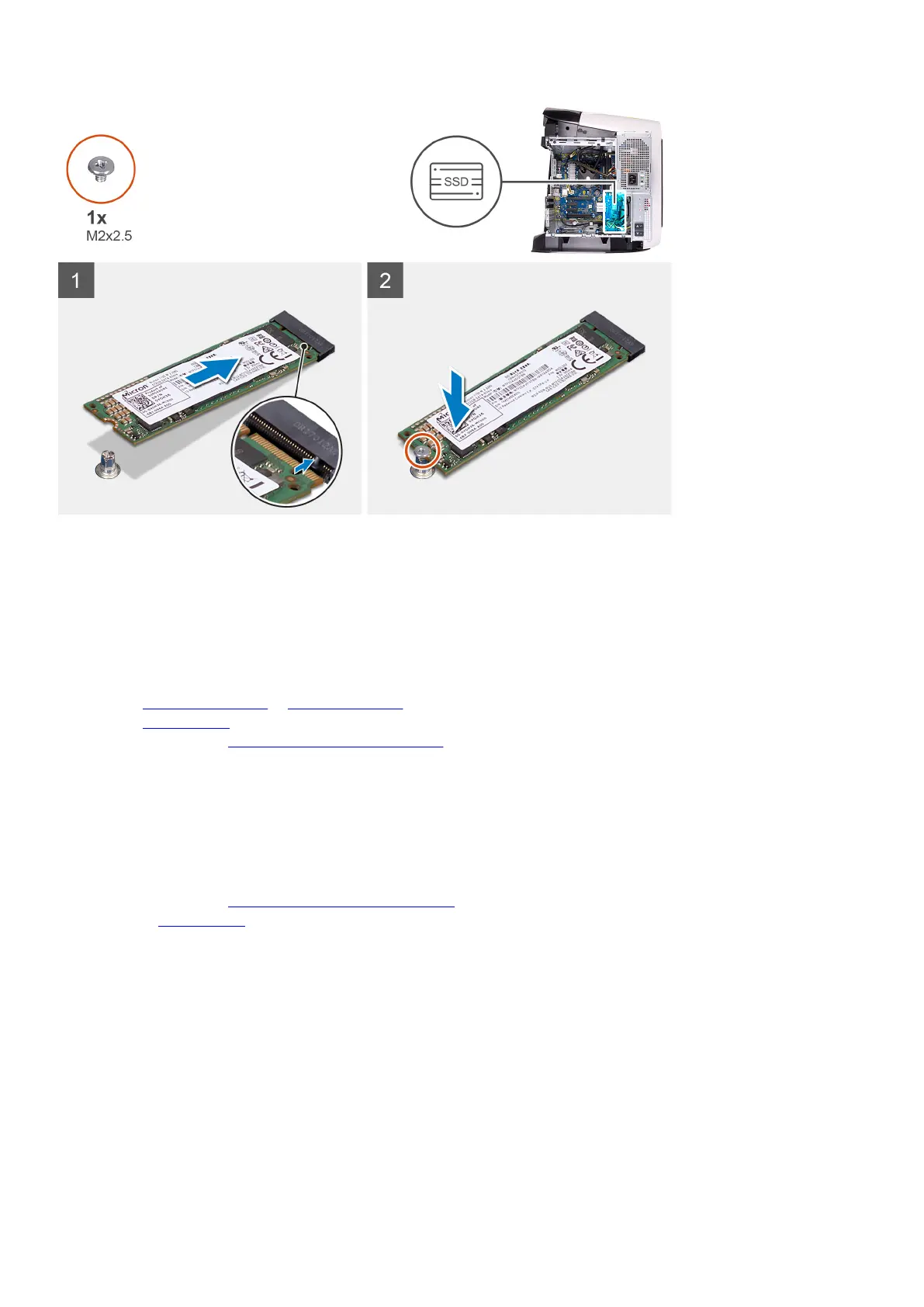
Steps
1. Align the notch on the solid-state drive with the tab on the solid-state drive slot.
2. Insert the solid-state drive at a 45-degree angle into the system board.
3. Press the other end of the solid-state drive down and replace the screw (M2x2.5) that secure the solid-state drive to the system
board.
Next steps
1. Install the single-graphics card or dual-graphics card, as applicable.
2. Install the left-side cover.
3. Follow the procedure in After working inside your computer.
Single-graphics card
Removing the single-graphics card
Prerequisites
1. Follow the procedure in Before working inside your computer.
2. Remove the left-side cover.
About this task
The following images indicate the location of the graphics card and provides a visual representation of the removal procedure.
48















 To Next Page