WARNING: The cables and ports on the back of the power-supply unit are color-coded to indicate the different power
wattage. Ensure that you plug in the cable to the correct port. Failure to do so may result in damaging the power-
supply unit and/or system components.
About this task
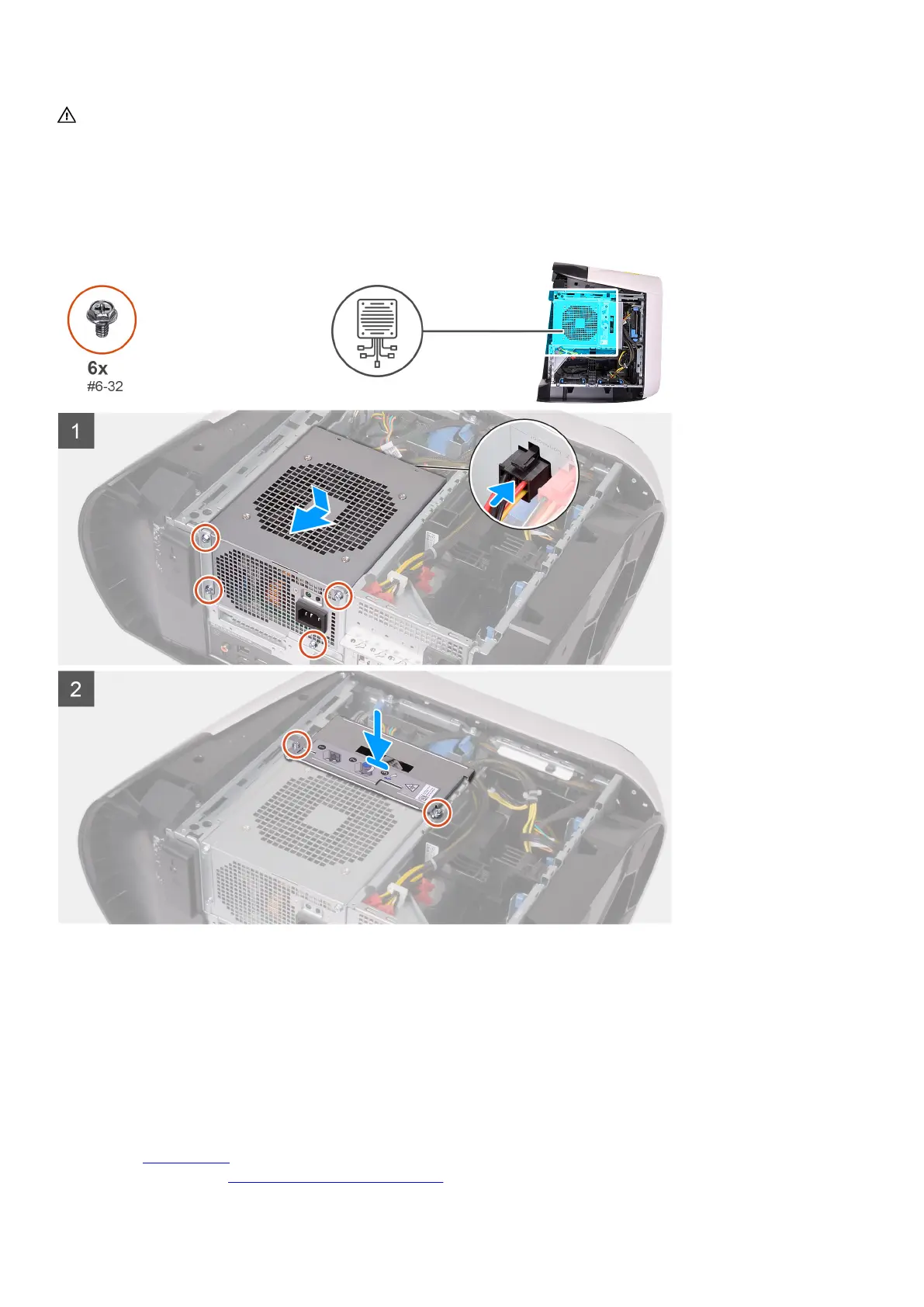
The following images indicate the location of the power-supply unit and provides a visual representation of the installation
procedure.
Steps
1. Place the power supply on the chassis.
2. Align the screw holes on the power-supply unit with the screw holes on the chassis.
3. Replace the four screws (#6-32) that secure the power-supply unit to the chassis.
4. Connect all the power cables to the power-supply unit.
5. Align the screw holes on the power-supply unit bracket with the screw holes on the power-supply unit cage.
6. Replace the two screws (#6-32) that secure the power-supply unit bracket to the power-supply unit cage.
Next steps
1. Install the left-side cover.
2. Follow the procedure in After working inside your computer.
33















 To Next Page