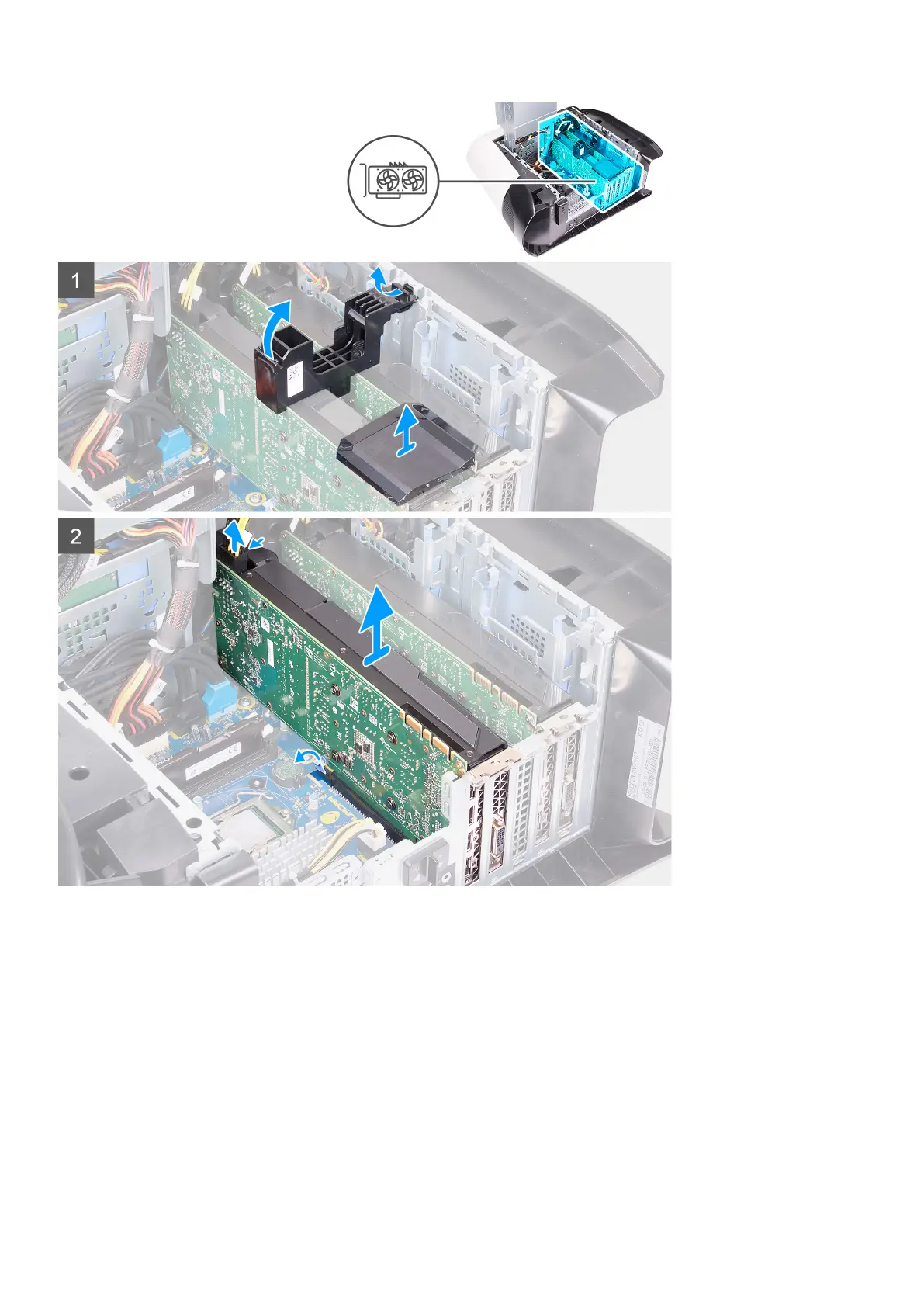
Steps
1. Lay the computer on the right side.
2. Slide the power-supply unit cage release latches to the unlock position.
3. Lift the power-supply unit cage and rotate the power-supply unit cage away from the chassis.
4. Lift the graphics bridge that connects the graphics cards.
5. Lift to release the graphics-card bracket from the chassis.
6. Press the releasing clip on the power-cable connectors and disconnect the power cables from the graphics card.
7. Push the securing tab on the PCIe slot away from the graphics card, grasp the card by its top corner, and ease it out of the slot
on the PCI-Express x8 slot.
8. Push the securing tab on the PCIe slot away from the graphics card, grasp the card by its top corner, and ease it out of the slot
on the PCI-Express x16/x8 slot.
54















 To Next Page