About your monitor | 11
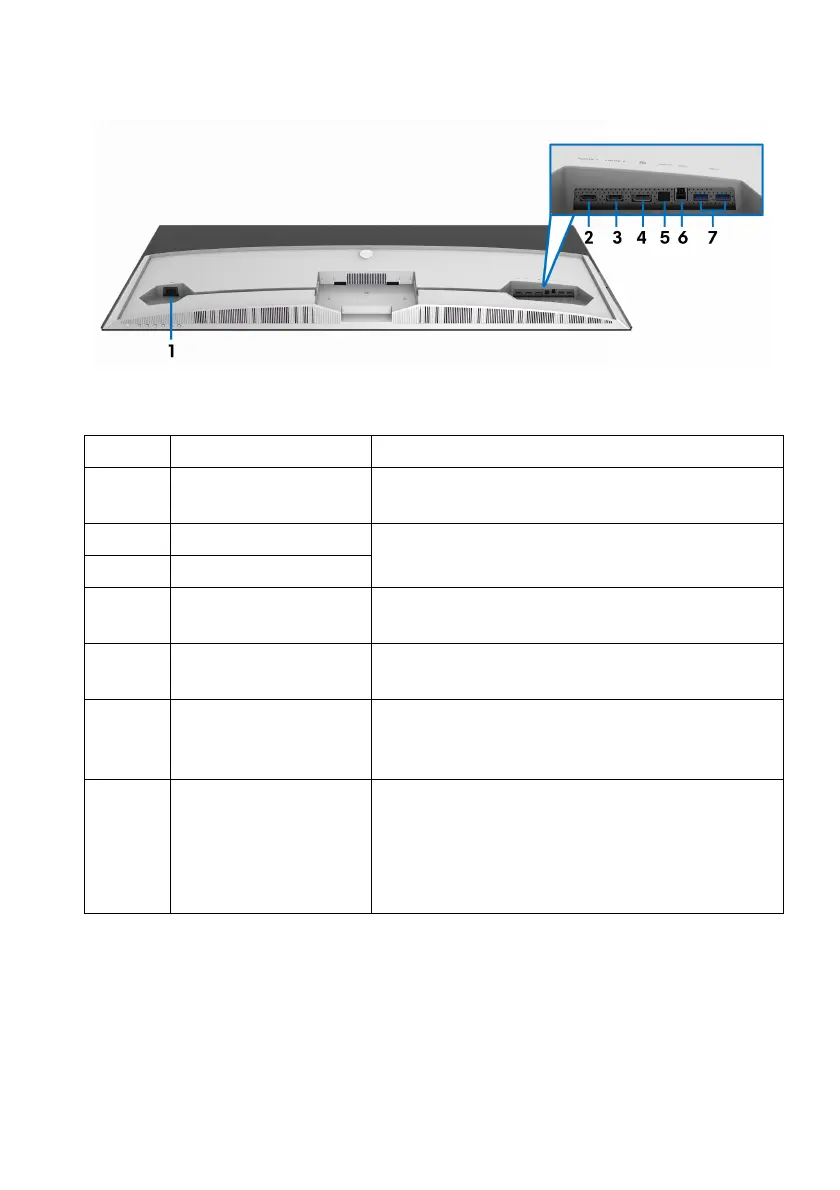
Bottom view
Bottom view without monitor stand
Label Description Use
1 Power connector Connect the power cable (shipped with your
moni
tor).
2 HDMI port (HDMI 1) Connect your computer with the HDMI cable
(shippe
d with your monitor).
3 HDMI port (HDMI 2)
4 DisplayPort Connect your computer with the
DisplayPort
cable (shipped with your monitor).
5 SPDIF Out port Connect your S/PDIF device with the S/PDIF
c
able (sold separately).
6 USB upstream port Connect the USB cable (shipped with your
monitor
) to this port and your computer to
enable the USB ports on your monitor.
7 USB downstream
ports
(2)
Connect your USB device.
NOTE: To u
se these ports, you must connect
the USB cable (shipped with your monitor) to
the USB upstream port on the monitor and to
your computer.















 To Next Page