Setting up the monitor | 25
Setting up the monitor
Attaching the stand
NOTE: The stand is not factory-installed.
CAUTION: The monitor is very heavy
and should be handled with
extreme care. It requires two people to lift or move this monitor.
NOTE: The following instructions are only applicable for the stand that
was
shipped with your monitor. If you are attaching a stand that you
purchased from any other source, follow the set up instructions that were
included with the stand.
CAUTION: The following steps are important
to protect your screen. Do
follow the instructions below to finish up the installation.
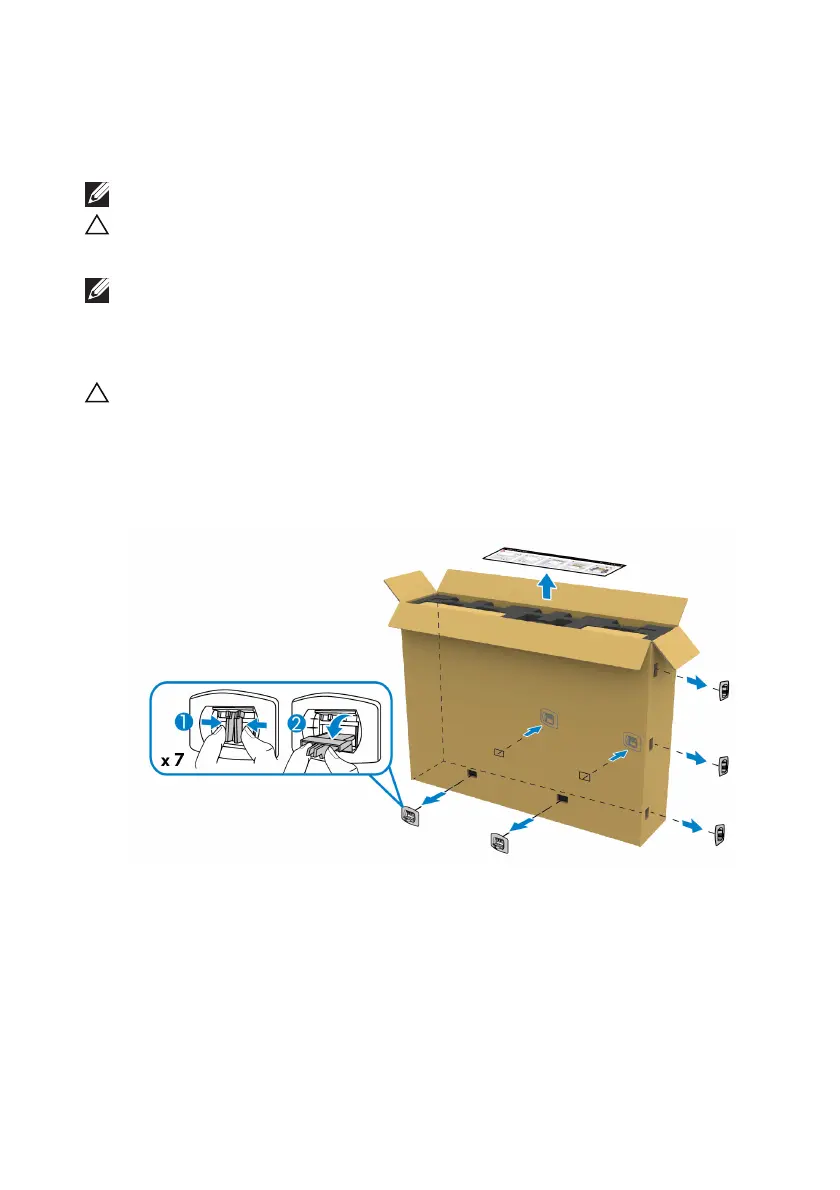
1. Remove the seven clips
from the outer box by pulling out the tabs on them.
2. O
pen the flap and locate the Quick Setup Guide. Refer to the document to
do the setup installation.















 To Next Page