Setting up the monitor | 33
Attaching the VESA adapter
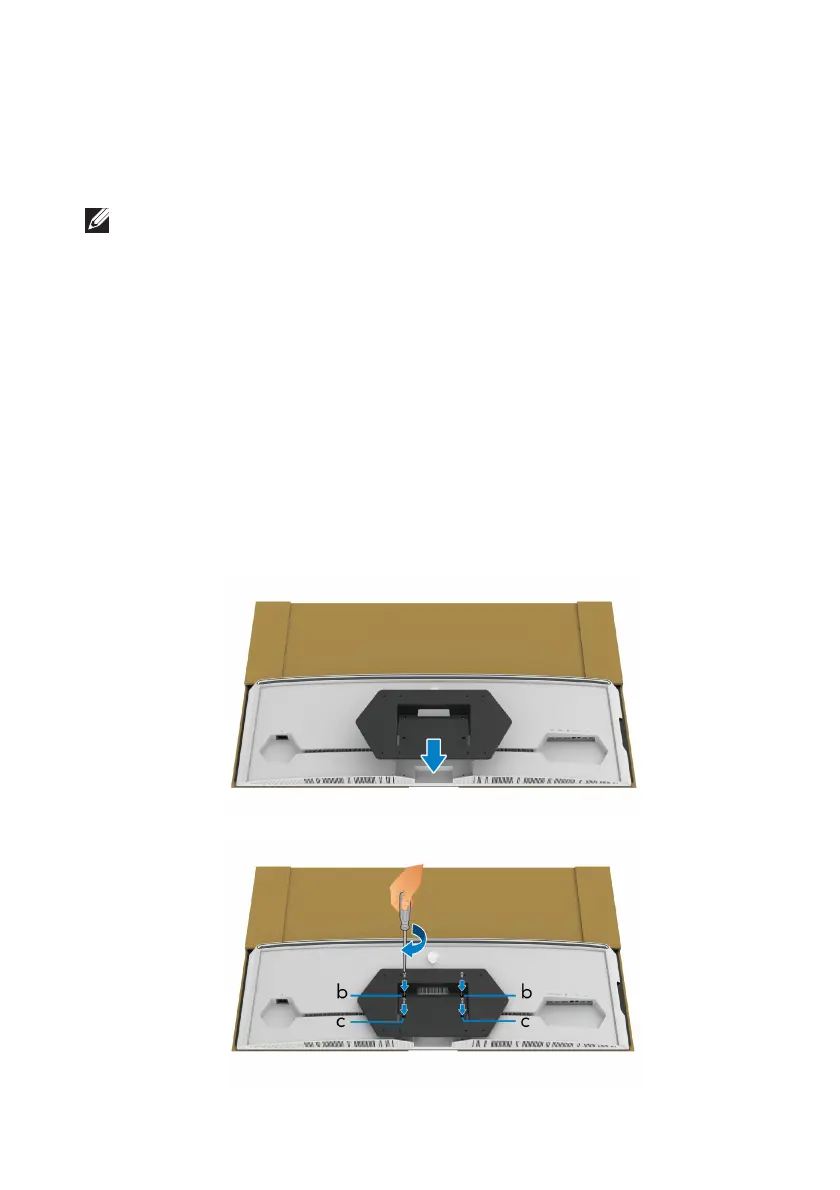
By installing the supplied VESA adapter (in the peripheral box) onto the back of
the display, you can attach a wall mount kit or 3rd-party arm (sold separately) to
the monitor.
NOTE: The wall mount kit or 3rd-party arm is not shipped with this
monitor.
Refer to the instructions that come wit
h the VESA-compatible wall mount kit or
3rd-party arm.
(Screw dimension: M4 x 10 mm)
1. Foll
ow step 1 to 8 in Attaching the stand to access the VESA adapter
mounting area.
2. A
ttach the supplied VESA adapter to the monitor.
a. Al
ign the VESA adapter with the screw holes on the back of the monitor.
b. Us
ing a Phillips crosshead screwdriver, tighten the upper edge of the
VESA adapter with two screws.
c. Us
ing a Phillips crosshead screwdriver, tighten the bottom edge of the
VESA adapter with two screws.















 To Next Page