10 | About your monitor
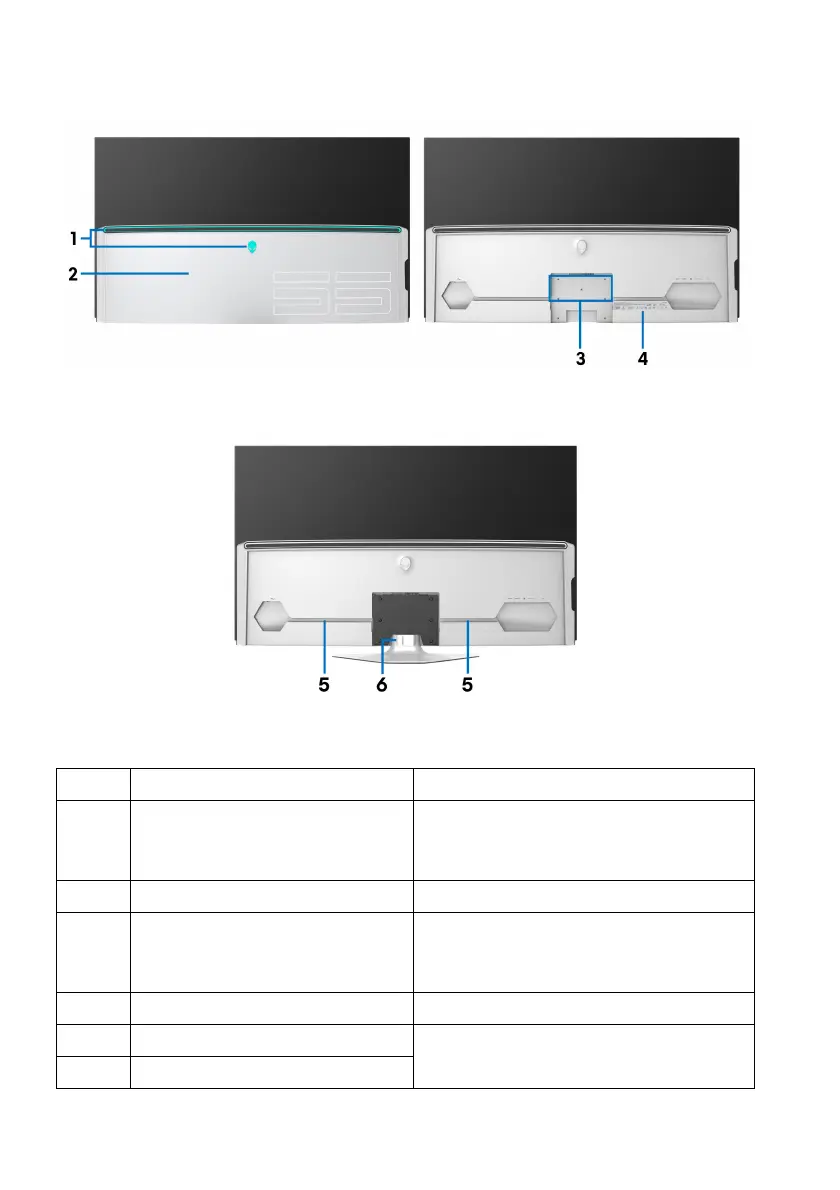
Back view
Back view with I/O cover Back view without I/O cover
Back view with monitor stand
Label Description Use
1 AlienFX LED lights The Alienware logo and the LED
s
tripe may light on. To change the
settings, see AlienFX Lighting.
2 I/O cover Protects the I/O ports.
3 Stand and VESA adapter
mo
unting holes
For stand or VESA adapter (200 mm
x 200 m & 300 mm x 200 mm)
mounting.
4 Regulatory label Lists the regulatory approvals.
5 Cable-management channels To organize the cables neatly.
6 Cable-management clip















 To Next Page