About your monitor | 9
Identifying parts and controls
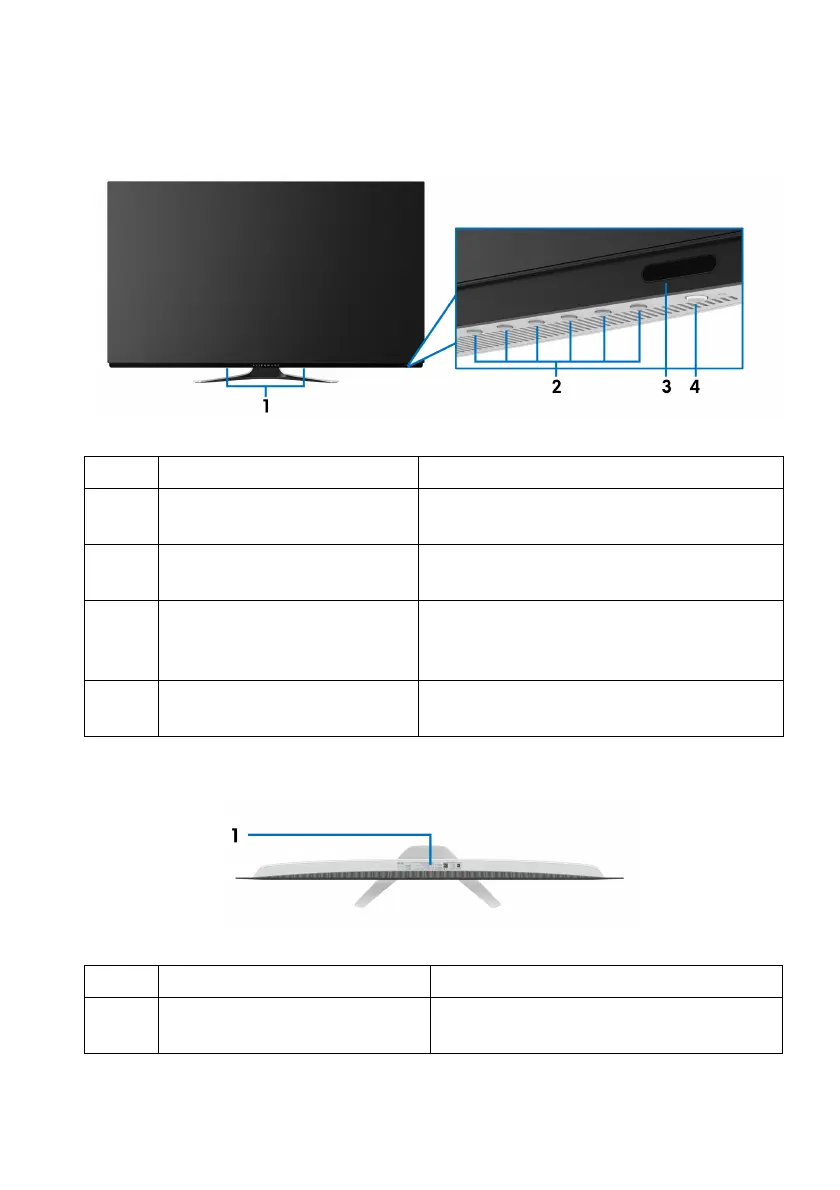
Front view
Label Description Use
1 Built-in speakers Allows you to hear the audio content
pla
yed from them.
2 Function buttons For more information, see Operating the
monitor.
3 IR lens To receive the infrared light signals sent
fr
om the remote control (shipped with
your monitor).
4 Power On/Off button (with
LED indicat
or)
To turn the monitor on or off.
Top view
Label Description Use
1 Barcode, serial number, and
Service Tag
label
Refer to this label if you need to
contact Dell for technical support.















 To Next Page