34 | Setting up the monitor
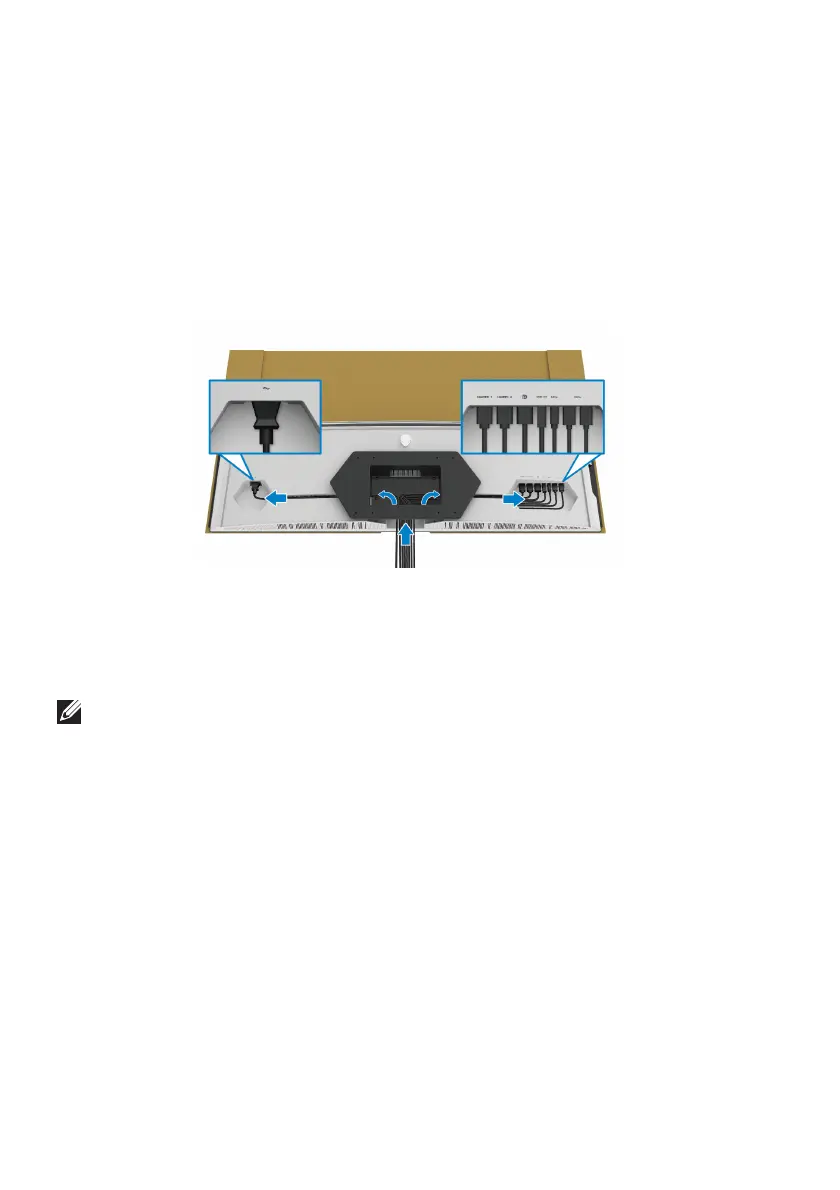
3. Route and connect the necessary cables to the monitor in the direction as
shown:
• Power cable
• HDMI cable(s)
• DisplayPort cable
• S/PDIF audio cable (optional, cables are not included)
• USB upstream cable
• USB downstream cables (optional, cables are not included)
4. Mount the monitor on the wall. For more information, see the
documentation that shipped with the purchased wall mount kit/3rd-party
arm.
5. Remove the cardboard
and protective cover from the monitor.
NOTE: For use only with UL-listed wall mount bracket with minimum
weight or load bearing capacity of 102.0 kg.















 To Next Page