12 | Removing the Battery Pack
Removing the Battery Pack
WARNING: Before working inside your computer, read the safety
information that shipped with your computer and follow the steps in
"Before You Begin" on page 9. For additional safety best practices
information, see the Regulatory Compliance Homepage at dell.com/
regulatory_compliance.
Procedure
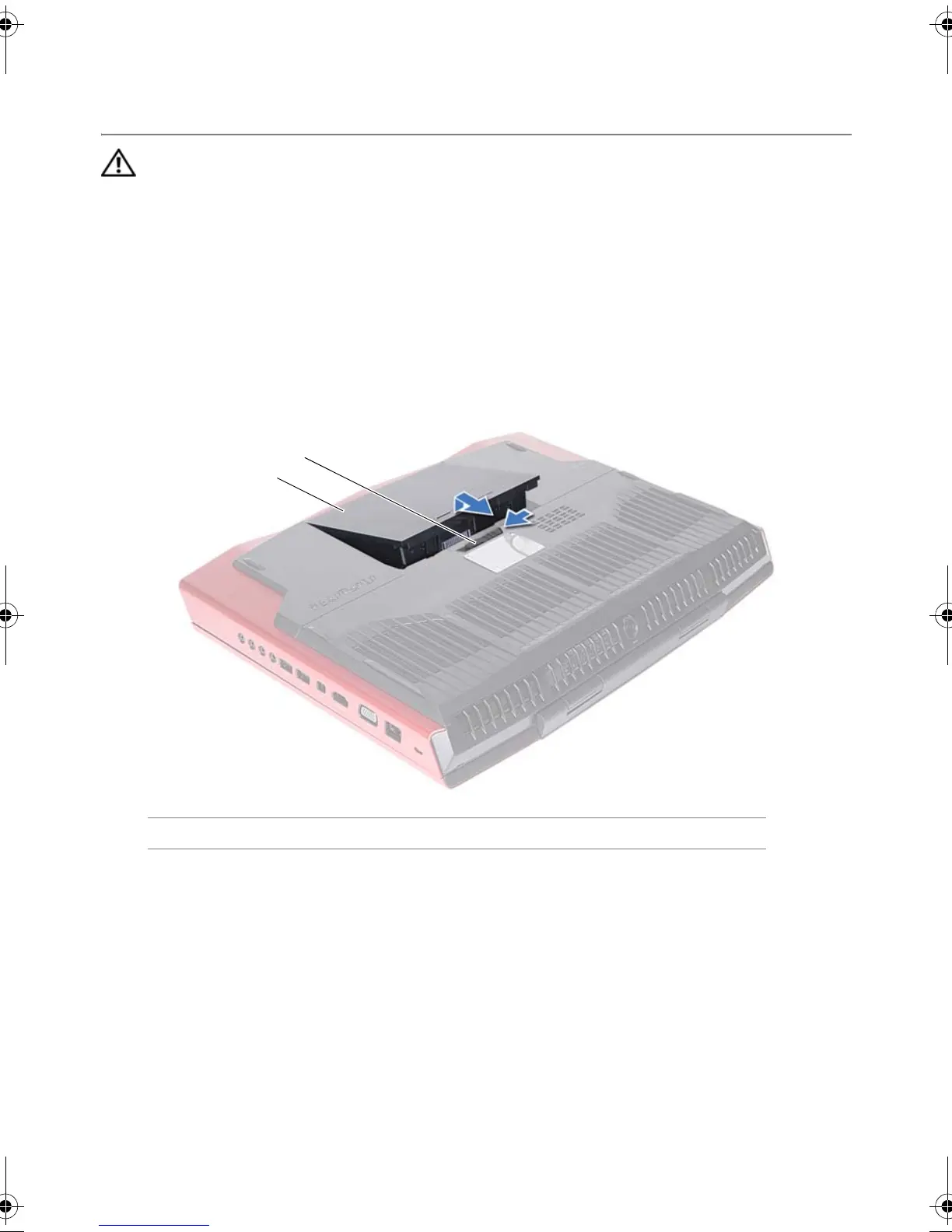
1 Slide the battery latch to the unlock position. The battery pack pops up.
2 Lift and slide the battery pack away from the battery bay.
1 battery pack 2 battery latch
3
1
2
Book.book Page 12 Thursday, April 19, 2012 2:38 PM



 To Next Page