Removing the Keyboard | 33
Procedure
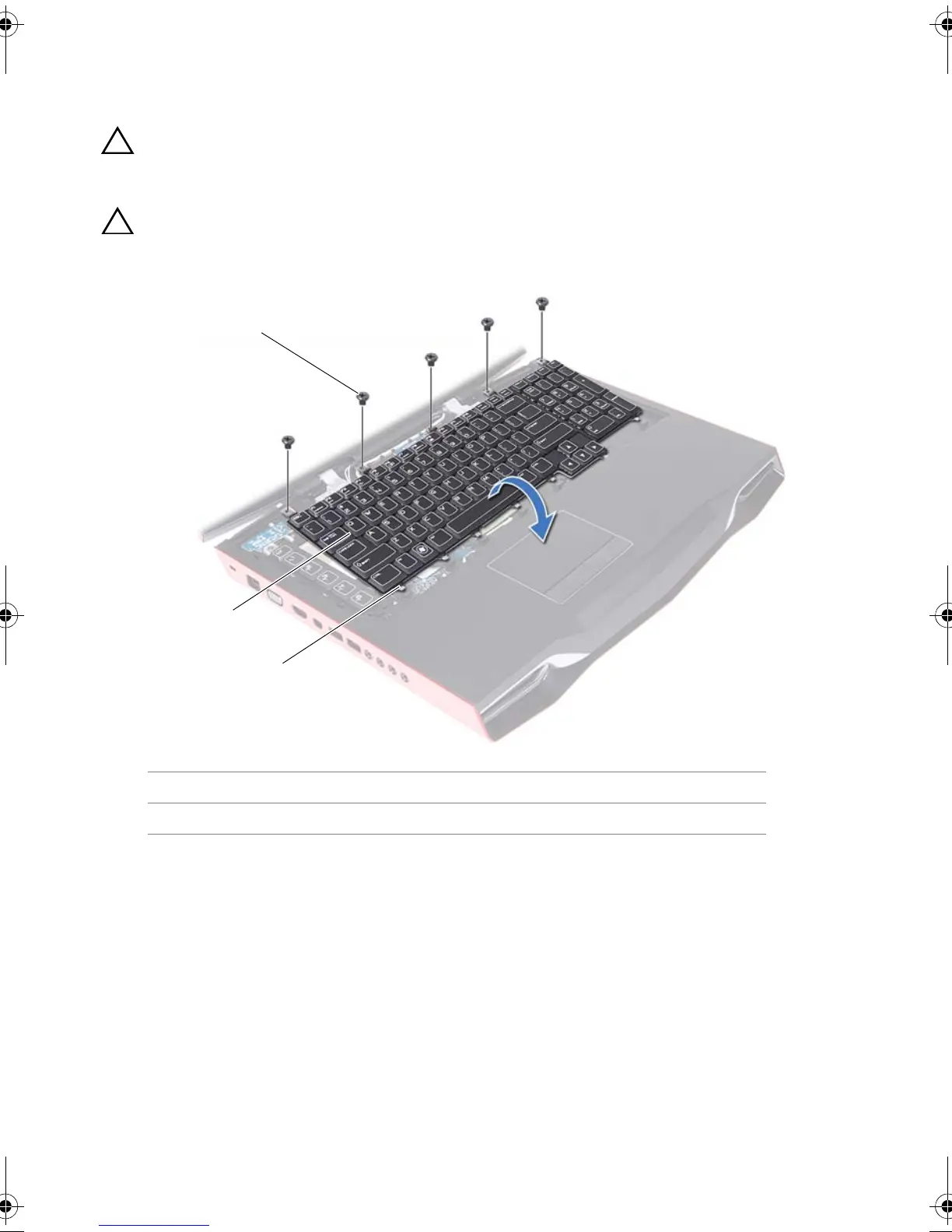
1 Remove the screws that secure the keyboard to the computer base.
CAUTION: The keycaps on the keyboard are fragile, easily dislodged,
and time-consuming to replace. Be careful when removing and
handling the keyboard.
CAUTION: Be extremely careful when removing and handling the
keyboard. Failure to do so could result in scratching the display panel.
1 screws (5) 2 keyboard
3tabs (7)
1
2
3
Book.book Page 33 Thursday, April 19, 2012 2:38 PM



 To Next Page