90 | Removing the Wireless Mini-Card
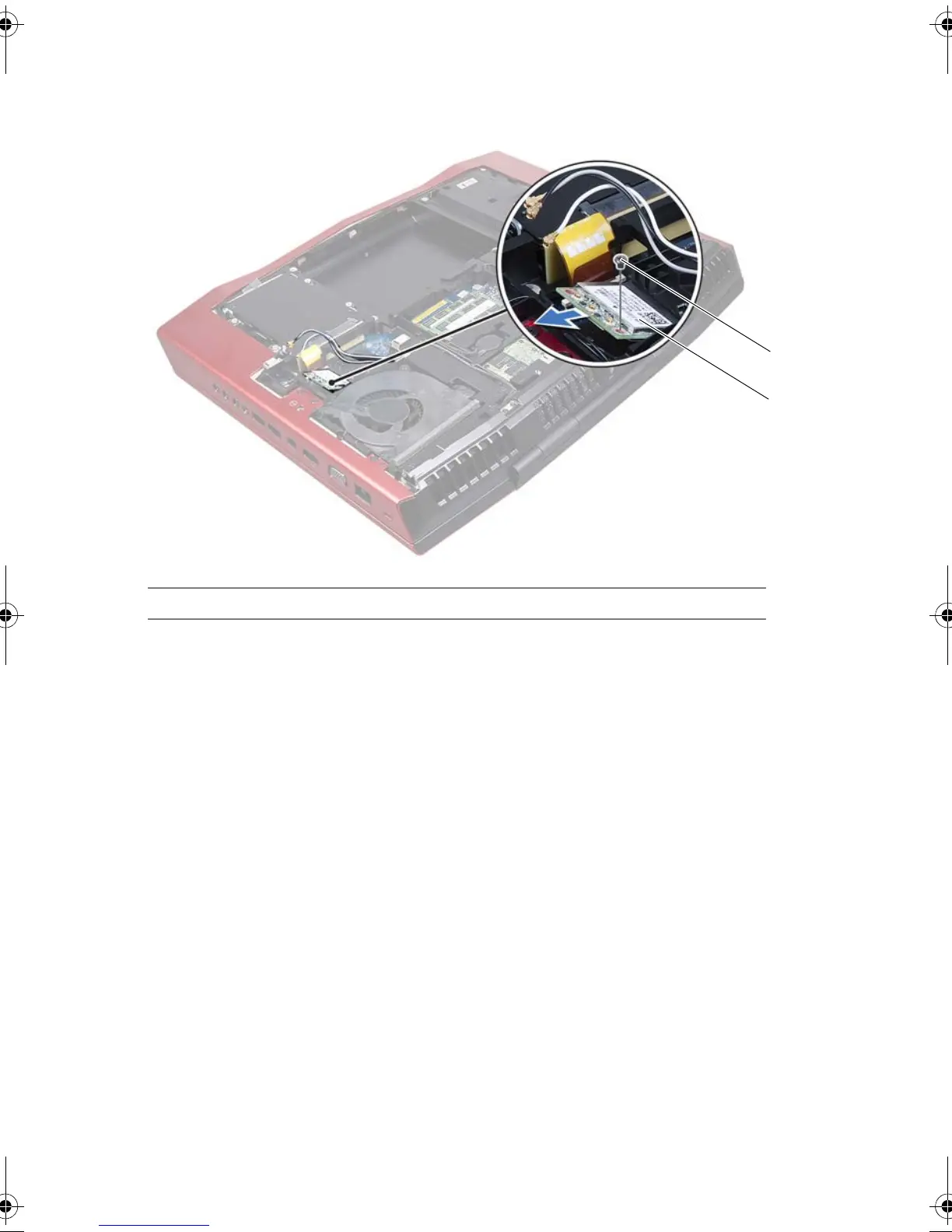
2 Remove the screw that secures the wireless Mini-Card to the system board.
3 Lift the wireless Mini-Card out of the connector on the system board.
1 screw 2 wireless Mini-Card
1
2
Book.book Page 90 Thursday, April 19, 2012 2:38 PM



 To Next Page