EasyManua.ls Logo

Alinco DR-510E - Function Operations; Band and Frequency Step Selection; Key Lock and Beep Control; Memory Skip Function

Alinco DR-510E
16 pages
Print Icon
To Next Page IconTo Next Page
To Previous Page IconTo Previous Page
Loading...
FUNCTION
Operation
Whenever
the
F
key
is
pressed,
the
"M"
indicator
will
flash.
You
must
com-
plete
Ihe
desired
programming
within
5
seconds,
or
the
"M"
indicator
will
turn
off
or
stop
flashing.
In
that
case,
you
must
press
the
F
key
again.
The
F
key
is
used
with
secondary
functions
printed
in
blue
on
the
trans-
ceiver
function
keys.
1.
VHF/UHF
Band
Selection
To
select
the
desired
band,
press
the
F
key
and
then
the
BAND
key.
Each
time
you
press
the
keys,
VHF
and
UHF
will
be
selected
alternate-
ly-
2.
Frequency
Step
Selection
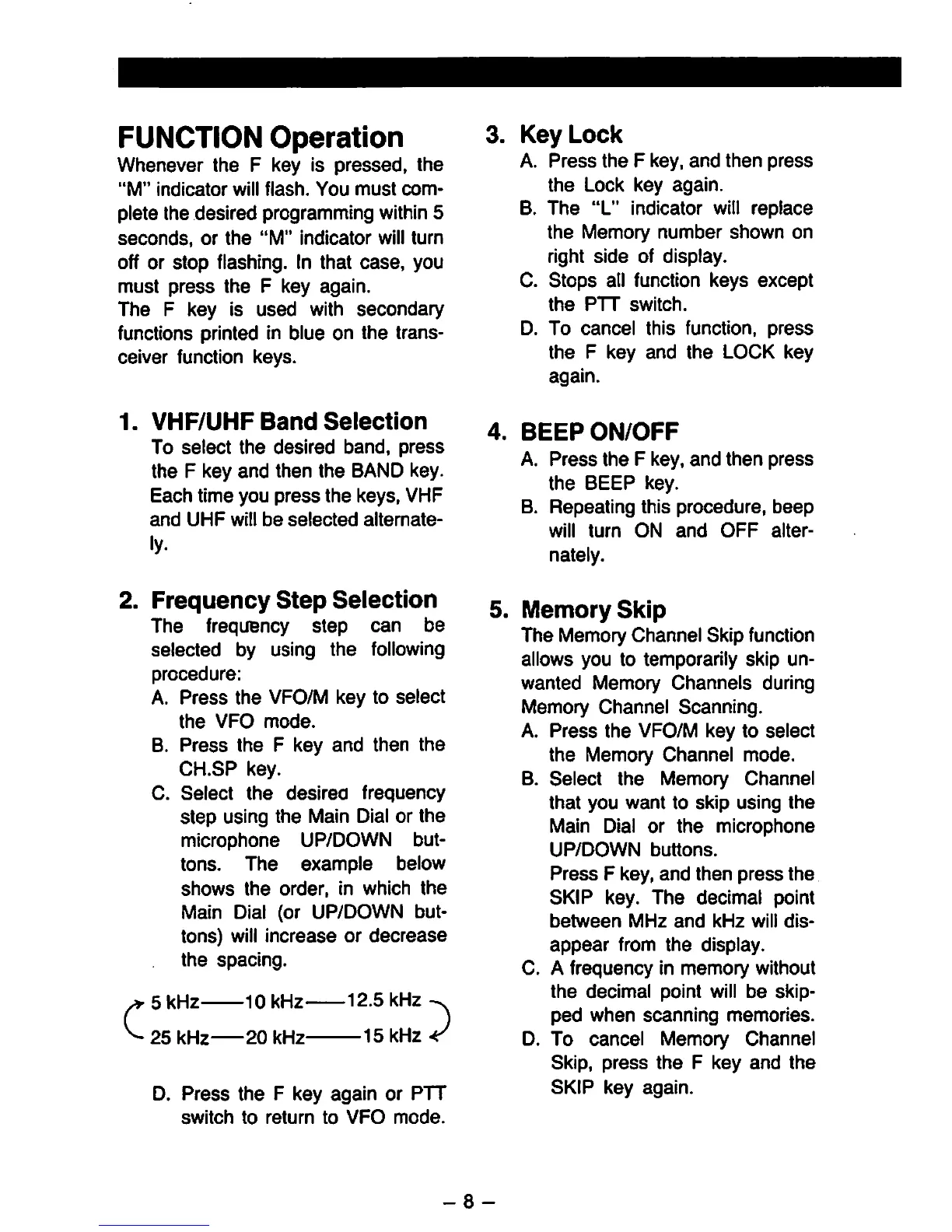
The
frequency
Step
can
be
selected
by
using
the
following
procedure:
A.
Press
the
VFO/M
key
to
select
the
VFO
mode.
B.
Press
the
F
key
and
then
the
CH.SP
key.
C.
Select
the
desirea
frequency
Step
using
the
Main
Dial
or
the
microphone
UP/DOWN
but-
tons.
The
example
below
Shows
the
order,
in
which
the
Main
Dial
(or
UP/DOWN
but-
tons)
will
increase
or
decrease
the
spacing.
^
5
kHz
^
25
kHz
20
kHz
10
kHz
12.5
kHz
■15
kHz
D.
Press
the
F
key
again
or
PTT
Switch
to
return
to
VFO
mode.
3.
Key
Lock
A.
Press
the
F
key,
and
then
press
the
Lock
key
again.
B.
The
"L"
indicator
will
replace
the
Memory
number
shown
on
right
side
of
display.
C.
Stops
all
function
keys
except
the
PTT
Switch.
D.
To
cancel
this
function,
press
the
F
key
and
the
LOCK
key
again.
4.
BEEPON/OFF
A.
Press
the
F
key,
and
then
press
the
BEEP
key.
B.
Repeating
this
procedure,
beep
will
turn
ON
and
OFF
alter-
nately.
5.
Memory
Sklp
The
Memory
Channel
Skip
function
allows
you
to
temporarily
skip
un-
wanted
Memory
Channels
during
Memory
Channel
Scanning.
A.
Press
the
VFO/M
key
to
select
the
Memory
Channel
mode.
B.
Select
the
Memory
Channel
that
you
want
to
skip
using
the
Main
Dial
or
the
microphone
UP/DOWN
buttons.
Press
F
key,
and
then
press
the
SKIP
key.
The
decimal
point
between
MHz
and
kHz
will
dis-
appear
from
the
display.
C.
A
frequency
in
memory
without
the
decimal
point
will
be
skip-
ped
when
scanning
memories.
D.
To
cancel
Memory
Channel
Skip,
press
the
F
key
and
the
SKIP
key
again.
-
8
-

Other manuals for Alinco DR-510E

Related product manuals