1615
To delete DSC address ID / Group ID
1.
Press [DSC] to enter DSC mode.
2.
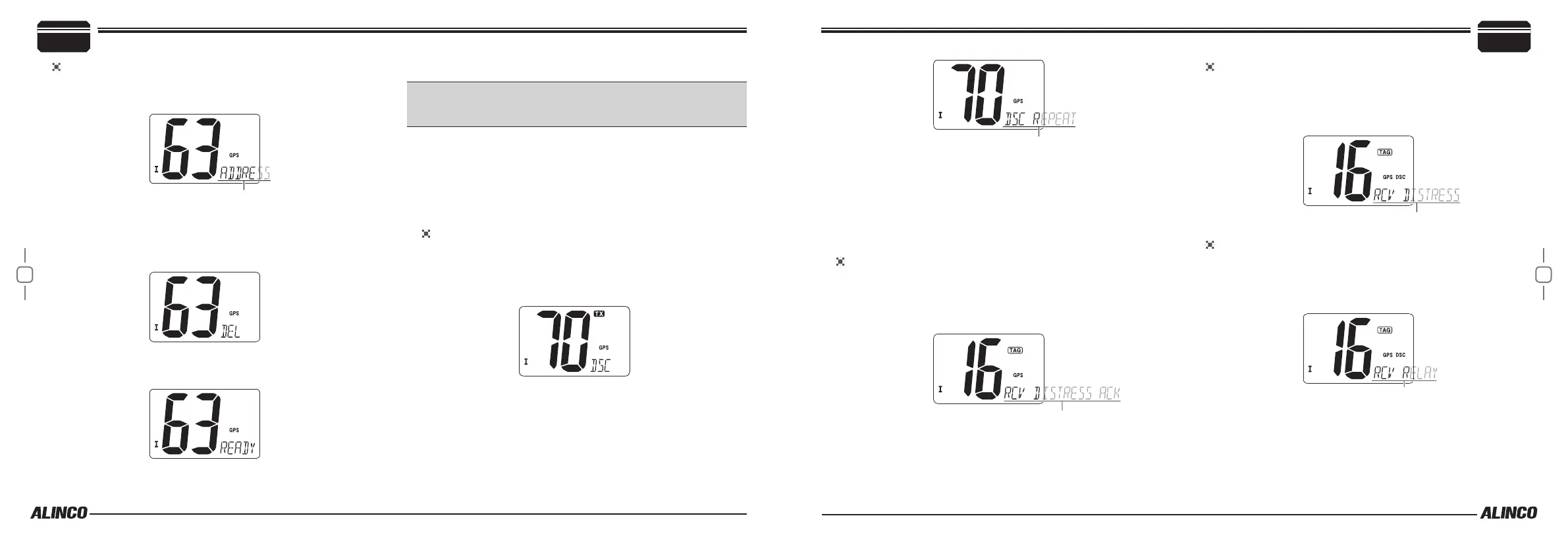
Press [U/I/C] keys to select either “ADDRESS” and Press [DSC].
3.
Press [U/I/C] to select “DEL” and Press [DSC].
• When address ID are no being programmed, “NO ID” appears on
the display. To exit DSC mode, press [U/I/C] or [16] to monitor
CH16.
4.
Use [U/I/C] keys to select the desired ID to delete and Press [DSC].
“READY” is displayed .
5.
Press [DSC] to delete the address ID and exit the DSC mode.
■
Distress Call
IMPORTANT: A Distress call should be transmitted only in case the
vessel or crew(s) abord is in danger and immediate rescue is neces-
sary. FALSE/ ABUSE Distress call will be subject to penalty and ne.
To operate DISTRESS CALL operation, GPS receiver installation and
MMSI programming is necessary in advance. Be sure that DISTRESS
CALL is not being received from other vessels.
Transmit a distress call is not necessary to active on DSC WATCH but
for receiving a distress call DSC WATCH must be activated in advance
(refer to No.5 at P.27).
To transmit a DISTRESS CALL
Before using this function, be sure your MMSI code is set (refer to
P.13).
1.
Open the red cover and press [DISTRESS] key for 5 seconds.
Beep sounds 5 times and transmits the Distress call on CH70.
• TX icon is displayed while transmitting. DCS REPEAT scrolls after-
wards.
• It transmits the call every 3-4 minutes until the acknowledgment
call is received. Beep sounds 5 times before retransmitting.
2.
Remains monitoring on CH70 for an acknowledgment (ACK) call.
• Repeat 1 to retransmit a distress call.
• Press any key other than [DISTRESS] to stop repeat calling and
move to CH16.
• The distress alert contains “Undesignated distress” and latest GPS
position data (held for 23.5 hrs or until turned OFF the radio).
To receive a Distress Call Acknowledgement
1.
Emergency alarm sounds continually until any key is being pressed
to stop alarm.
2.
Move to CH16 automatically and “RCV DISTRESS ACK” scrolls on
the display.
3.
Communicate with the acknowledging station on CH16 asking for
assistance.
To Receivie Distress Calls from other stations
While monitoring CH70 and a Distress call is received, same event
takes place as explained above, and displays scrolling “RCV DIS-
TRESS”. Press any key to stop alarm and remain monitoring CH16,
as other stations may request your assistance.
To receive Distress Relay Calls from other stations
While monitoring CH70 and a Distress relay call is received, same
event takes place as explained in previous, and displays scrolling “RCV
RELAY”. Press any key to stop alarm and remain monitoring CH16,
as other stations may request your assistance.
Basic Operations
4
4
Basic Operations



 To Next Page