2625
5
SET MODE
■
set mode
Set mode is used to customize functions to suit your operating conditions
and needs. Following features (Menu) are available in the set mode.
Set Mode Operation
1.
Turn OFF the power.
2.
Turn on the power with [16] pressed to enter Set mode.
3.
Release [16] when “SCAN” is displayed.
4.
Press [16] to select menu.
5.
Press [U/I/C] to select the desired parameter. Repeat until all menu
are set to suit your preference and needs.
6.
Turn OFF, then turn ON again to set and operate.
No. Display Function Option Default
1 SCAN Scan type n- (normal scan) / p- (priority scan) n- (normal scan)
2 TIMER Scan resume timer OFF / ON OFF
3 WX ALERT Weather alert OFF / ON OFF
4 DUAL Dual/Tri-watch d-(Dualwatch) / t- (Tri-watch) d-(Dualwatch)
5 DSC WATCH DSC watch OFF / ON OFF
6 BEEP Beep tone OFF / ON ON
7 AUTO ACK Auto acknowledgement OFF / ON OFF
8 FAVORITE CH Favorite channel OFF / ON ON
9 TOT Time out timer OFF / ON OFF
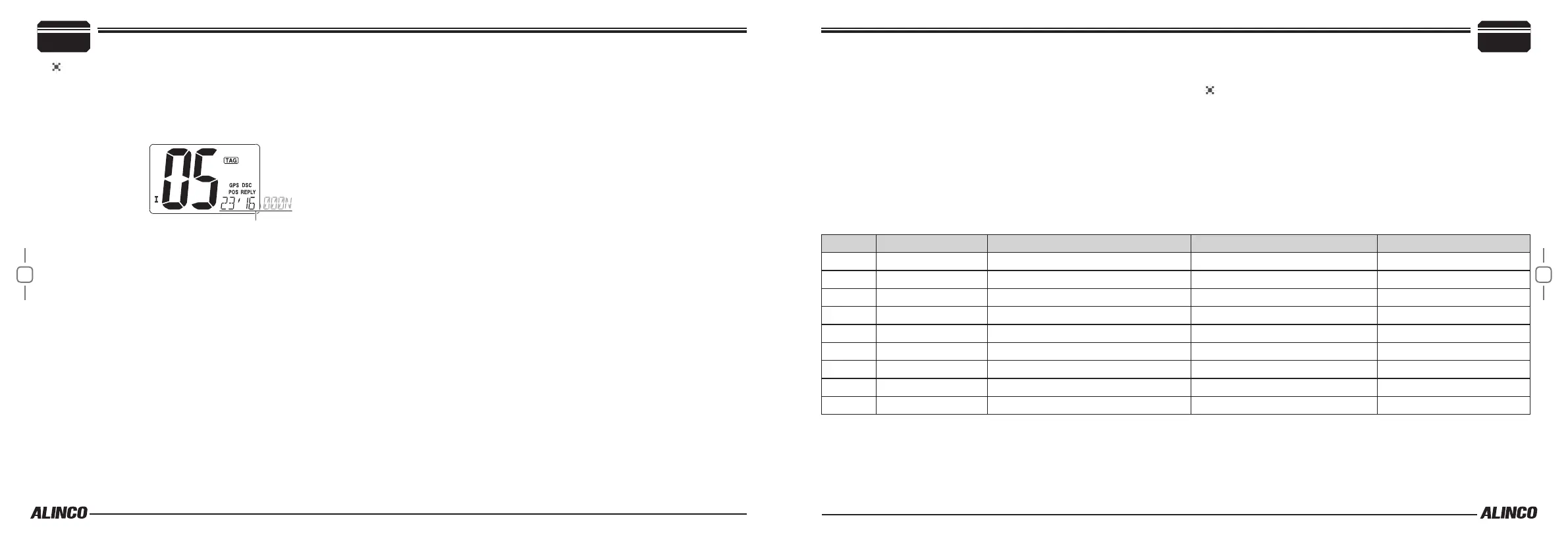
To receive a Position Report Reply Call
Same event takes place as above.
The position of your vessel is displayed in order of latitude and longu-
titude.
• Select AUTO ACK in the setmode to automatically reply to this call.
Basic Operations
4


 To Next Page