EasyManua.ls Logo

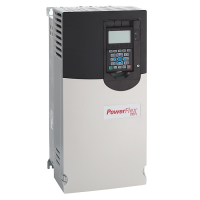
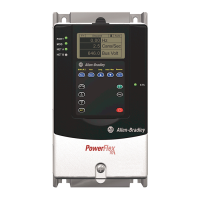
Allen-Bradley PowerFlex 70 - User Manual

Allen-Bradley PowerFlex 70
132 pages
Print Icon
To Next Page IconTo Next Page
Loading...
User Manual
PowerFlex 70 Adjustable Frequency AC Drives
Standard Control Firmware, Revision 2.xxx
Enhanced Control Firmware, Revision 2.xxx…4.xxx

Other manuals for Allen-Bradley PowerFlex 70

Questions and Answers

  • W
    Whitney DeleonSep 23, 2025
    How to resolve SW OverCurrent on Allen-Bradley PowerFlex 70?
    • M
      Miranda ColemanSep 23, 2025
      To address a SW OverCurrent issue on your Allen-Bradley Controller, check for excess load, improper DC boost setting, and ensure the DC brake volts are not set too high.
  • D
    Dustin SteeleAug 25, 2025
    What to do if auto-reset run fault occurs on Allen-Bradley DC Drives?
    • S
      smithamyAug 25, 2025
      When an auto-reset run fault occurs and [Auto Rstrt Tries] is set above “0,” the [Auto Rstrt Delay] timer starts. The drive will attempt to automatically reset the fault when this timer reaches zero. If the initial fault condition is no longer present when the timer expires, the fault resets and the drive restarts, provided the drive remains in Run state. If a Stop is initiated, the Restart function is aborted.
  • K
    Kayla SandersAug 25, 2025
    Are there non-configurable alarms on Allen-Bradley DC Drives, and what does it mean?
    • D
      dominguezjessicaAug 26, 2025
      Yes, non-configurable alarms exist on Allen-Bradley DC Drives. These alarms are always enabled.
  • S
    Susan WilkersonAug 26, 2025
    Are there user configurable alarms on Allen-Bradley DC Drives, and how to use them?
    • B
      Benjamin DavidsonAug 26, 2025
      Yes, there are user configurable alarms on Allen-Bradley DC Drives. These alarms can be enabled or disabled using [Alarm Config 1].
  • A
    Alyssa RoySep 23, 2025
    What to do if Allen-Bradley PowerFlex 70 Controller shows DB Resistance?
    • D
      David VazquezSep 23, 2025
      If your Allen-Bradley Controller indicates a DB Resistance problem, replace the resistor.
  • A
    Adam WeaverSep 13, 2025
    How to troubleshoot Analog In Loss on Allen-Bradley Controller?
    • C
      Calvin KramerSep 13, 2025
      To troubleshoot an analog input loss on your Allen-Bradley Controller: * Check the parameters. * Check for broken or loose connections at the inputs.
  • J
    Jason SanchezSep 12, 2025
    How to resolve Port 1-6 Adapter issues on Allen-Bradley PowerFlex 70 Controller?
    • S
      Scott DanielSep 12, 2025
      To resolve issues with the Port 1-6 Adapter on your Allen-Bradley Controller: * Check the communication adapter board for proper connection to the external network. * Check the external wiring to the adapter on the port. * Verify any external network faults.
  • S
    salinasgregSep 12, 2025
    What to do if Allen-Bradley PowerFlex 70 Controller shows Pwr Brd Chksum1?
    • C
      Cynthia FritzSep 12, 2025
      If your Allen-Bradley Controller displays a Pwr Brd Chksum1 error: * Cycle power to the drive. * If the problem persists, replace the drive.
  • O
    oconnorkaitlinSep 4, 2025
    How to troubleshoot Decel Inhibit on Allen-Bradley PowerFlex 70?
    • V
      Victoria FordSep 4, 2025
      To troubleshoot a Decel Inhibit issue on your Allen-Bradley Controller: * Verify the input voltage is within the drive's specified limits. * Confirm the system ground impedance follows proper grounding techniques. * Disable bus regulation and/or add a dynamic brake resistor and/or extend the deceleration time.
  • A
    Anne CowanSep 1, 2025
    How to troubleshoot HW OverCurrent on Allen-Bradley PowerFlex 70?
    • F
      fparkerSep 1, 2025
      To troubleshoot a HW OverCurrent issue on your Allen-Bradley Controller, check the programming, look for excess load, verify the DC boost setting, and ensure the DC brake volts are not set too high. Also, investigate other potential causes of excess current.

Summary

Preface

General Precautions

Outlines critical safety information for qualified personnel and product handling.

Output Contactor Precaution

Provides important safety information regarding the use of output contactors.

Chapter 1 Programming and Parameters

Parameter Views

Explains the basic parameter view for standard control drives.

Enhanced Control Parameter View

Details the basic parameter view specific to enhanced control drives.

Advanced Parameter Views

Describes advanced parameter views for both standard and enhanced control.

Chapter 2 Troubleshooting

Faults and Alarms Overview

Introduces drive faults and alarms, detailing their types and causes.

Clearing Faults and Alarms

Provides steps for acknowledging and clearing drive faults using the HIM or drive controls.

Fault and Alarm Descriptions

Lists specific fault messages, their causes, and corrective actions.

Common Symptoms and Corrective Actions

Lists common drive issues and their recommended solutions for troubleshooting.

Appendix A Supplemental Drive Information

Electrical and Control Specifications

Provides detailed electrical and control parameters for drive operation.

Appendix B HIM Overview

Viewing and Editing Parameters

Guides users on accessing and modifying drive parameters via the HIM.

Appendix C Application Notes

Stop Modes

Details various methods available for braking or stopping the load.

Motor Overload Protection

Explains the drive's programming for protecting the motor from overload conditions.

Allen-Bradley PowerFlex 70 Specifications

General IconGeneral
Input Voltage200-240V AC, 380-480V AC, 500-600V AC
Frequency Range0 - 400 Hz
Humidity5% to 95% non-condensing
Output Voltage0 to Input Voltage
Control MethodsSensorless Vector Control
CommunicationsEthernet/IP, DeviceNet, ControlNet
Protection FeaturesOvercurrent, Overvoltage, Undervoltage, Overtemperature, Ground Fault
Operating Temperature0°C to 50°C (32°F to 122°F)
Storage Temperature-40°C to 70°C (-40°F to 158°F)
Enclosure RatingIP20, NEMA Type 1

Related product manuals