© Copyright, Alliance Laundry Systems LLC – DO NOT COPY or TRANSMIT
57
70457901ENR7
Operating Instructions
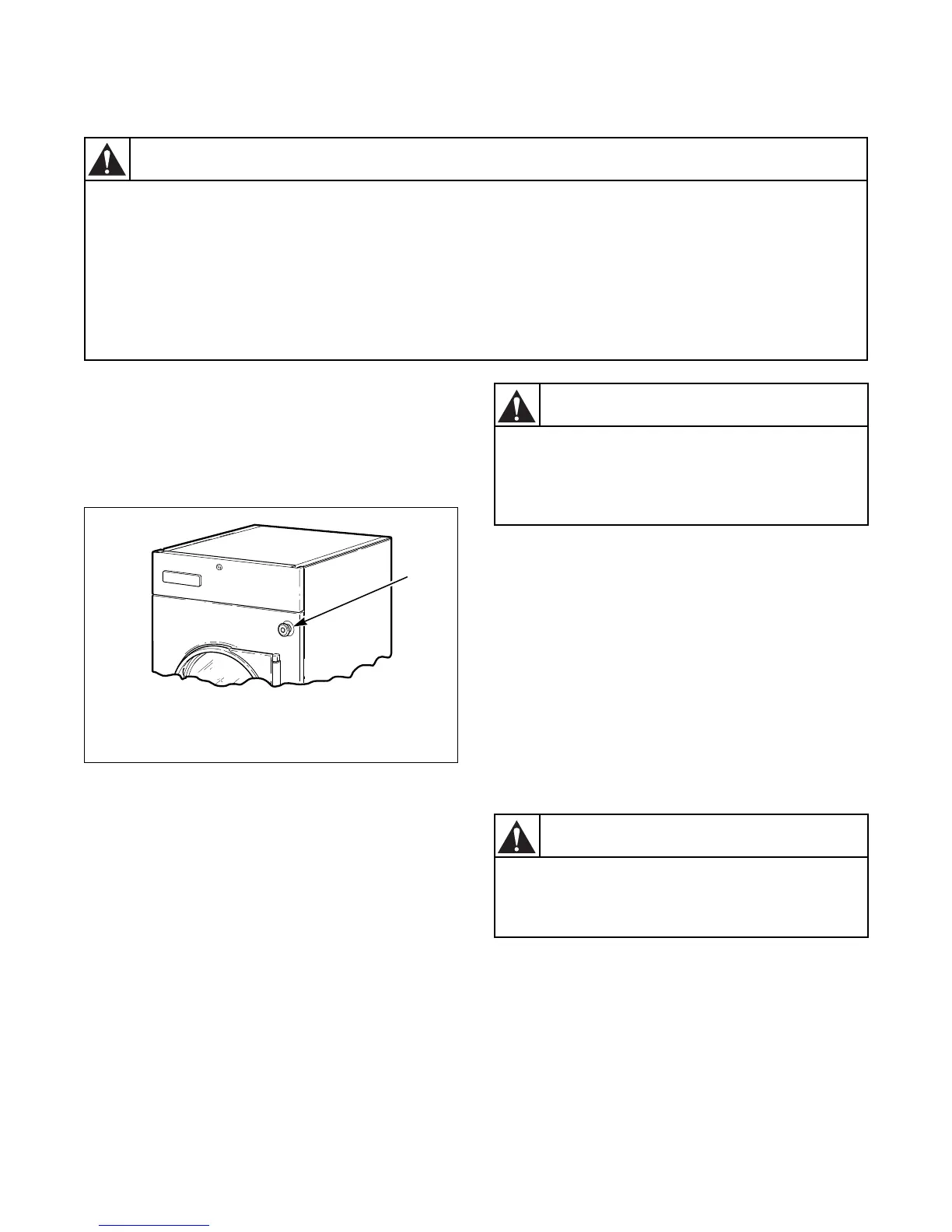
Emergency Stop Button On CE
Models
All CE approved OPL tumble dryers are factory
equipped with an emergency stop button located on
the front panel. Refer to Figure 27.
Figure 27
To operate emergency stop button:
a. Press red emergency stop button to stop all
action.
b. To restart machine, pull red emergency stop
button out and press START pad or button.
NOTE: Activation of the emergency stop button
stops all machine control circuit functions, but
DOES NOT remove all electrical power from
machine.
IMPORTANT: This appliance shall not be used to
dry off solvents or dry cleaning fluids.
Operating Instructions
Step 1: Clean Lint Screen/Compartment
Remove any accumulated lint from the lint screen and
compartment. Close panel tightly against tumble dryer
frame and lock panel securely, if applicable.
IMPORTANT: Clean lint screen and lint
compartment daily. Failure to clean the lint screen
daily will result in higher than normal
temperatures that may damage laundry.
To reduce the risk of fire:
• DO NOT DRY articles containing foam rubber or similarly textured rubberlike materials.
• DO NOT DRY plastics, anything containing wax or chemicals such as mops and cleaning
cloths, or anything dry-cleaned at home with a dry-cleaning solvent.
• DO NOT TUMBLE fiberglass curtains and draperies unless the label says it can be done. If
they are dried, wipe out the cylinder with a damp cloth to remove particles of fiberglass.
W076
To reduce the risk of serious injury, allow cylinder to stop before cleaning lint screen.
W412
WARNING
TMB1664N
1
Emergency Stop Button
WARNING
To reduce the risk of fire, electric shock,
or injury to persons, read the IMPORTANT
SAFETY INSTRUCTIONS before operating
this appliance.
W727
WARNING
To reduce the risk of fire and risk of lint
collecting in exhaust duct, do not operate
tumbler without lint filter in place.
W772



 To Next Page