Alltion (Guangxi) Instrument Co., Ltd.
AC-5000 User’s Manual | Product Assembly
Installation of Supporting Components
Installation of 180° Binocular head and 45° Binocular Head
The installation method is the same as the Installation of Binocular Head Barrel, see Page 13.
Installation of Other Parts
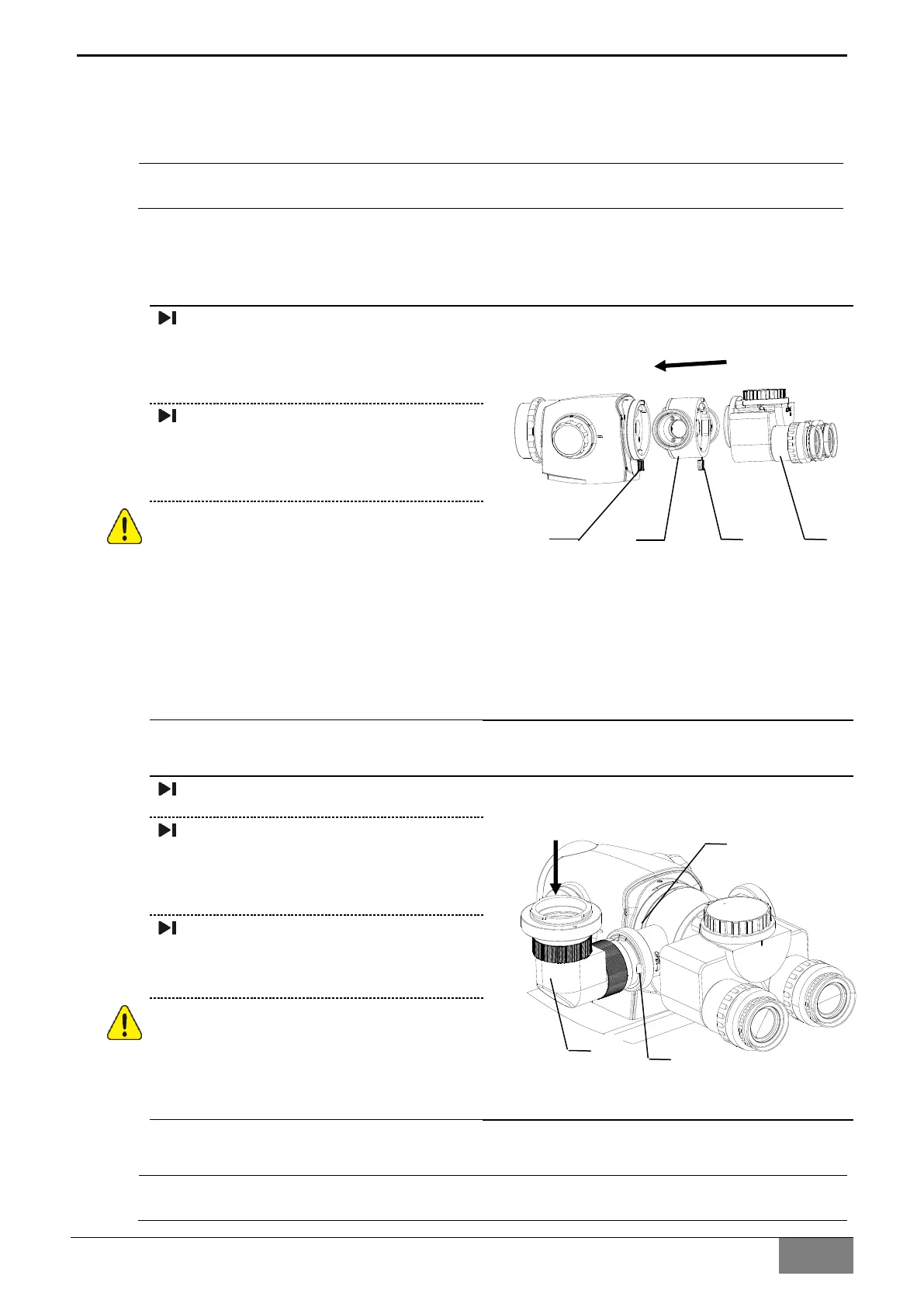
Installation of Beam Splitter
Loosen bolt (1), install the beam
splitter (2) in the bayonet of the
microscope body, and tighten bolt
(1);
Loosen bolt (3) and install the
binocular barrel (4) in the bayonet
of the beam splitter; and tighten
bolt (3).
Before loosening the grip, please make
sure: the beam splitter has been
installed in place and the bolt are
tightened; the binocular head has
been installed in place and has been
completely clamped in the bayonet,
and the locking screw has been
tightened, otherwise, there is a risk of
falling.
Installation of Digital Camera Adapter
Installation of Beam Splitter;
Install the digital camera adapter
(3) on the beam splitter interface
(1), and then lock it with locking
ring (2);
Then install the camera with the
adapter of the camera.
Before loosening the grip, please make
sure that the camera adapter and the
camera have been installed and
locked, otherwise, there is a risk of
falling.
Installation of Monitor Bracket
Please refer to《PA1706-UM02-EN Monitor Bracket User's Manual》


 To Next Page