Appendix 6 LCD Keyboard Use Instruction
Frequency Inverter Stop and Operation State Display
图3 运行状态,RUN灯亮,
运行到设定频率
稳速时FWD恒亮
RUN
PRG
ESC
>>
ENTER
JOG
STOP
RESET
补偿前频率
50.00 Hz
RUN FWD REV TRIPREMOTE
-
+
图5 告警时,闪烁显示
告警字符
RUN
PRG
ESC
>>
ENTER
JOG
STOP
RESET
告警:OLP2
过载预警
RUN FWD REV TRIPREMOTE
-
+
图6 故障时,显示故障代码及故
障名,TRIP故障指示灯闪烁
RUN
PRG
ESC
>>
ENTER
JOG
STOP
RESET
故障: OL2
变频器过载
RUN FWD REV TRIPREMOTE
-
+
图3 运行状态,RUN灯亮,
加速中FWD指示灯快闪
RUN
PRG
ESC
>>
ENTER
JOG
STOP
RESET
补偿前频率
30.00 Hz
RUN FWD REV TRIPREMOTE
-
+
图1 上电初始化显示,补偿
前输出频率为0.00Hz
RUN
PRG
ESC
>>
ENTER
JOG
STOP
RESET
补偿前频率
0. 00 Hz
RUN FWD REV TRIPREMOTE
-
+
图2 停机状态,RUN灯熄灭
FWD慢闪指示设定方向
RUN
PRG
ESC
>>
ENTER
JOG
STOP
RESET
补偿前频率
0. 00 Hz
RUN FWD REV TRIPREMOTE
-
+
灭 亮
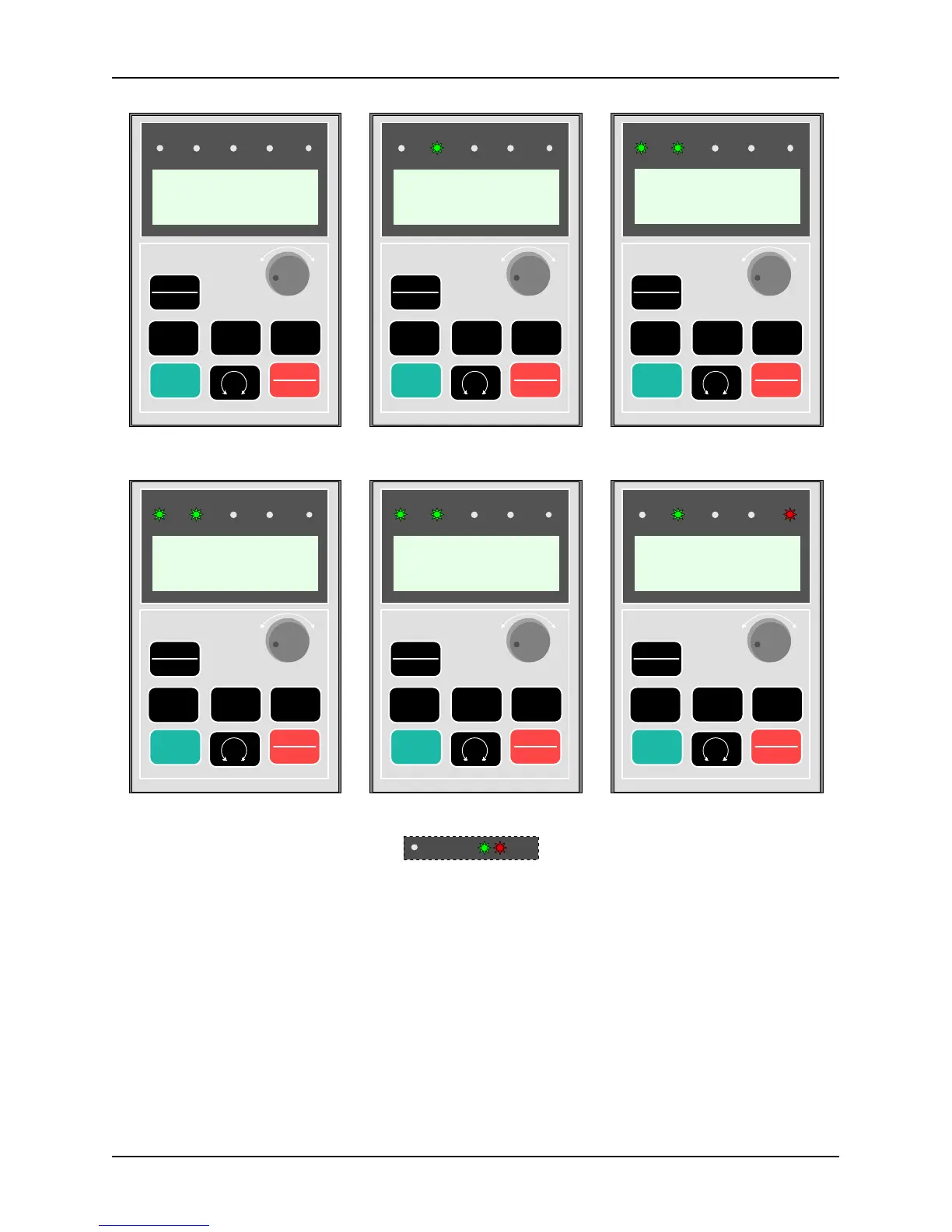
Figure A6-2 LCD Keypad: Display of Frequency Inverter Initiation, Stop, Operation, Alarm and Fault State
Figure 4 Operation state, RUN light
is on, and FWD is on constantly
when it operates to the set frequency
Figure 5 In the case of an alarm, the alarm
characters are flickering and displayed
Figure 6 In the case of a fault, the fault
code and the fault name are displayed,
and TRIP fault indicator light is
Figure 1 Power-on initiation display,
the pre-compensation output frequency
Figure 2 Stop state, RUN light is off
and FWD is flickering slowly to
indicate the setting direction
Figure 3 Operation state, RUN light is
on, and FWD indicator light is
flickering quickly during acceleration



 To Next Page