It is explanation of status indicated by Touch display.
[Status display]
! If Crossfader AD values are not saved, [CUE A CH1 LED], [CUE A CH2 LED], [CUE A CH3 LED], [CUE A CH4 LED],
[CUE A CH5] and [CUE A CH6] flash at startup.
! If the amplitude becomes large due to noise or incorrect operation when acquiring AD value, that time is treated as a failure
and you can retry up to three times. If all three times fail, the result is NG.
! The AD value set in this mode becomes effective immediately after saving.
! If it becomes NG, the setting can be started again without changing the mode.
[Notices]
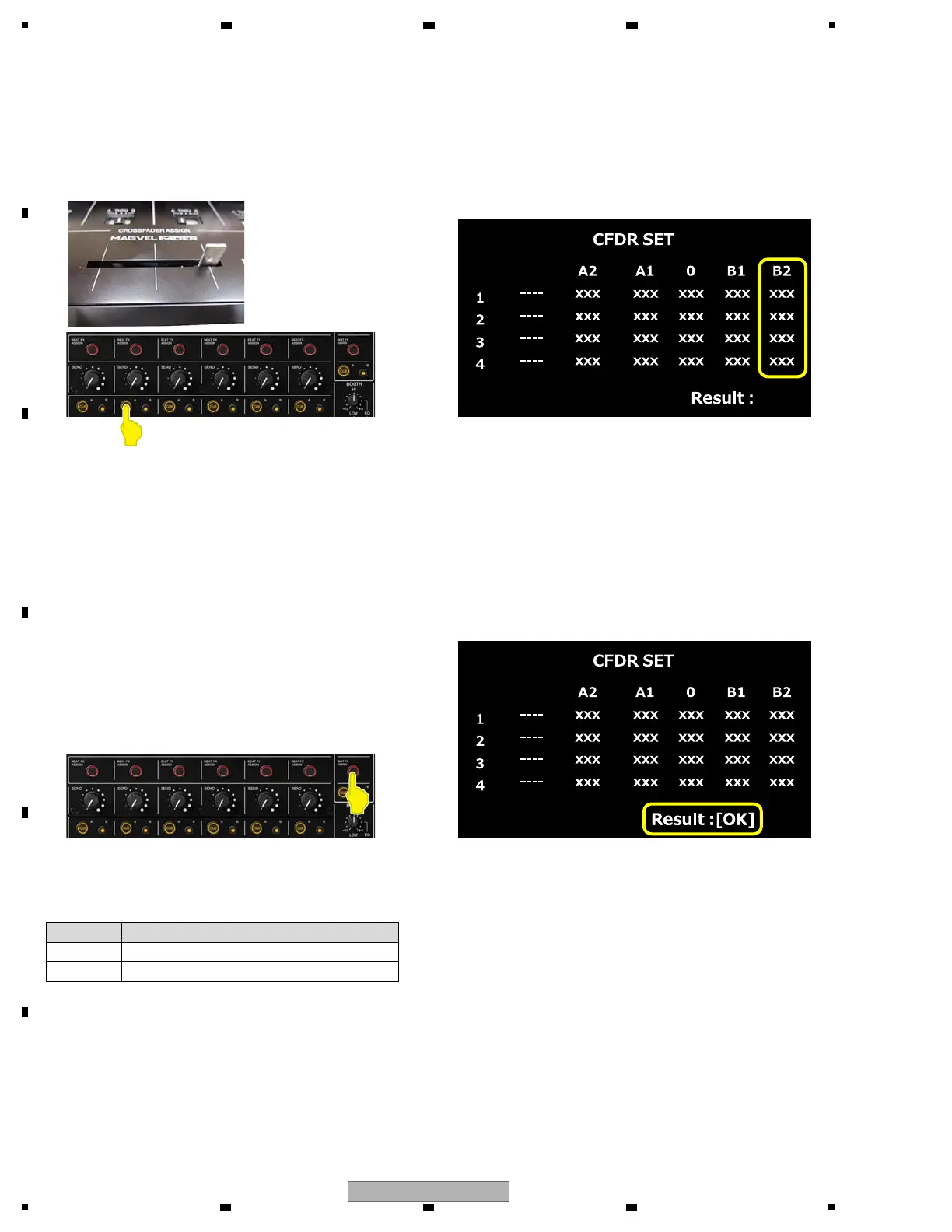
(6) The setting of B2
Move Crossfader to B2, and press [CUE A CH2 button]. At that time, take your hands slowly so that the fader
does not move. Otherwise, the position will change due to the cushion at the end of the fader.
When AD value is confirmed, it is displayed in B2 column.
[CUE A CH2 LED] light off.
Touch display
(7) Save the setting value
Press [BEAT FX ASSIGN MASTER button].
Confirm that the status shown on Touch display is OK.
When the calibration is completed successfully, [BEAT FX ASSIGN CH1 LED], [BEAT FX ASSIGN CH2 LED],
[BEAT FX ASSIGN CH3 LED], [CUE A CH1 LED], [CUE A CH2 LED] and [BEAT FX ASSIGN MASTER LED] light on.
+ When not successfully, [BEAT FX ASSIGN MASTER LED] light on and return to the initial state.
Touch display
Display Explanation
OK Save completion
NG Illegality value



 To Next Page