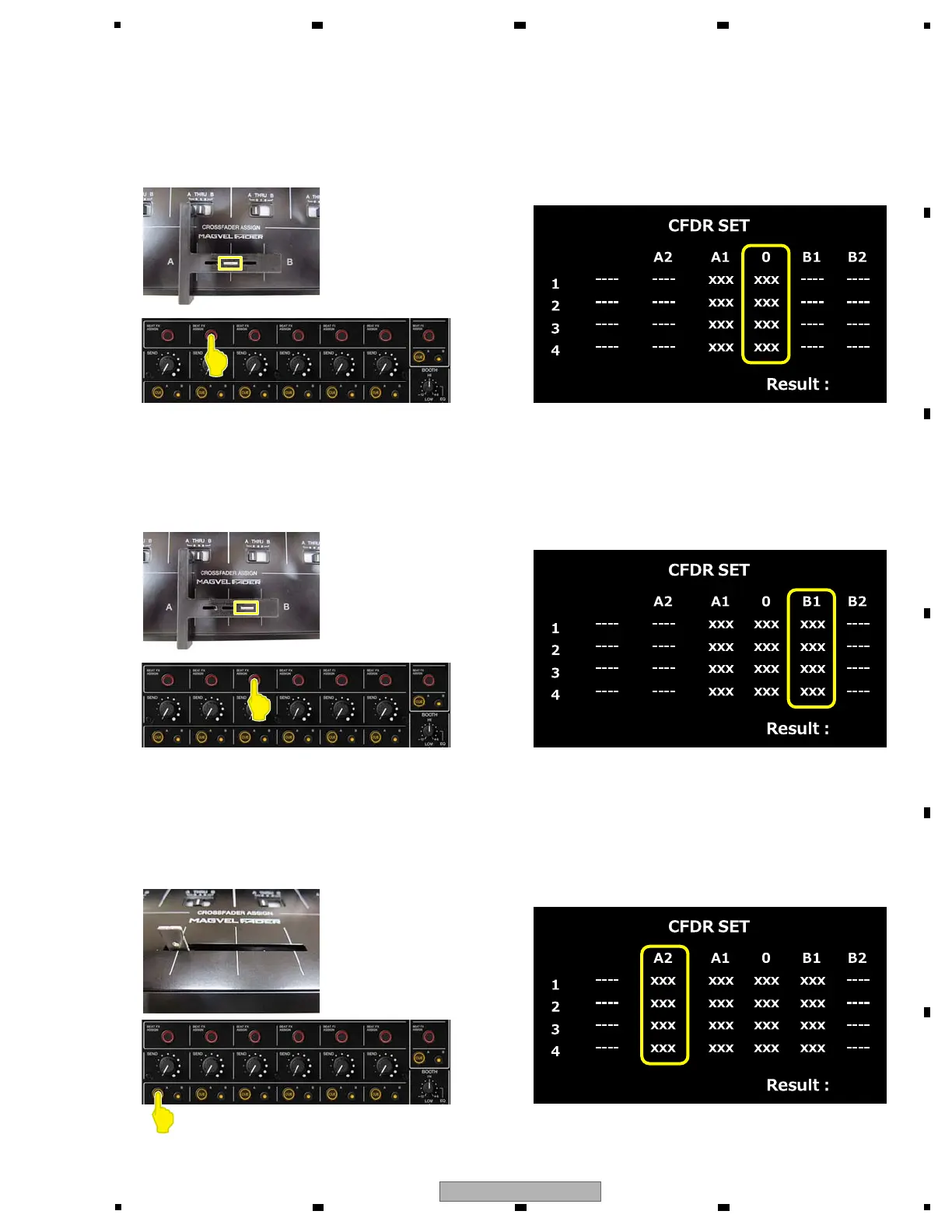
(3) The setting of 0
Move Crossfader to 0 (Center), and press [BEAT FX ASSIGN CH2 button].
When AD value is confirmed, it is displayed in 0 column.
[BEAT FX ASSIGN CH2 LED] light off.
Touch display
(4) The setting of B1
Move Crossfader to B1, and press [BEAT FX ASSIGN CH3 button].
When AD value is confirmed, it is displayed in B1 column.
[BEAT FX ASSIGN CH3 LED] light off.
Touch display
(5) The setting of A2
Move Crossfader to A2, and press [CUE A CH1 button]. At that time, take your hands slowly so that the fader
does not move. Otherwise, the position will change due to the cushion at the end of the fader.
When AD value is confirmed, it is displayed in A2 column.
[CUE A CH1 LED] light off.
Touch display



 To Next Page