DLM-600 installer & user manual Rev. 1.3 16-11-2011 16 / 39
GSM DIALER PROGRAMMING
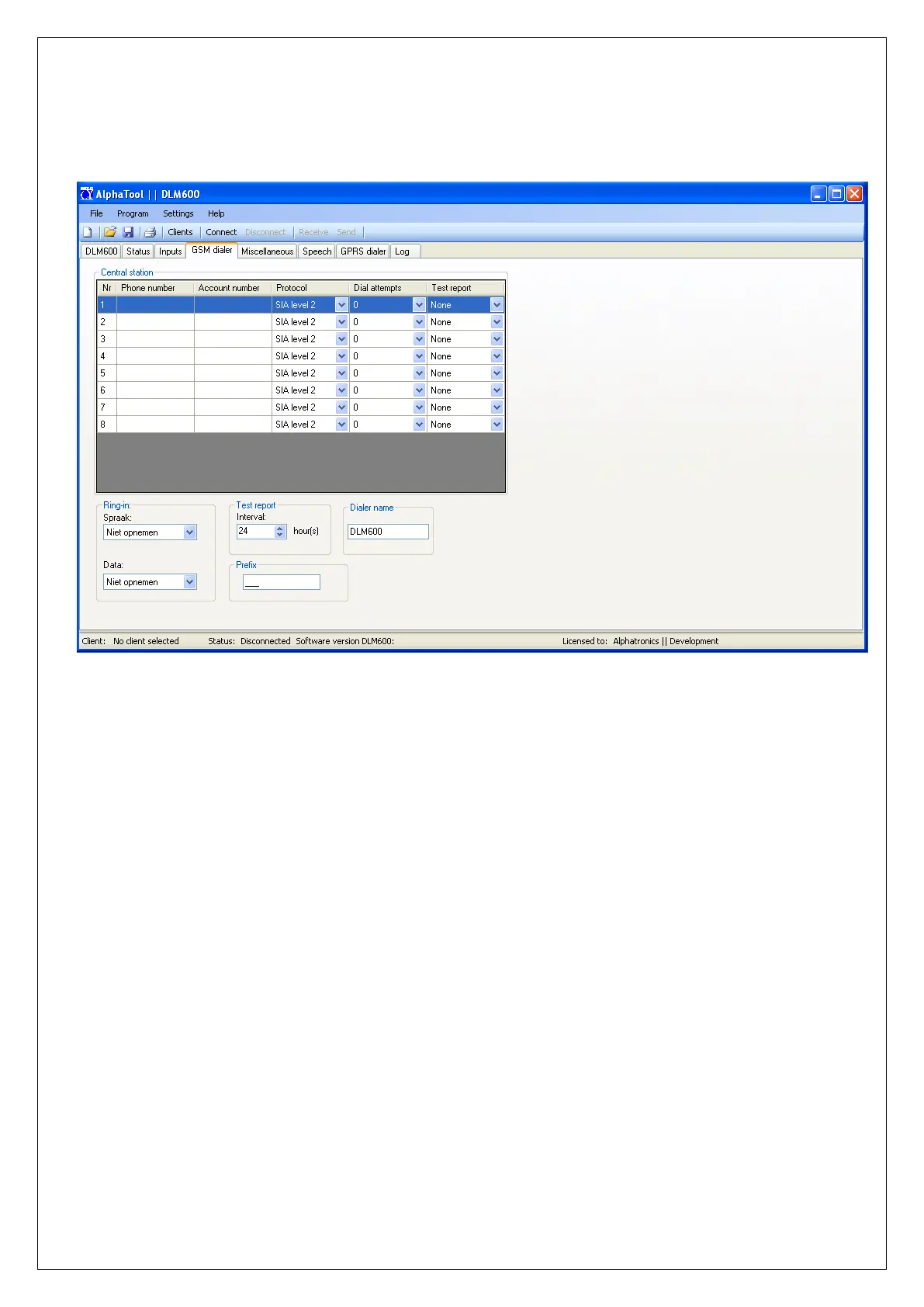
In the DLM-600 a maximum of 8 telephone numbers can be programmed for reporting to a central
station or private telephone number.
figure 6. Dialer programming
TELEPHONE NUMBER
Here you can enter a telephone number up to 16 digits. Besides the numbers 0 to 9, it is also possible to
use the following special characters:
w waits 2.5 seconds and call whether or not there is a dial tone
- Wait for dial tone
For example, if a zero (0) is dialed to access an outside line via a telephone exchange and the DLM-600
should start dialing whether there is a dial tone or not, then the telephone number should be
programmed as “W0-0332459944”.
ACCOUNT NUMBER
If the message is transmitted to a central station, the assigned client (account) number must be
programmed. The account number is usually a 4-digit number.
PROTOCOL
Here, the desired protocol (per telephone number) can be programmed. If the DLM-600 reports to a
central station, the following protocols are available: Contact ID, SIA level 2 or XSIA
When transmitting to a private (mobile) telephone, the following options are available:
SMS protocol
Alerts are sent as SMS text message to a private (mobile) phone. The SMS text message contains
information about the location (Dialer name), the type of alarm / restore, zone number and zone name.
After sending an SMS message the DLM-600 will check if anymore telephone numbers are programmed
for the corresponding input and also send the message to the other numbers regardless of the


 To Next Page