DLM-600 installer & user manual Rev. 1.3 16-11-2011 31 / 39
FLASHING FIRMWARE
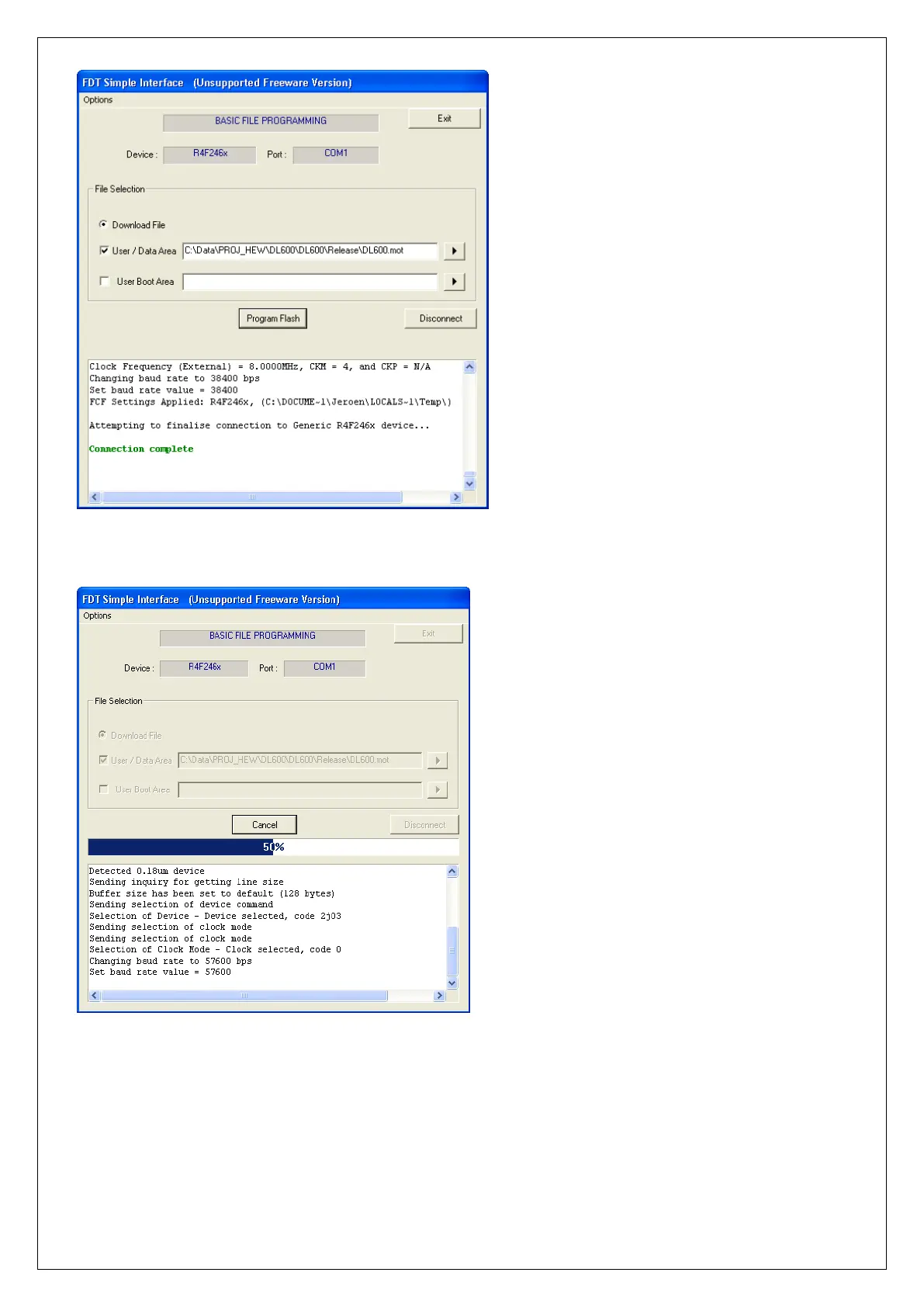
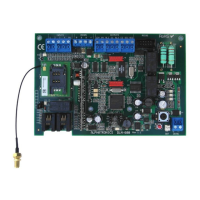
Press the ‘Program Flash’ button, the following screen will appear:
The new firmware will now be programmed into the processor of the DLM-600. The status bar shows the
percentage of flashing that has already been done.
Once the entire firmware has been programmed into the processor, the message ‘Image successfully
written to device’ will be displayed. The firmware has now been correctly flashed into the processor of
the DLM-600. Now press Disconnect.


 To Next Page