DLM-600 installer & user manual Rev. 1.3 16-11-2011 30 / 39
CONNECTING
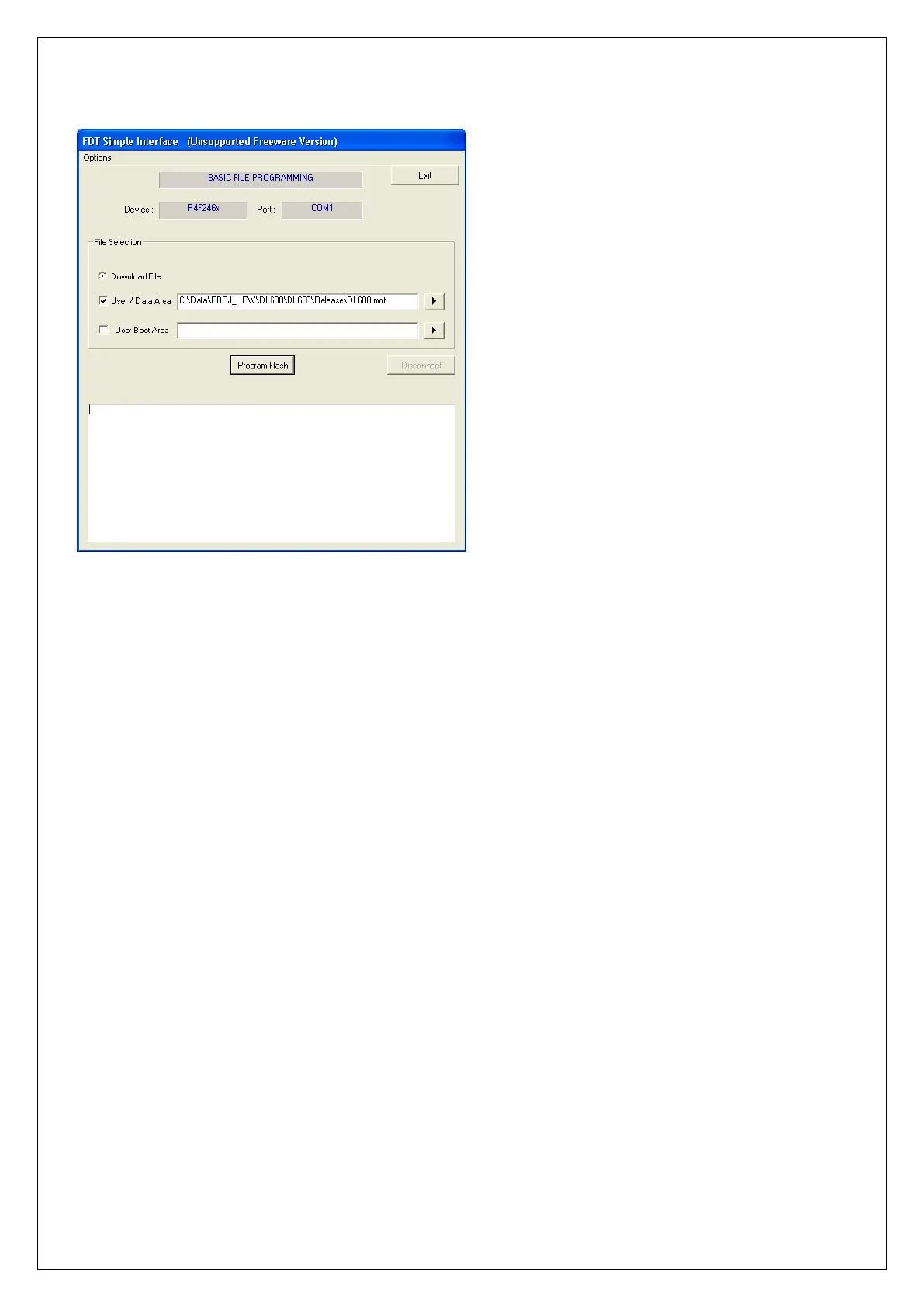
Start the Renesas flash Tool program on your computer. You will see the following screen:
Make sure the box titled ‘User / Data Area’ is checked and the path points to the correct file name for the
new flash file. In this example it is:
C:\Data\PROJ_HEW\DLM-600\DLM-600\Release\DLM-600.mot
If the path is not correct use the browse button on the right to find the correct flash file. Once the correct
file is found, press Open.
The flash program tries to get in touch with the processor of the DLM-600. If this succeeds a message
‘Connection complete’ will appear in green.


 To Next Page