DLM-600 installer & user manual Rev. 1.3 16-11-2011 27 / 39
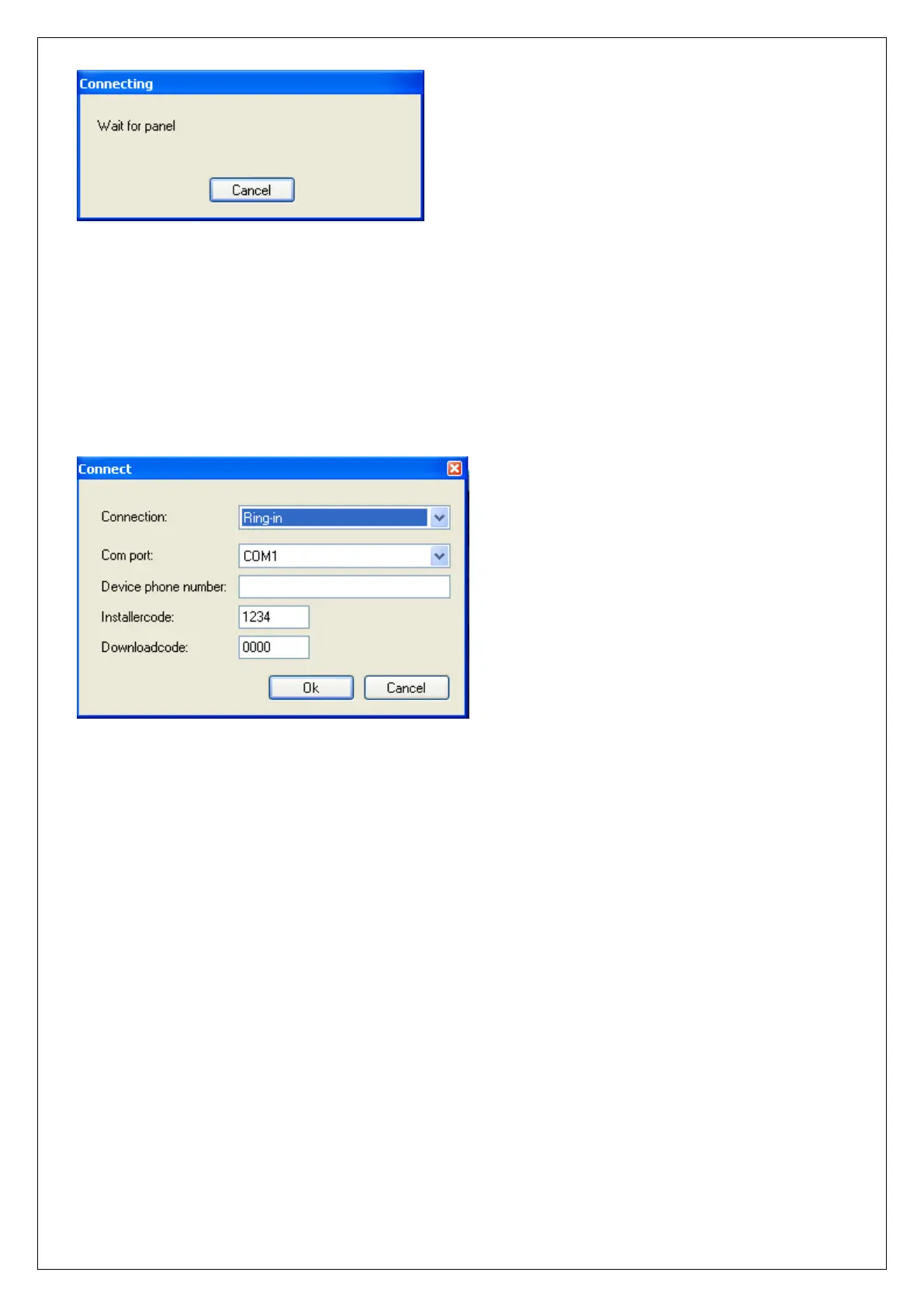
figure 13. Wait for panel connection
The DLM-600 will now check the programmed Installer code in the DLM-600 compared to the AlphaTool
software. If there are the same the connection will be established.
RING-IN
The 'ring-in' option is used to establish a connection with the DLM-600 dialer using a modem connection.
figure 14. Connect settings
Connect
Choose in the pull-down menu for the option ‘Single ring-in’.
Com port
Select the correct COM port of your computer / laptop where the modem is connected to.
Device phone number
Enter the telephone number of the telephone line that the DLM-600 is connected.
Installer code
Make sure the Installer code programmed in AlphaTool matches the Installer code programmed in the
DLM-600 dialer. The default installer code in the DLM-600 is: 1234.
Download code
The Download code is not necessary for a local (serial) connection.
If all is filled in correctly, then click OK. The AlphaTool software will now wait for an initiative from the
DLM-600 to establish the connection.


 To Next Page