10 kin ds of t ypical equalize r s ettings are preset
at the factory for a variety of a udio s ources.
After adjusting the bass/treble or the
parametric equalizer, the "Custom" item will
be display ed.
Only one preset sound effect can be selected
at a ti me.
Sound S ettings
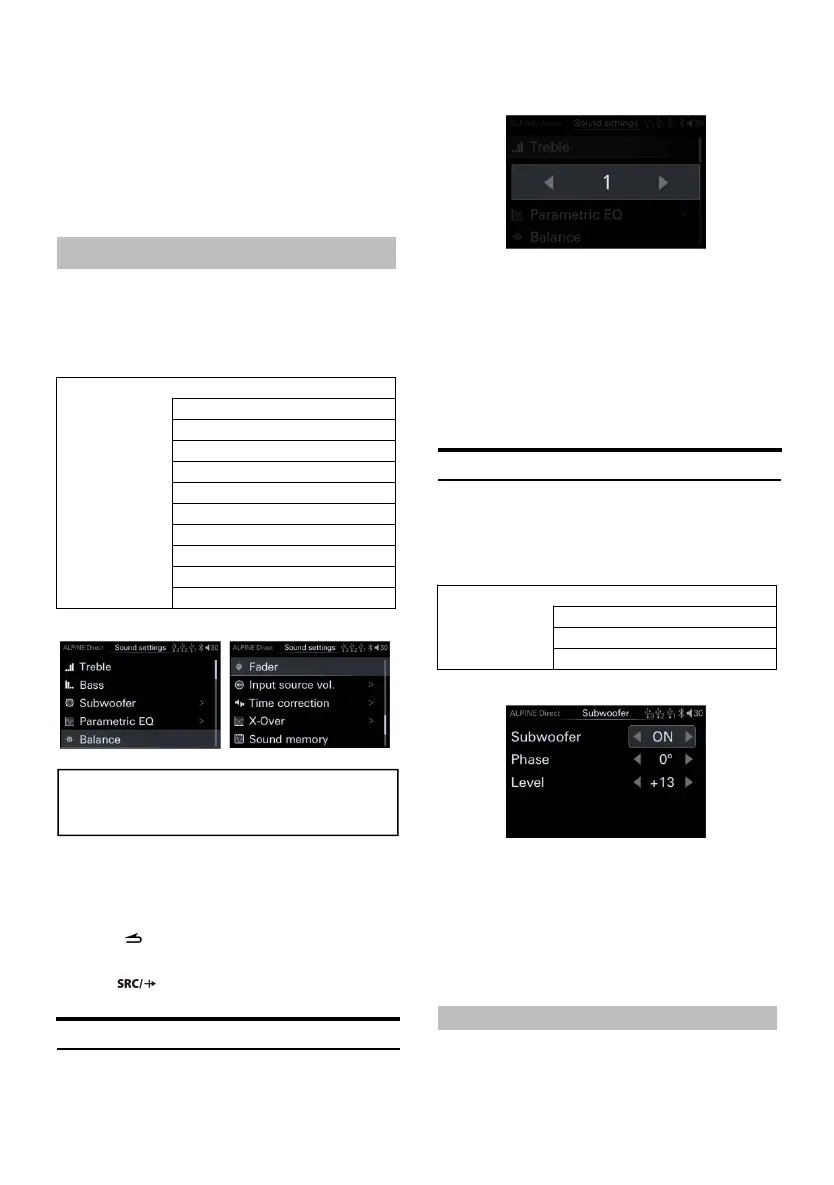
Select [Sound Settings] from the main settings
page. Refer to step 2 of "Setup Operation"
(page 11).
<Setting item>
Sound setting page
1 R otate the encoder up a nd down to select th e
target item, th en short press the encoder to
select the target item to adjust.
2 Press to return to the previous menu
mode.
3 Press to release the s etting mode.
Treble/Bass Setting
Select [Treble or Bass] from th e sound setting
page. Refer to step 1 of "Sound Settings" (page
11).
Treble/bass page
1 Turn the encoder to the left to select [<] to
decrease the level, and turn the encoder to
the righ t to select [>] to increase t he level.
You can select the treble or bass adjustment
level according to y our preferences.
Setting item: treble/bass
Setting content: -7~+7 (initial value: 0)
Subwoofer S ettings
Select [Subwoofer] from the sound setting
page. Refer to step 1 of "Sound Settings" (page
11).
<Setting item>
Subwoofer page
1 Rotate the encoder to select the target item,
then short press the encoder to select the
target item to adjust.
2 Turn the encoder to th e left to select [<]
operation, and turn the encoder to the right
to select [>] operation.
Turn on/Off the Subwoofer
When th e subwoofer is turned on , y ou can
adjust the phase output level of the subwoofer.
Setting items: heavy bas s
The following steps 1 to 3 are common to each
"setting item" in the "sound effect setting".



 To Next Page