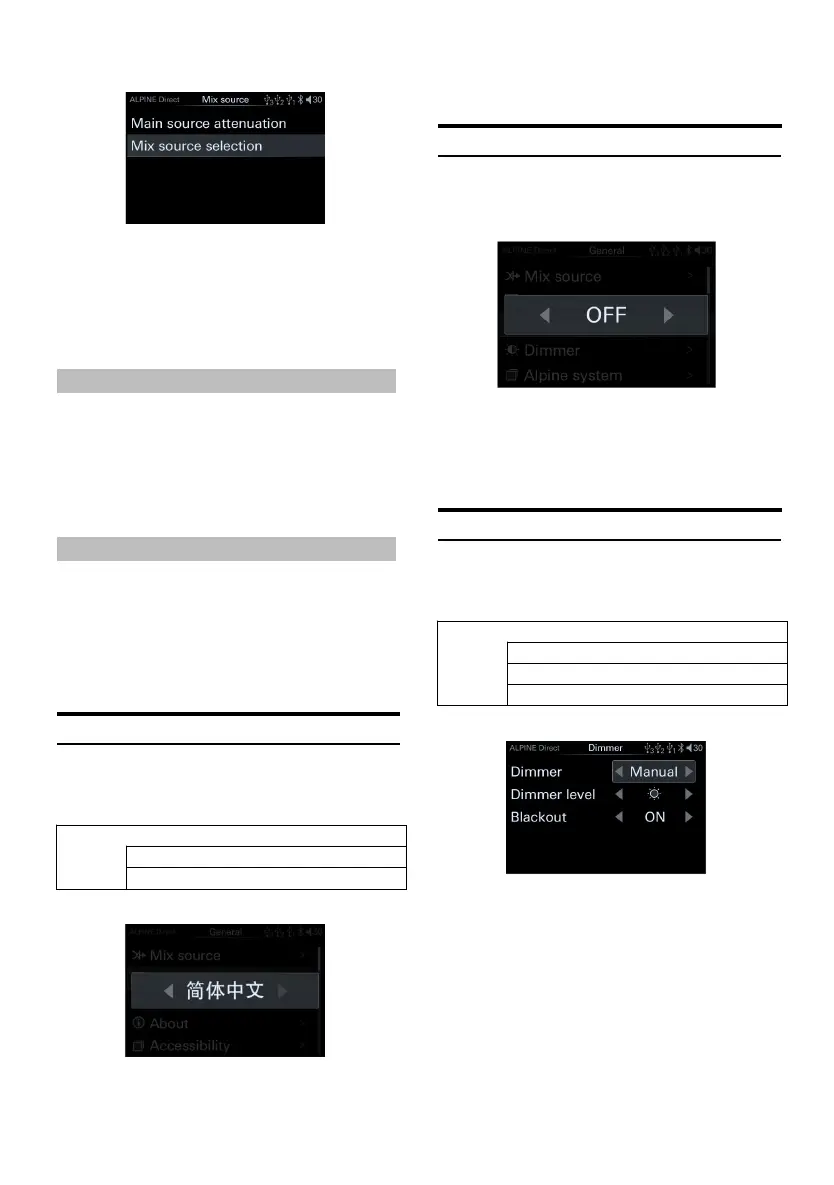
Mix source page
1 Rotate the encoder to select th e target item,
then short press the encoder to select the
target item to adjust.
Setting content:
Main source attenuation/Mix source selection
Main Source Attenuation
You can select the attenuation amount of the
main source according to your needs.
Setting items: Main s ource attenuation
Setting content: 0/30 %/50% (initial setting)
/80%/100%
Mix Source Selection
The Mix source can be selected according to
your needs.
Setting items: Mix source s election
Setting content: BT Audio/ High.Level/
AUX/USB Audio/OFF
Language Settings
Select [Language] from t he common page.
Refer to step 1 of "General Settings" (page 17).
<Setting item>
Language setting page
1 Turn the encoder to the left to select [<]
operation, a nd t urn th e encoder to the right
to select [>] operation.
Setting content:Chinese/Engl ish
Artwork display
Select [A rtwork display] from the general page.
Refer to step 1 of "General Settings" (page 17).
[Artwork display pa ge
Turn off this item to not show the artwork on
the USB source screen.
Setting items:Artwork displa y switch
Setting content:OFF/ON (in itial setting)
Dimmer Control
Select [Dimmer] from the gen eral page. Refer
to step 1 of "General Settings" (page 17).
<Setting item>
Dimmer page
1 Rotate the encoder to select the target item,
then short press the encoder to select the
target item to adjust.
2 Turn t he encoder to the left to select [<]
operation, and turn the encoder to the right
to select [>] operation.
Setting content:Dimmer/Dimmer
level/blackout setting
When the dimmer is set to "Manual", th e
dimming level can be adjusted. The di mmer is



 To Next Page
 Loading...


