your own settings preferences.
1 After settin g the preset equalizer, ba ss, treble,
crossover settings and other sound
parameters, select "User Settings".
2 Press and hold t he encoder for more than 2
seconds to store the adjusted sound
parameters to th e "User settings".
3 Turn t he encoder to select "Dealer Settings",
and then short press the encoder to recall
the adjusted sou nd setting parameters.
Defeat Settings
Select [Defeat settings] from the main settings
page. Refer to step 2 of "Setup Operation"
(page 11).
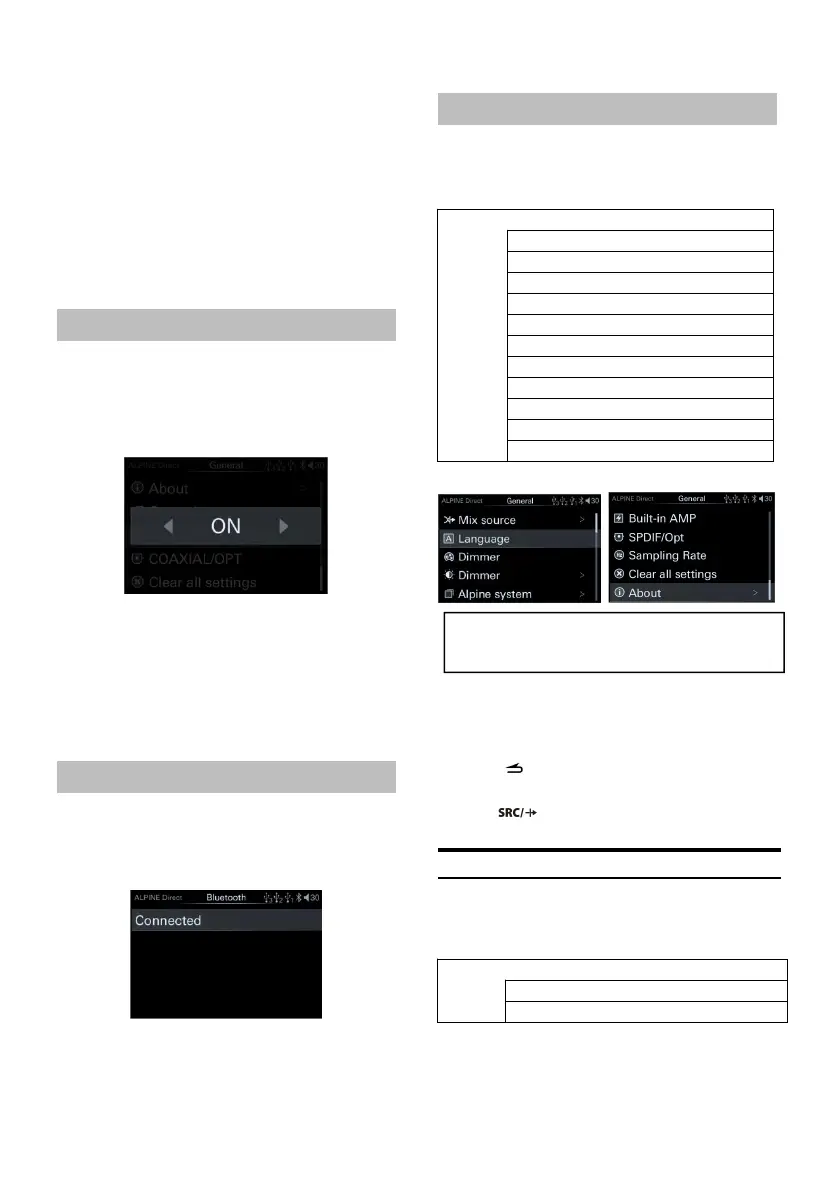
Defeat page
When this option is turned on, th e settings
related to sound effects such as the default
equalizer will be invalid. Turn off this option to
restore th e previous sound settings.
Setting items: Sou nd effect clear settings
Setting content: OFF (Initial setting)/ON
Bluetooth
Select [Bluetooth] from t he main settings page.
Refer to step 2 of "Setup Operation" (page 12).
Bluetooth connection page
Setting items: connect and dis connect
operations.
Setting content: Connect/Disconnect (Initial
General page
1 Rotate t he encoder up an d down to select the
target item, then short press the encoder to
select the target item to adju st.
2 Press to return to the previous menu
mode.
3 Press to release the s etting mode.
Mix S ource Settings
Select [Mix source] from the common page.
Refer to step 1 of "General Settings" (page17).
<Setting item>



 To Next Page