set to "Auto", which can reduce the light ing
brightness of the host controller when the car's
headlights are ON . This mode is very useful if
you feel that t he backlight of the host
controller is too bright at night.
Dimmer
Setting items: Dimm er
Setting content: Auto/Manu al (i nitial setting)
Dimmer level
Setting items: Dimm er level
Setting content: Level 1 / Level 2 / Level 3
(Initial setting)
Blackout Settings
Setting items: Bla ckout
Setting content:OFF (Initial setting)/ON
Alpine S ystem
Select [Alpi ne System] from the general page.
Refer to step 1 of "General Settings" (page18).
<Setting item>
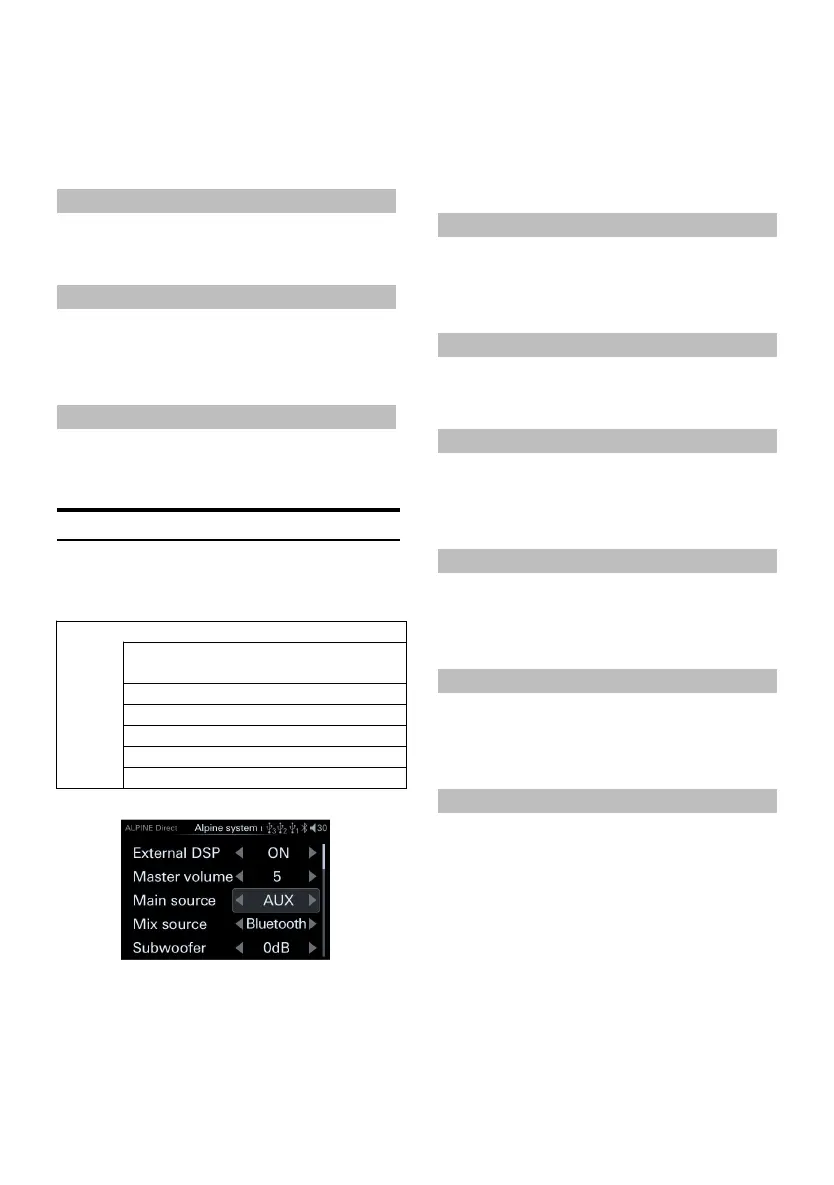
Alpine system matching
1 Rotate the encoder to select th e target item,
then short press the encoder to select the
target item to adjust.
2 Turn the encoder to the left to select [<]
operation, a nd t urn th e encoder to the right
to s elect [>] ope ration.
Setting content:OFF(Initial setting)ON/
Master volume / Main source / Mix source /
Subwoofer / Sound effect
It can be connected to Alpine car DSP, and only
supports products that can be connected to the
controller interface.
External Power AMP Switch
Setting items: External power amp lifier
switch
Setting content: OFF (Init ial setting)/ON
Master Volume
Setting items: Total volume
Setting content: 0~35 (Initial value: 27)
Main Source
Setting items: Main s ource
Setting content: Digital/High Level/
Bluetooth/AUX
Mix Source
Setting items: Mix sou rce
Setting content: Digital/High Level/
Bluetooth/AUX/OFF
Subwoofer
Setting items: Subwoofer
Setting content: -60dB ~ 0dB (i nitial value:
0dB)
Sound Ef fect
The Mix source can be selected according to
needs.
Setting items:Sound effect
Setting content: 6 groups of preset sound
effects can be called
Refer to t he setting of connecting PXE-0850X
for the above external DSP. For details,
please contact your A lpine dealer.



 To Next Page