Setting content: OFF/ON (ini tial setting)
Setting the Subwoofer Ph ase
The subwoofer phase i s s et to 0 ° (normal
phase) or 180 ° (reverse phase). To adjust the
phase, turn the k nob.
Setting items: subwoofer phase
Setting content: 0°(init ial setting)/180°
Setting the Subwoofer Level
When th e subwoofer is turned on, you can
adjust the output level of the subwoofer.
Setting item: subwoofer level
Setting content: 0~ +15 (initial value: 9)
Parametric EQ Setting
Select [Parametric EQ] from the s ound setting
page. Refer to step 1 of "Sound Settings" (page
11).
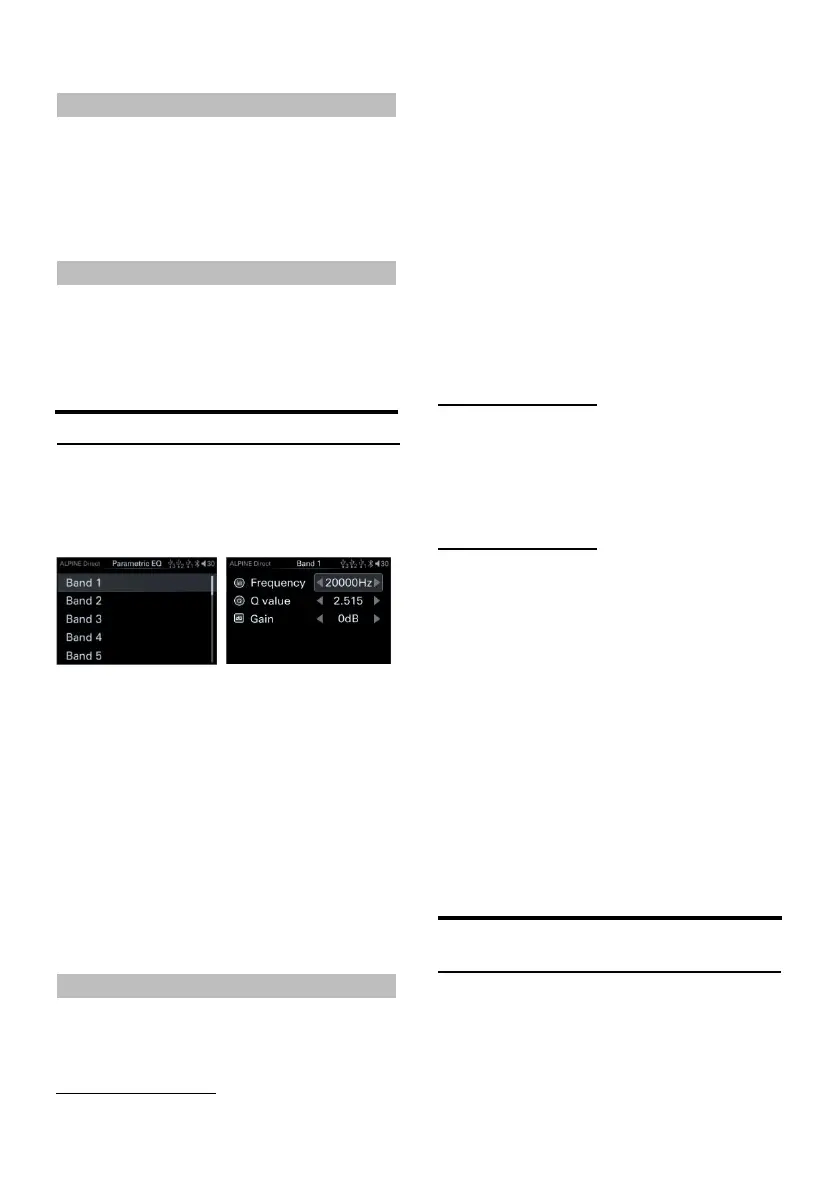
Parametric EQ page
1 Rotate the encoder to select th e target item,
then short press the encoder to select the
target item to adjust.
2 Turn the encoder to th e left to select [<]
operation, a nd t urn th e encoder to the right
to s elect [>] ope ration.
3 If you need to adjust a nother band, press to
return to band selection, and then t urn the
knob to select a band.
You can modif y the equalizer settings to make
the response curv e more in line with your
preferences.
Select Band
Setting content: Band 1 → Band 2 → ... → Band
9/Band 10→Band 1
Adjust frequency
Rotate the encoder, select "Frequency", and
then press the knob mom entarily.
Adjustable frequency band: 20H~20kHz
Band1: 20Hz~63 Hz(31Hz)
Band2: 31Hz~12 5Hz(63Hz )
Band3: 63Hz~31 5Hz(125H z)
Band4: 125Hz~ 500Hz(250Hz )
Band5: 250Hz~ 1kHz(500Hz )
Band6: 500Hz~ 2kHz(1kHz)
Band7: 1kHz~4kHz (2kHz)
Band8: 2kHz~7.2kH z(4kHz)
Band9: 5.8kHz~ 12kHz(8kHz )
Band10: 9kHz ~20kHz(16kHz )
Adjust Q value
Rotate t he encoder, select "Q value", and th en
short press th e knob.
Setting content:0.404~28.85 (Ini tial value:
3.056)
Adjust the gain
Rotate the encoder, select "Gain", and then
press the knob mom entarily.
Setting content:-12dB~+12d B(Initial value:0)
The frequency setting value of each ban d
cannot exceed the frequency value of
adjacent bands.
When adjusting th e parametric equalizer, the
frequency response of the connected
speakers s hould be considered.
When adjusting th e parametric equalizer, the
preset equalizer that has been adjusted will
be invalid.
After adju sting the parametric equa lizer, t he
preset equalizer displays "Custom".
Left and Right Balance Setting of
Speaker Ou tput
Select [Balan ce] from t he s ound s etting page.
Refer to step 1 of "Sound Settings" (page 11).
Left an d right ba lance page



 To Next Page