11
When show are actively being
recorded, you will see this logo in the
show info screen in the GUIDE
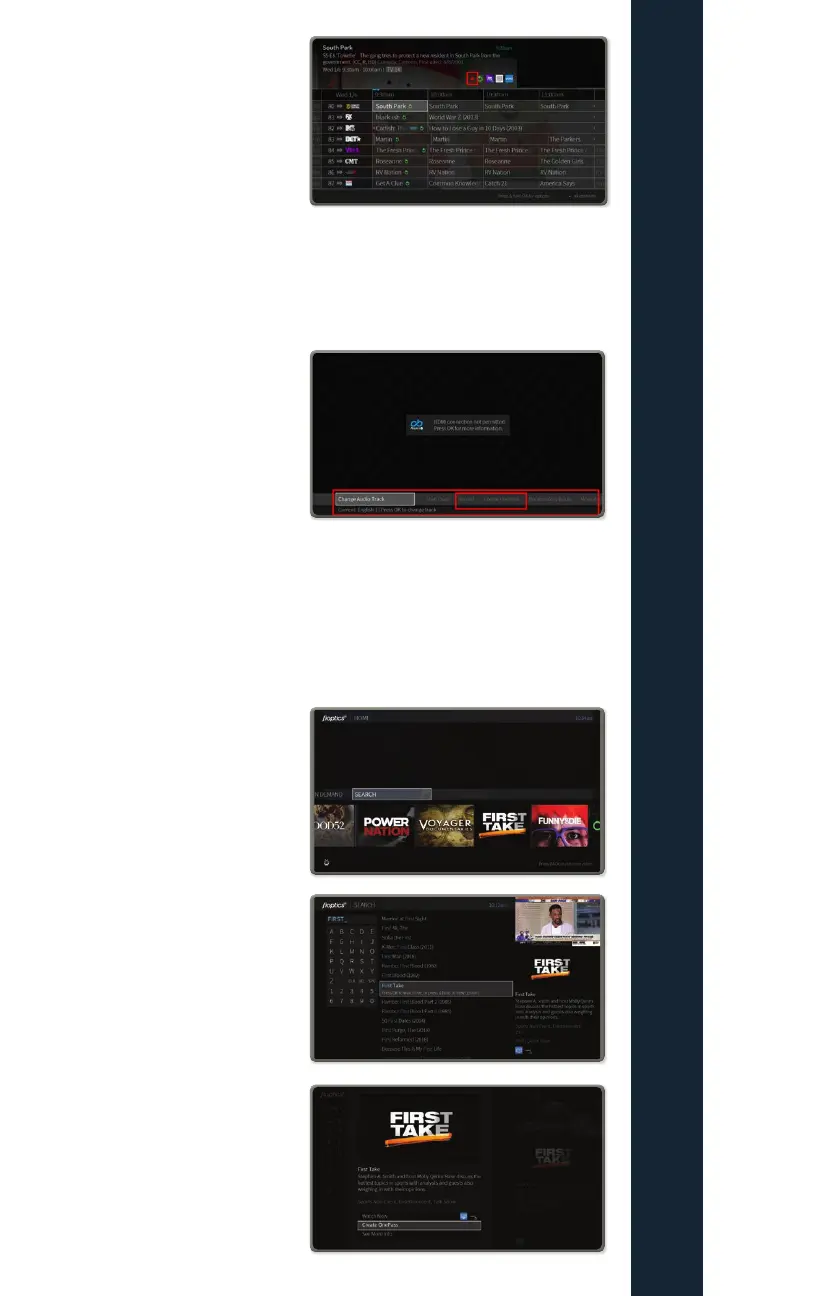
How to initiate a single or series recording while
watching a live show
While watching a show, you can
initiate both a single episode
recordings or a OnePass series
recording.
First, while watching a show live,
either press DOWN on the direction
pad or the “i” info button on the
remote to see the menu on the bottom of the screen
Once you have selected your desired recording option for a single recording or
OnePass, follow the corresponding directions above.
How to initiate a single or series recording from
search
Search through the desired show
either through the voice search using
the Google Voice Assistant button or
by using search from
the main menu.
Once the desired program is,
found select it to come to this screen
From here you can Create a OnePass
for a series recording,
or select individual episodes to
record on their next air date
FIOPTICS+ - Recordings



 To Next Page