12
How to view your recordings
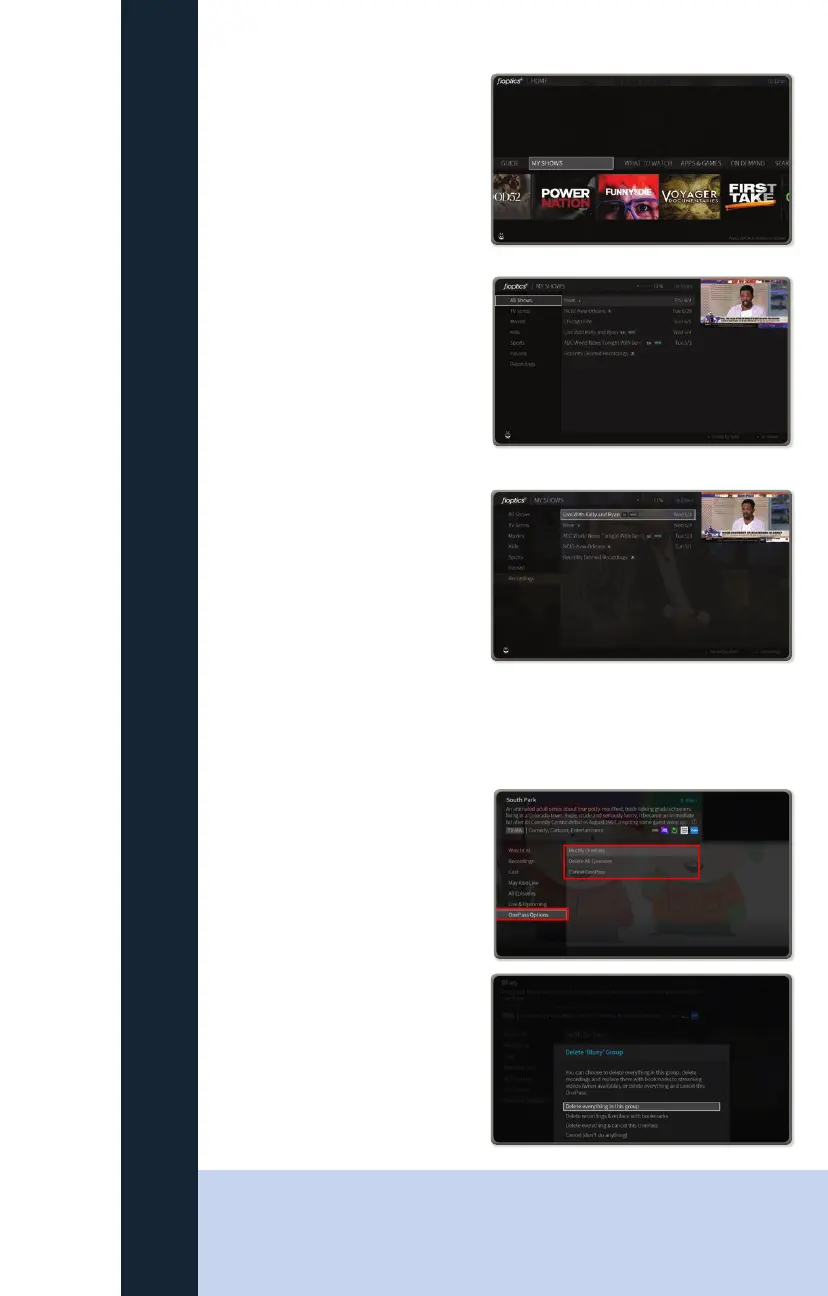
To View a show you have recorded,
open “My Shows’ from the main
Menu bar
You will open your list of shows
you have previously set up to
record either through a single
recording or OnePass recordings
or Bookmarked
The menu on the left of the screen
can filter your show based on their
category. Scrolling to “recordings’
will show all episodes that have
been recorded, the number next
to the show title shows how many
episodes have been recorded.
Opening up the show by selecting
it will allow you to select which
episode you would like to watch.
How to cancel a recording
Once a recording or series has been
selected, scroll down to “OnePass
Options” on the menu on the left of
the screen, then select Delete All
Episodes to delete current recordings,
or Cancel OnePass to no longer
record this series
If deleting current recordings you will
see this menu to confirm your choice
FIOPTICS+ - Recordings
QUICK TIP
You must first make sure there is space in you cloud DVR before you can recover
a deleted recording. To do so, you may need to delete other recordings to make
space.



 To Next Page