13
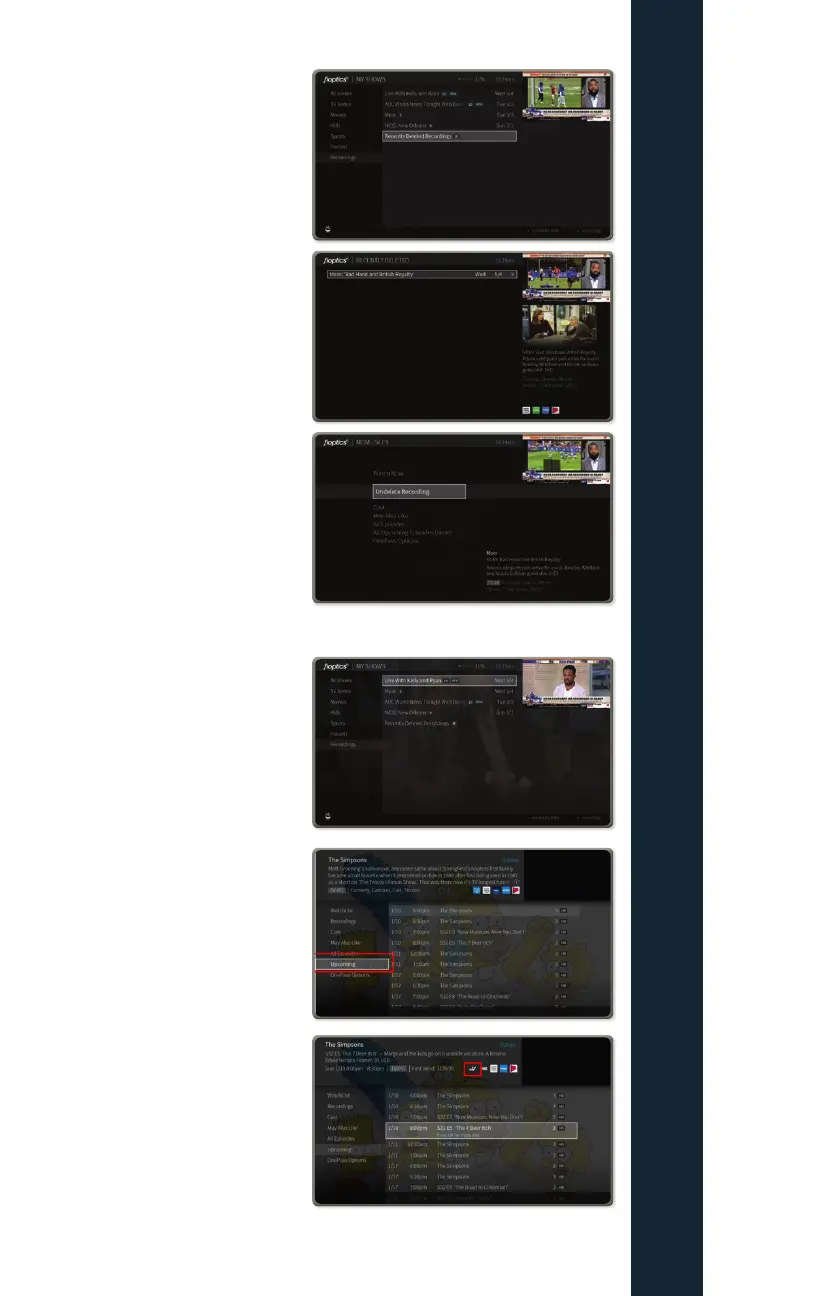
How to recover a deleted recording
Should you mistakenly delete
recordings you will have the option for
up to 3 days to retrieve them by going
into the “Recently Deleted” folder
under “All Shows” in the My Shows
menu
You will see a list of recently
deleted shows
Select the episode or episodes you
would like to recover, the next screen
you will select “Recover” to move an
episode back into your Recordings list
How to view upcoming recordings
To View upcoming recordings of show
you have a OnePass set for, first
select the show from you My Shows
list.
Next, scroll down to “Upcoming”
on the left hand menu
Next, scroll through the list of
upcoming airings of your selected
show, those episodes with the check
marks for single or series recordings
are scheduled to be recorded
FIOPTICS+ - Recordings



 To Next Page