14
FIOPTICS+ - Recordings
How to manage recordings
You will have the ability to manage
their DVR recording levels by several
ways. First, you can manage what
they keep in their DVR by setting the
duration and priority a recording or
series recording has over all others in
the OnePass or recoding settings at
the time of recording initiation.
You can choose how many episodes to keep of a certain show and how long to
keep either “As Long as Possible” or until “Space is Needed”. If choosing “As
Long as Possible” the show will be kept until either you delete it, the content
provider’s recording limit is reached or 1 year. If selecting “Space Needed” the
show will be kept until either the above limits have been reached OR if you run
out of space on their DVR it will delete the oldest recording no labelled “As Long
as Possible”.
If shows are removed, either by you, or automatically by the settings rules, you
will have up to 3 days to recover a deleted recording form the “Recently Deleted”
folder in My Shows.
Should your DVR become full, any upcoming OnePass or pre-set recording that is
scheduled will be recorded, however, if no old recordings are able to be removed
automatically by being labelled as “Space Needed,” the new recordings will be
moved immediately to the “Recently Deleted” folder.
If you continually hit your DVR recording limit there will be 4 DVR storage levels
you can choose from:15, 50 100 and 200 hours. You can see where you are in
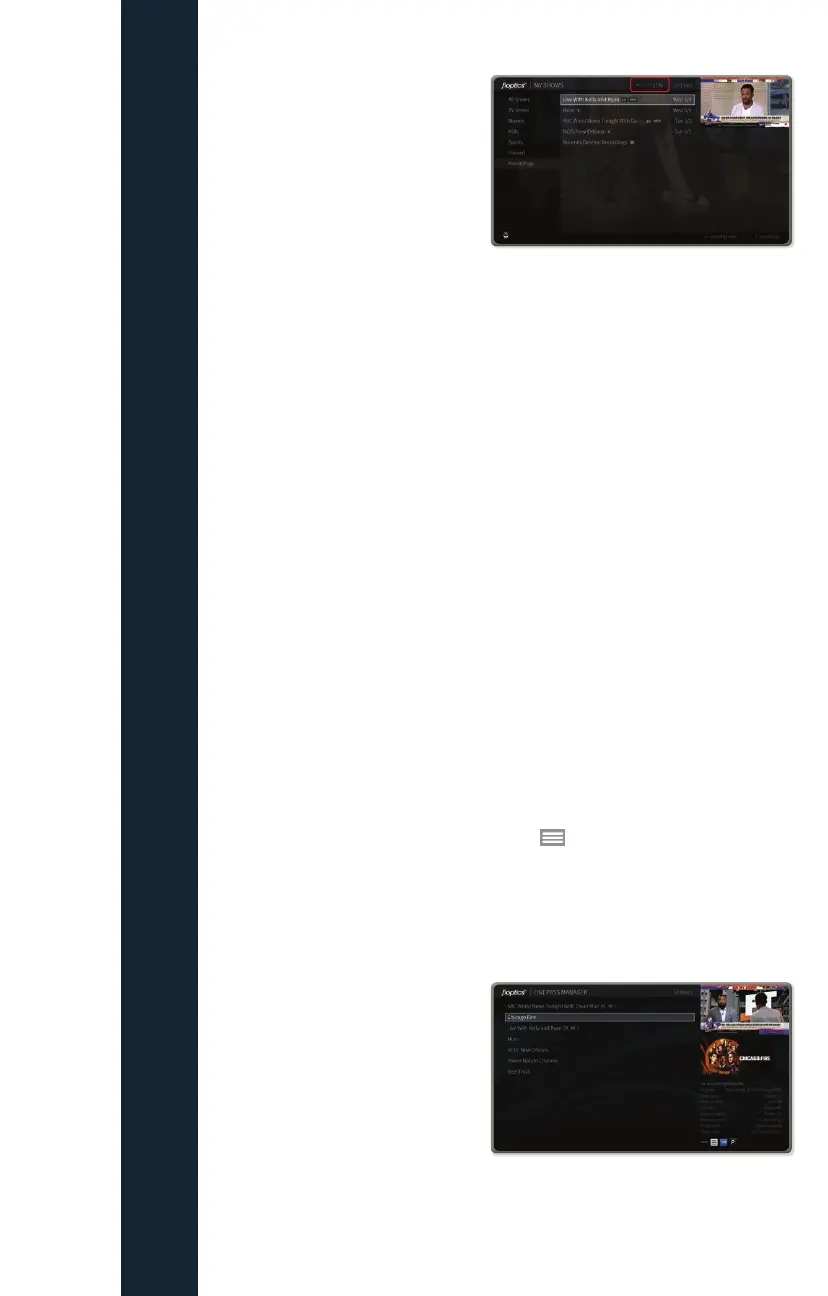
your recording storage by the indicator at the top of your My Shows menu:
OnePass searches are listed in the order you set them up: the first is at the top of
the list.
To view the OnePass Manager, choose Menu
> Settings > OnePass
Manager.
Use this list to change OnePass options, modify recording options (if available),
view upcoming episodes, or cancel a OnePass. Highlight the show title and press
OK/SELECT to view available options.
You may choose to downgrade to a
lower storage tier however, if your
currently stored recordings are too
large for your new tier, the storage
rules will apply and recordings may be
automatically moved to the “Recently
Deleted” folder in “All Shows”
After 3 days, a recording that has been moved into the “Recently Deleted” folder
will be permanently deleted.



 To Next Page