16
2. User Account Management
2.1. Signing Up
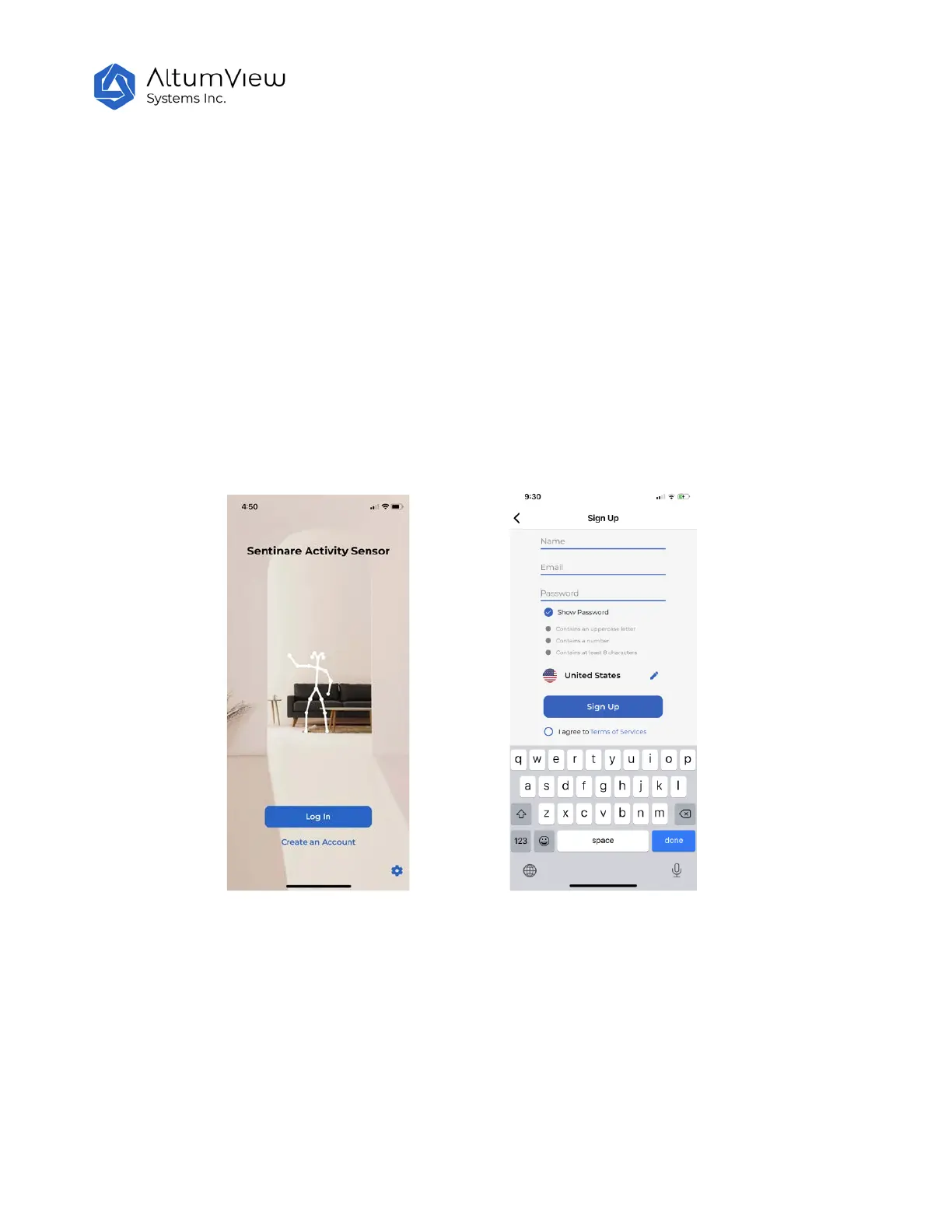
● Open the Sentinare App, and tap the “Create an Account” in the front page.
● On the “Sign Up” page, tap the pencil icon to choose a server location. Currently there are three
servers: Canada, United States, and China. When a sensor is sold, its serial number is added to the
white list of one of our servers, based on the country of the customer.
● Fill in name, email, and password, and tap the “Sign Up” button. The email address and password
are required for future login. The password should have at least 8 characters and include at least
one upper case letter and one digit.
● In order to use this product, you need to accept our “Terms of Services” . Please click Terms of
Services and read it carefully. Use the drop-down button to see the entire document. If you accept
these terms of services, please tap the “Accept” button at the bottom of this page. The terms of
services can also be found in the Setting page of the App, or AltumView website.



 To Next Page