63
8.1 View Visits
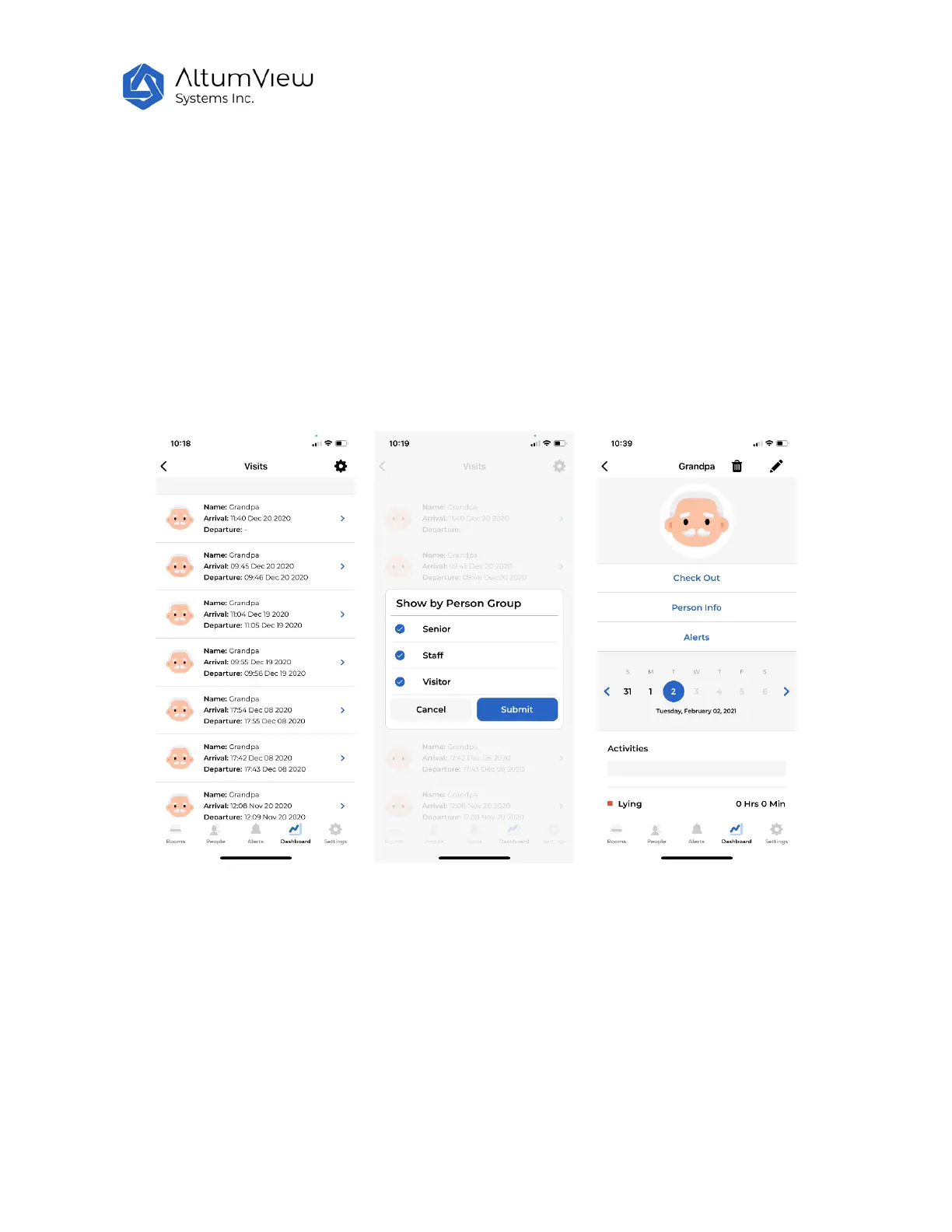
Tap on the “View Visits” command will enter the “Visits” page, which shows all the entrance and/or exit
records detected by sensors for which the entrance and/or exit are defined via the Region of Interest
page in Sec. 4.
In the Visits page, tap on the setting icon in the upper right corner, users can select what person group’s
records to display, as shown by the figure below. The filtering can be removed by tapping “Clear Filters”.
From the Visits page, users can also manually check out a person, if his/her departure time was not
recorded for some reasons. This can be done by tapping a record whose departure time has not been
logged. In the next page, tap the “Check Out” command, as shown by the following figure, a pop up
window will show up for users to input the departure time of the person.



 To Next Page