61
8.Dashboard
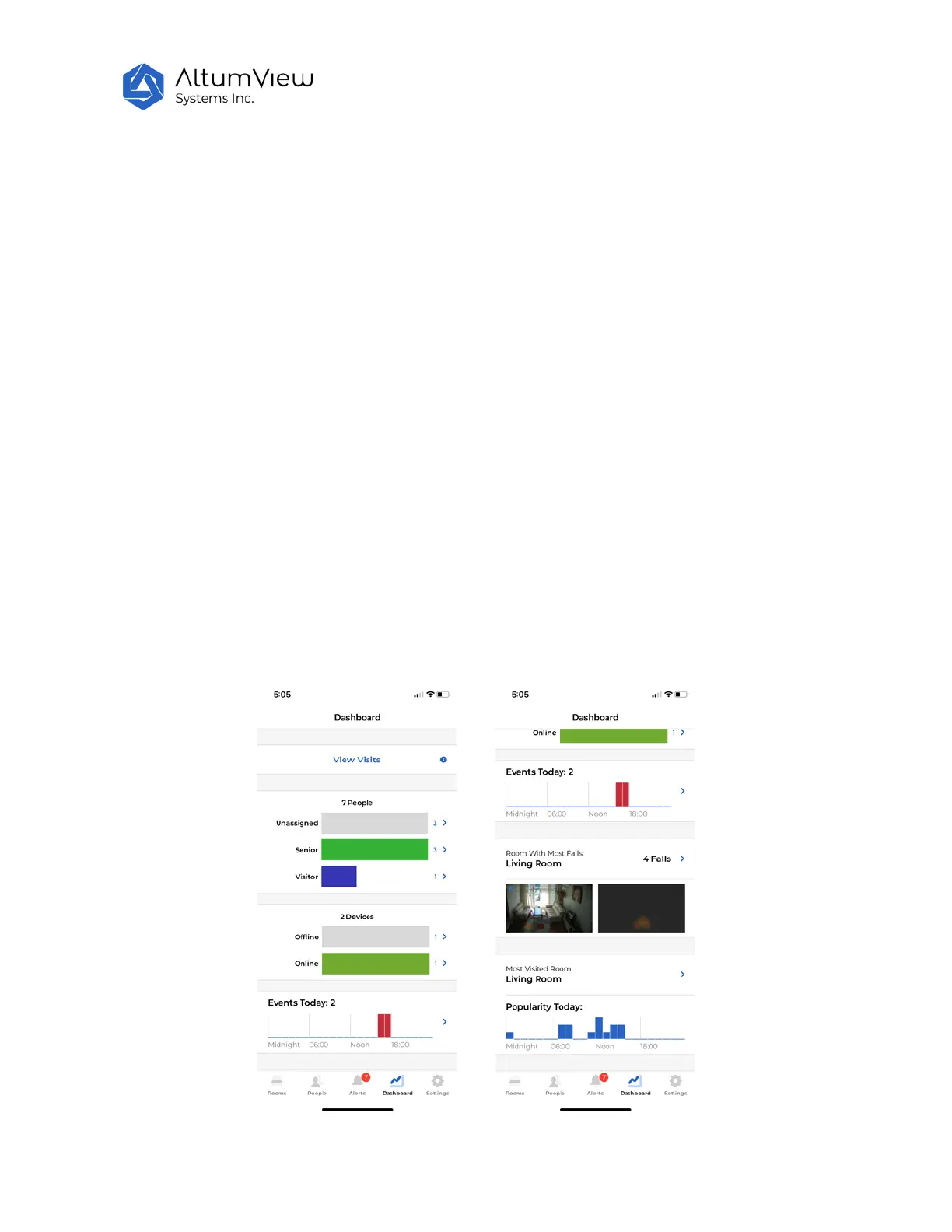
Tap on “Dashboard” in the menu at the bottom of the screen to view some statistics about this account,
as shown below.
The first part of the dashboard shows the visit records, which is explained in Sec. 8.1.
The dashboard page first displays the total number of people in the account, including the total in each
person group. Tapping the name of each person group will show the list of all people in it.
The next part displays the total number of devices in the account, and the numbers of online and offline
devices. Tapping the offline and online categories will show the list in each group.
The next part shows the total number of events and the time of each event in the current day. Tapping
this part of the screen will show the details of these events. In this page, users can also check the
records of other days or the total records of the last 30 days.
The next part of the dashboard page shows the room with most falls, and the heat maps of the fall
locations.
The bottom of the dashboard page displays the most visited room today. Tapping this part of the screen,
users can check the most visited room in other days or the last 30 days.



 To Next Page