EasySet 2 BAG0217.9
1 Product description
1.1 Overview
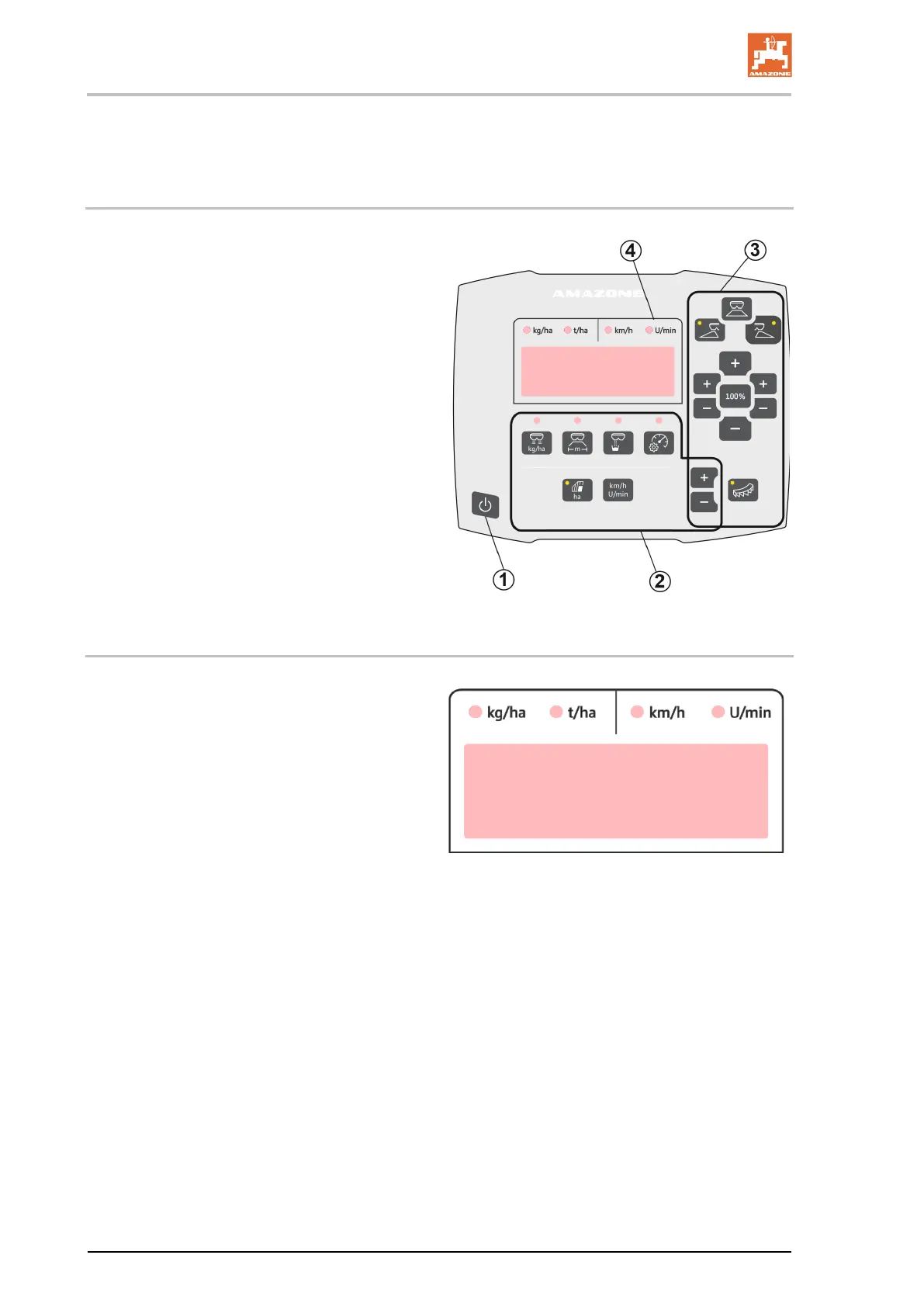
(1) Switch On and Off button
After being switched on, the display shows
the set shutter position
(2) Adjustment buttons
Some with LED light for showing the acti-
vated function
(3) Buttons for control during operation
Some with LED light for showing the acti-
vated function
(4) Display with LED lights
1.2 Display
• Display for showing a maximum of 6 char-
acters
• LED lights above the display show the units
of the displayed value.








 To Next Page