EasySet 2 BAG0217.9
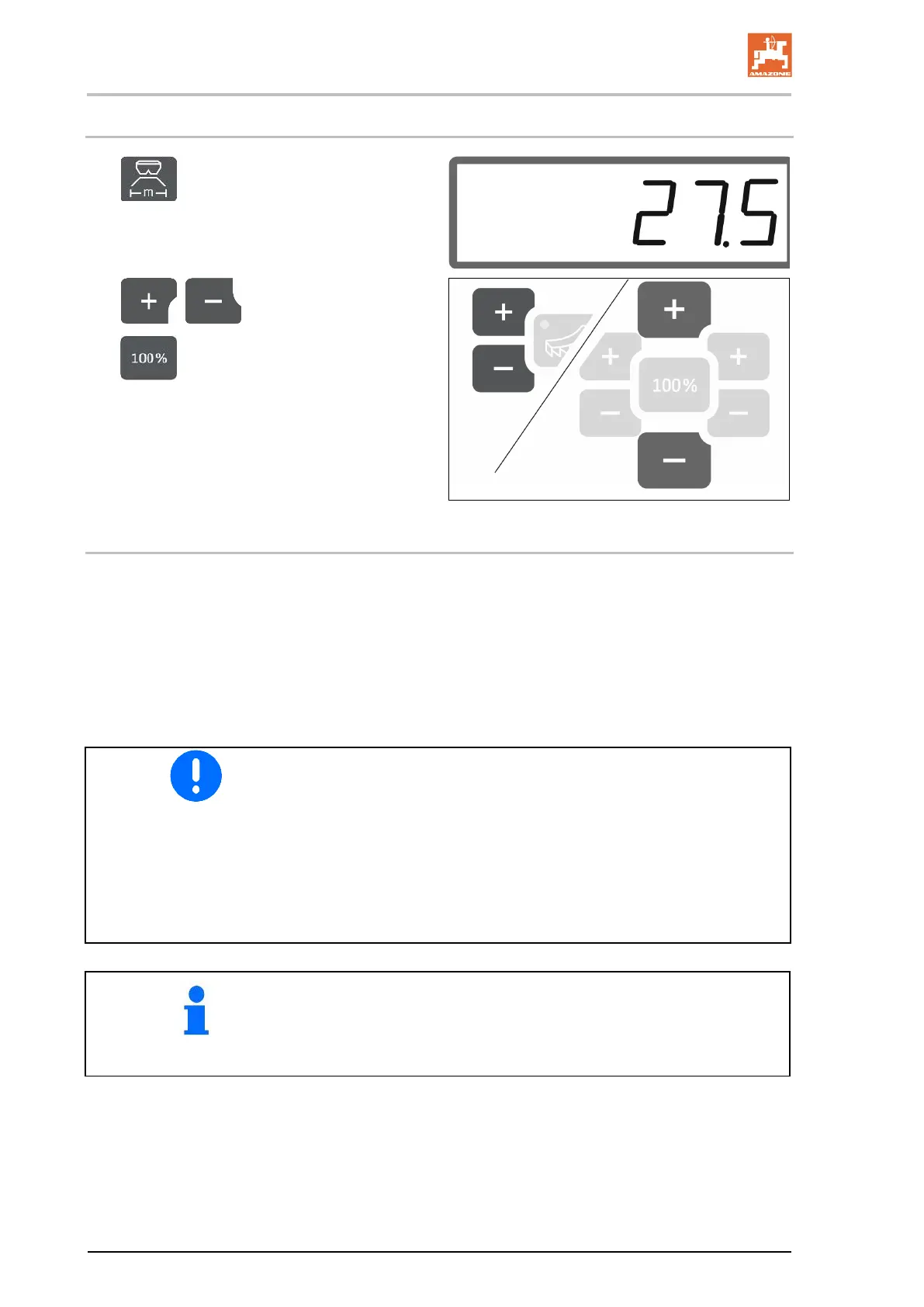
2.3 Entering working width
1. Select the working width setting.
The working width is shown in m.
2. , Enter the working width.
3. Save the value and go back to the
work display.
2.4 Determining/entering the fertiliser calibration factor
The fertiliser calibration factor determines the regulating behaviour of
the implement computer and depends on the flow characteristics of
the fertiliser to be spread.
In turn, the fertiliser flow characteristics depend on:
• fertiliser storage, storage time and climatic factors.
• working conditions.
• The fertiliser calibration factor can be found in the setting chart
for each fertiliser.
• Use the fertiliser calibration factor from the setting chart as a
base value before calibration.
• The value of the setting chart is optimised by calibrating the
fertiliser.
• The determined fertiliser calibration factor overwrites the value
from the setting chart.
Realistic calibration factors for fertiliser (0.7 to 1.4):
• 0.7 for urea
• 1.0 for calcium ammonium nitrate (CAN)
• 1.4 for fine, heavy PK fertilisers




 To Next Page