GreenDrill 5.2 on-board computer
58
GreenDrill BAH0054-4 02.13
7.8 Programming (Customer service)
Switch off the blower fan motor and sowing shaft motor.
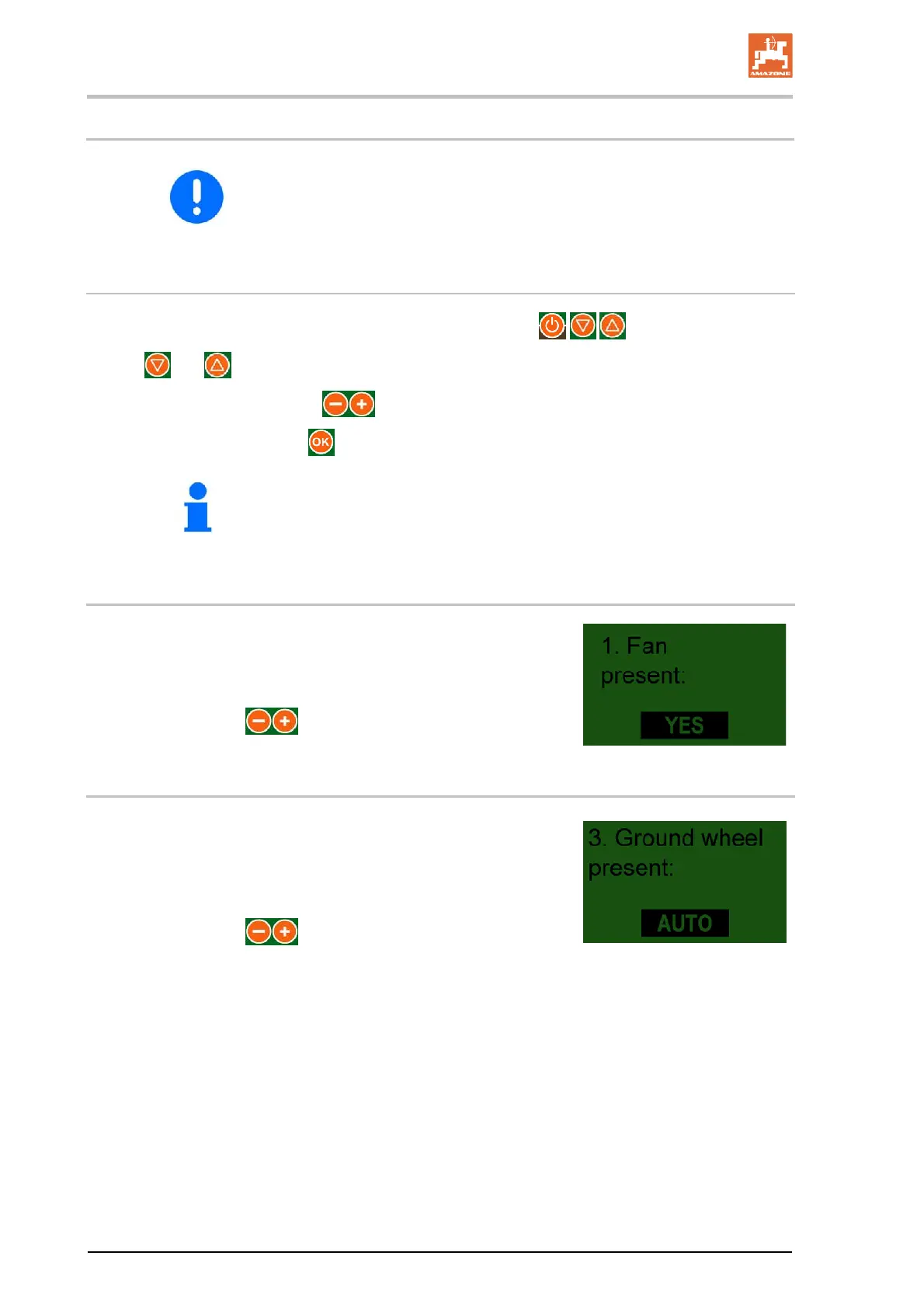
Open/edit the programme menu
Call up the programme menu by simultaneously pressing buttons .
Buttons and are used to move around within the menu.
Change the parameters using the
buttons.
End the programming using the
button.
If set to "AUTO", transmitting sensors are recognised.
7.8.1 Blower fan
Enter the drive type for the blower fan.
Setting with electric drive:.................................. YES
Setting with electric drive:.................................. NO
Make settings with the
buttons.
7.8.2 Ground wheel
Set whether the ground wheel is being used:
YES, NO or AUTO
To automatically detect whether or not the ground wheel is being
used, set the on-board computer to AUTO.
Make settings with the
buttons.


 To Next Page