H-1.601. 00137-B3.0
Page 17 of 81
3.2.2 Setting Alarm Volume
In the main menu interface, select < Alarm > soft button and enter the alarm
setting interface(As shown below).
Adapter disconnencted!!
CPR
VentilateCPREventsAlarm
tidal volume
I/E
Freq
PEEP
Fio2
FIGURE 8 Alarm
1 Volume By default three levels are available. The
available options are: shut down, Level 1,
Level 2, and Level 3.
2 Type The default mode is voice alarm. The
available options are buzzer and voice
alarm.
Alarm sound pressure range: within a distance of one meter, the peak
volume range of the audible alarm generated by the device is 45dB(A) ~ 85
dB(A).
Access authorization: When access to the operation interface is restricted,
the manufacturer or its authorized professionals must enter the password for
access.
3.2.3 System Settings
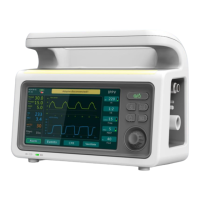
In the main menu interface, select < System setting > soft button to enter
the system setting interface(As shown below).


 To Next Page