51
1.RAID 1 2. RAID 0 3. RAID 10 4. JBOD
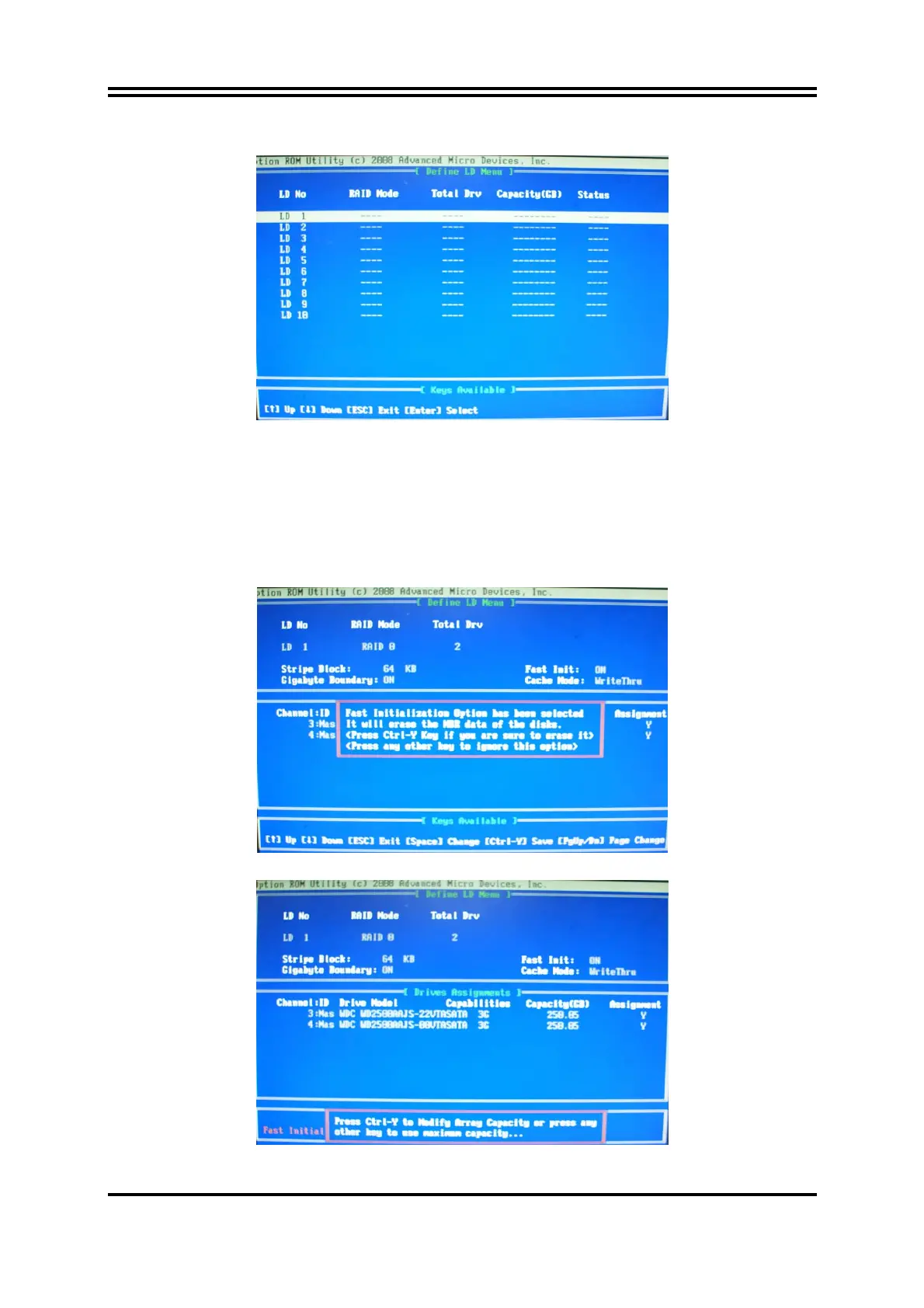
[figure4]
Choose LD 1 then press Enter.
Take Raid0 for example, use [↑] [↓] to shift the cursor, press space key to change the choice,
press [Ctrl-Y] to keep.
Set Assignment mode as [Y], press [Ctrl-Y] to keep , then figure 5 appeared, erase the MBR.
choose [Ctrl-Y],figure 6 appeared. Press any key, finished the RAID.
[figure5]



 To Next Page