Installing Hardware
10 Intellex® Ultra
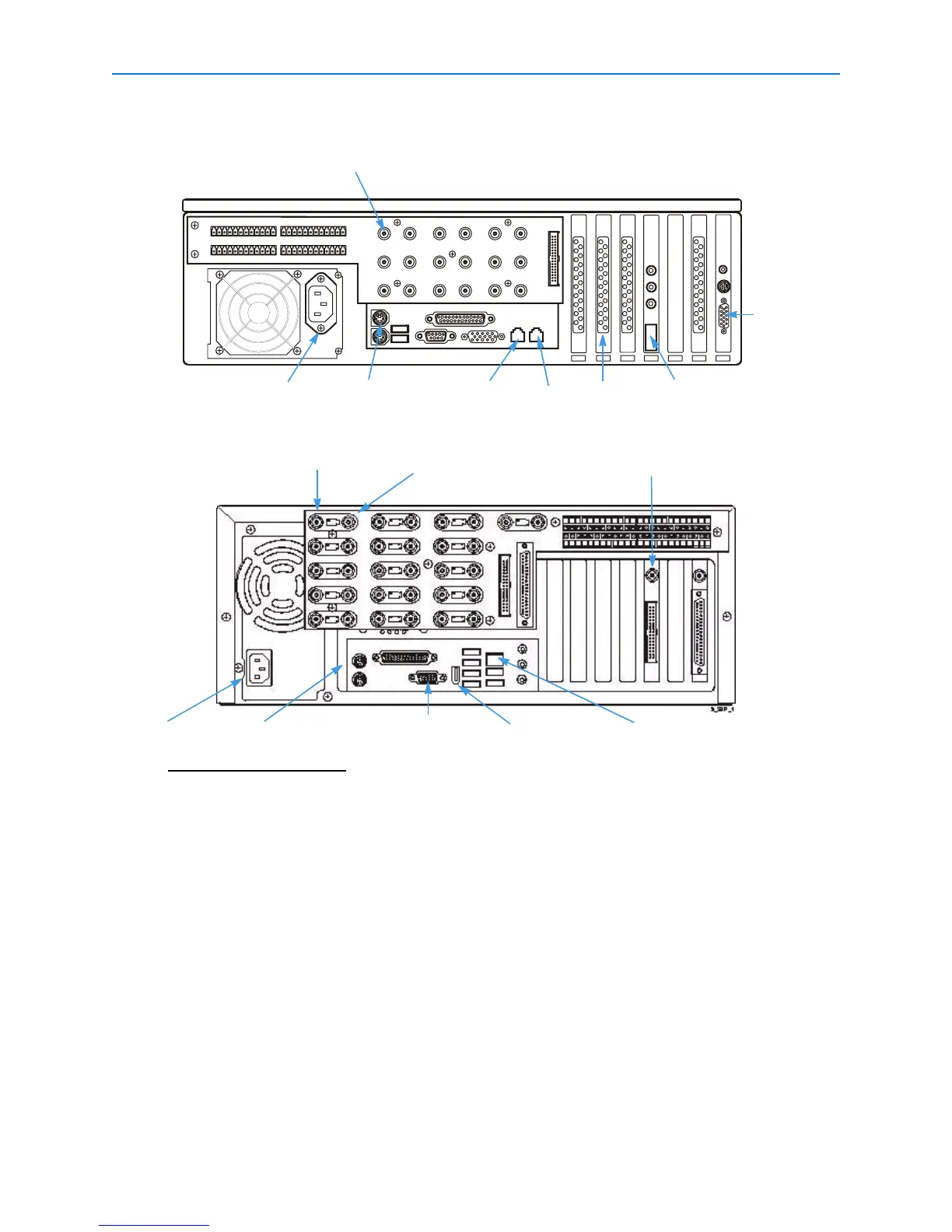
4 Connect an optional call monitor to the BNC connector on the Call Monitor board to see live
video from a single camera (call mode) or from alarmed cameras in sequence (spot mode).
Note
The layout of the rear panel varies slightly with different motherboards.
Connecting Audio Devices (optional)
1 Connect the microphone or audio source to the Intellex unit through the color-coded 3.5 mm
audio connectors on the back of the unit.
For the best quality sound, use a pre-amplifier with appropriate filtering with a compatible
microphone.
INT40
BP
BNC Camera in
VGA monitor
VACD 3
Power entry Mouse
GLan 1
GLan 2
Sound card
Ultra
Call Monitor BNC
Power entry Mouse
VGA monitor
BNC Camera in
Passive loop through/
camera out
DVMS/Rackmount
Firewire
Ethernet 10/100



 To Next Page
 Loading...






